PowerMeasuringModule PMM
35,0(
64
Revision 13 EN - 02/2023
13.3.3 Importing EDS file
1. Insert the PRIMES data medium into the drive of your computer.
2. Start the program RSNetWorx.
1. Start the EDS-Wizard:
2. Choose the menu Tools --> EDS Wizard.
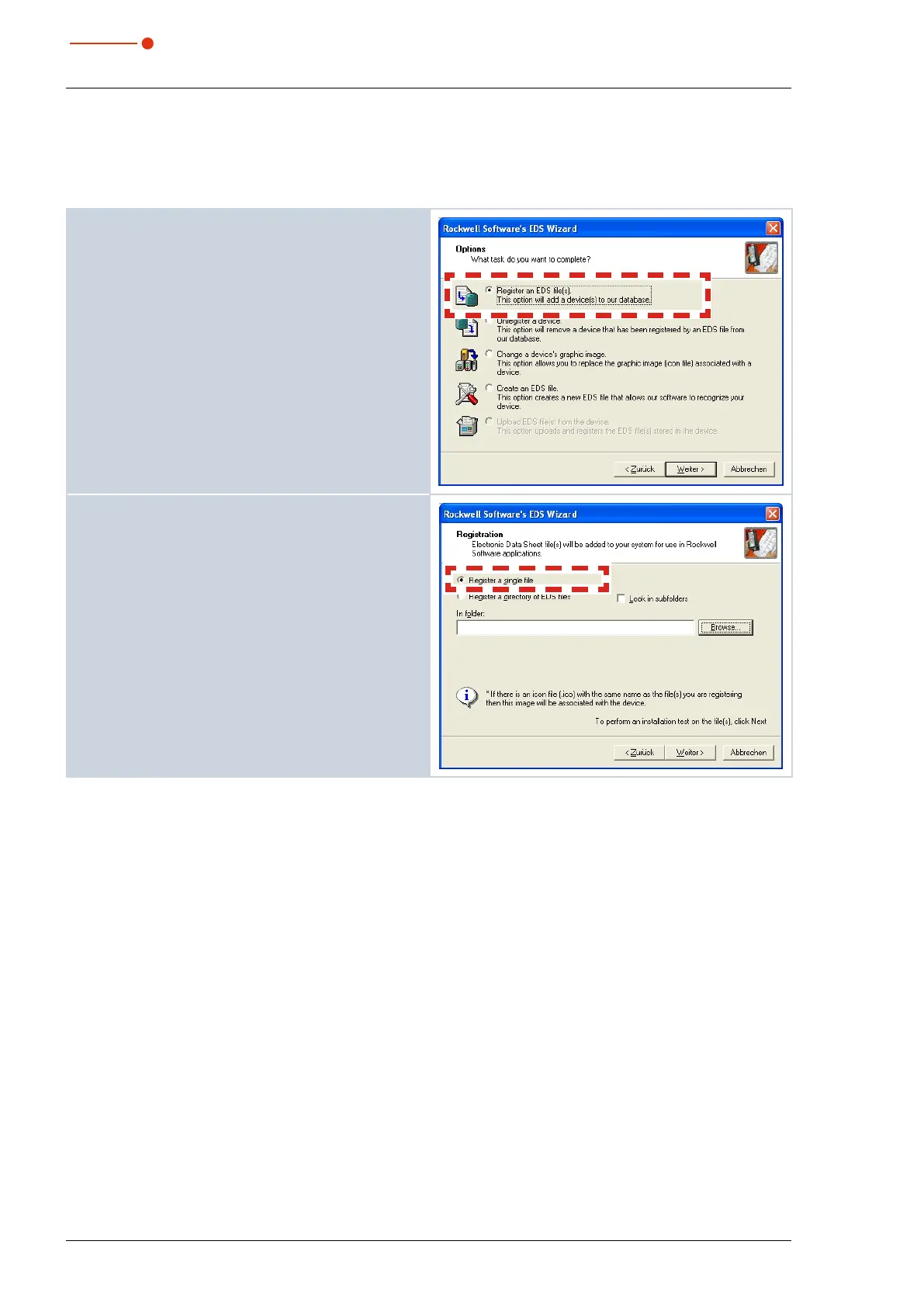
3. Choose the option Register an EDS File.
4. Click Weiter (Next).
5. Choose the option Register a single file.
6. Choose the corresponding EDS file on the PRIMES
data medium via Browse… :
• PMM A: PMM_DNS-V2.1-20150413.EDS
• PMM AP3s: PMMP_DNS-V3.1-20221111.EDS
7. Click Weiter (Next).
8. Confirm all upcoming dialogue windows by clicking
Next or Complete.



 To Next Page