PowerMeasuringModule PMM
35,0(
68
Revision 13 EN - 02/2023
13.3.5 Debugging
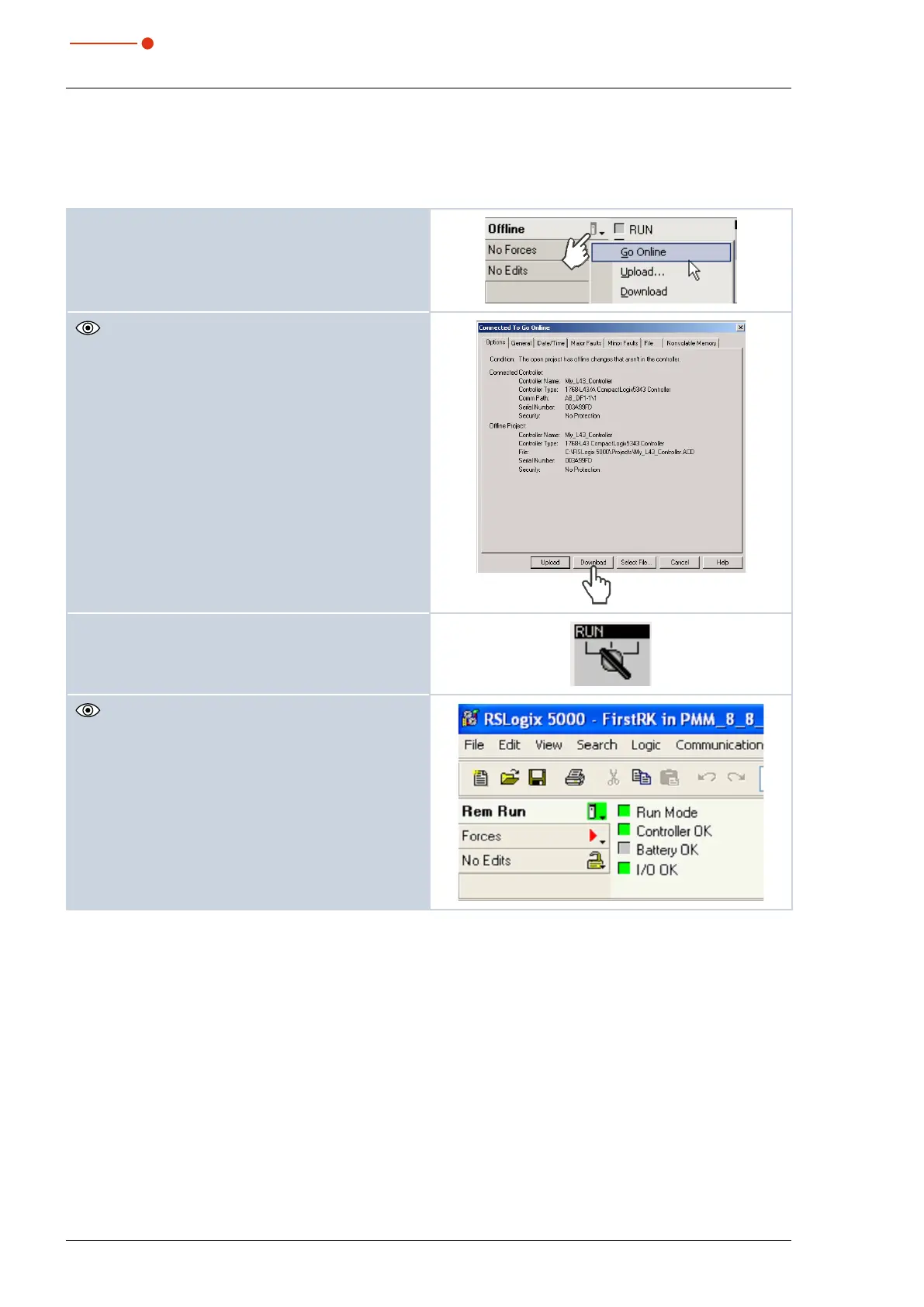
After the configuration you can switch the system to the “Run Mode”. Select “Go Online” first. The software
is then programmed into the system via “download” and then the “Run Mode” is set.
1. Select the control symbol and click Go Online.
The dialogue window Connect to Go Online is
opened.
2. Click the button Download.
3. Start the Run Mode.
The check boxes „Run Mode“, „Controller OK“ and
„I/O OK“ have to be highlighted in green.



 To Next Page