PowerMeasuringModule PMM
35,0(6
85
Revision 13 EN - 02/2023
15.4 Exchangeable cassette
In the PMM with exchangeable cassette, the protective window is enclosed in a cassette that can be quickly
exchanged without tools.
Replacement exchangeable cassette incl. protective window
Order number: NIR: 410-070-020, BG: 410-070-025
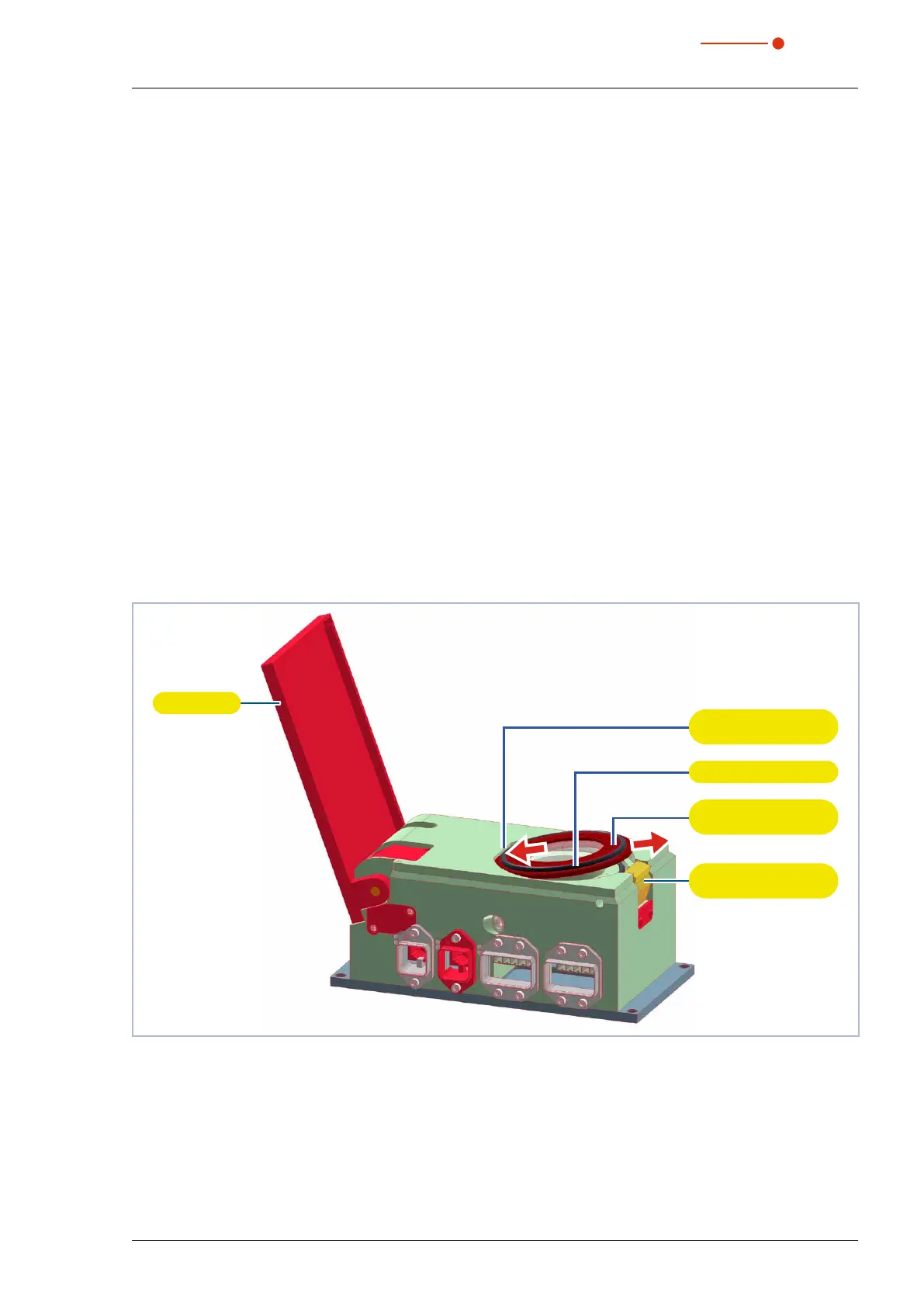
15.4.1 Replacing the exchangeable cassette
1. Observe the warning messages in chapter 15.3.1 on page83.
2. Switch off the laser source.
3. Ensure that moving parts, e.g. robot arms, etc. are at a standstill and that they cannot be set in motion
unintentionally.
4. Let the device cool down for an adequate period of time.
5. Open the shutter.
6. Put on suitable gloves.
7. Push the cassette lock button.
The exchangeable cassette is automatically lifted by an ejector.
8. Pull the exchangeable cassette out of the housing.
9. Insert the new exchangeable cassette (with the O-ring pointing upwards) at an angle into the cutout in
the housing.
10. Press and hold the cassette lock button.
11. Press the exchangeable cassette into the housing and release the button.
The exchange cassette is now locked.
12. Close the shutter.
Shutter
Cassette
lock button
Exchangeable
cassette
O-ring
Cutout in the
housing
Fig. 15.2: Replacing the exchangeable cassette



 To Next Page