PowerMeasuringModule PMM
35,0(
58
Revision 13 EN - 02/2023
12.2 GSD file (PROFIBUS
®
)
The GSD-file for the PMM can be found on the supplied PRIMES data medium. The address is factory set
to3.
For devices delivered from 03.2012 onwards, the PROFIBUS
®
address is adjustable from 1 to 99.
Setting the PROFIBUS
®
address
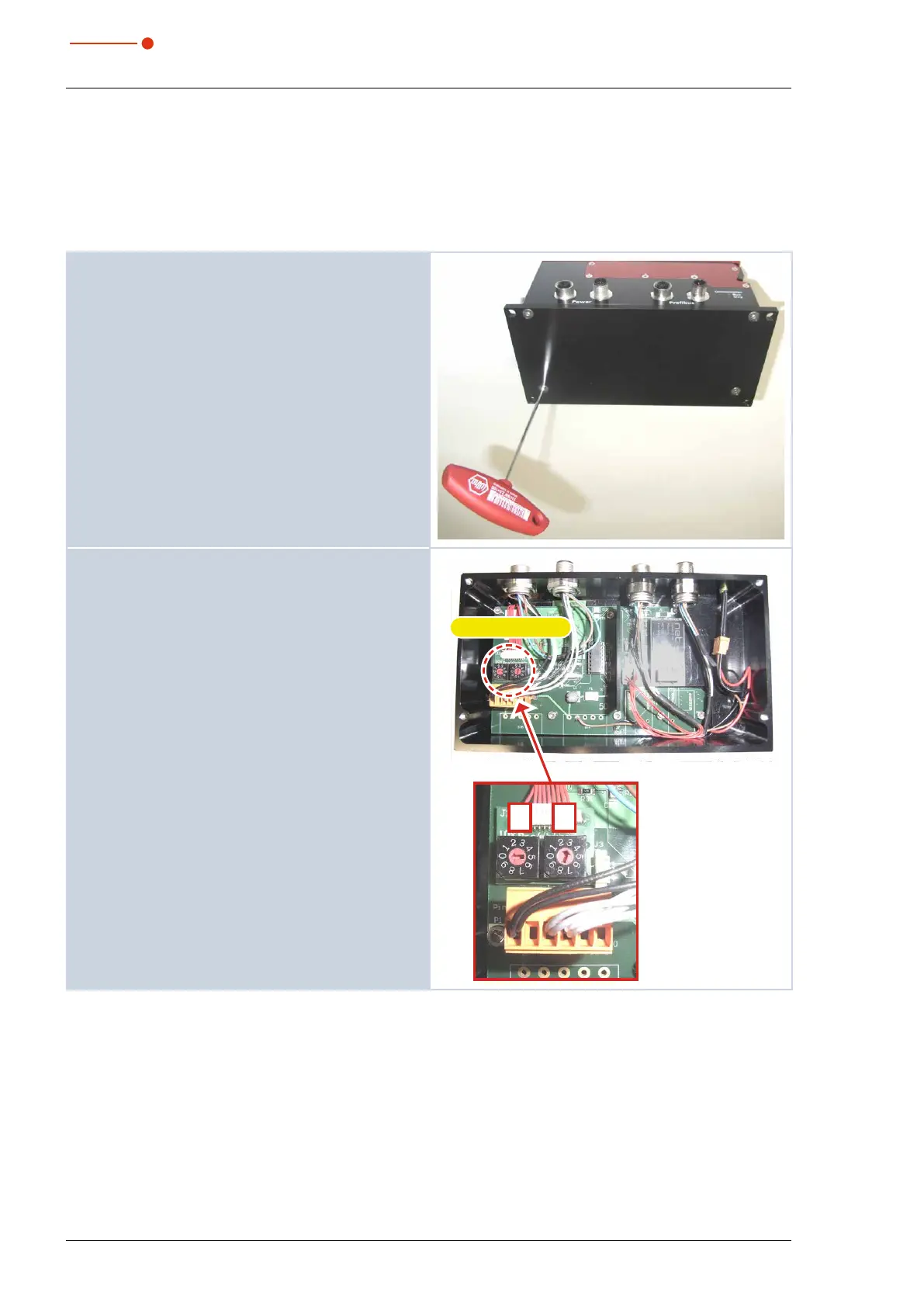
1. Please remove the base plate of the device (four
hexagon socket screws a. f. 2.5 mm).
2. Please set the desired bus address by means of
the rotary switches A and B. The arrow head of the
rotary switch has to point to the respective figure.
The address consists of two digits. Use switch A to set
the first digit (tens), and switch B to set the second digit
(units).
Example
The bus address is supposed to be 3.
Setting switch A=0
Setting switch B=3
Rotary switches
A B



 To Next Page