PowerMeasuringModule PMM
35,0(
74
Revision 13 EN - 02/2023
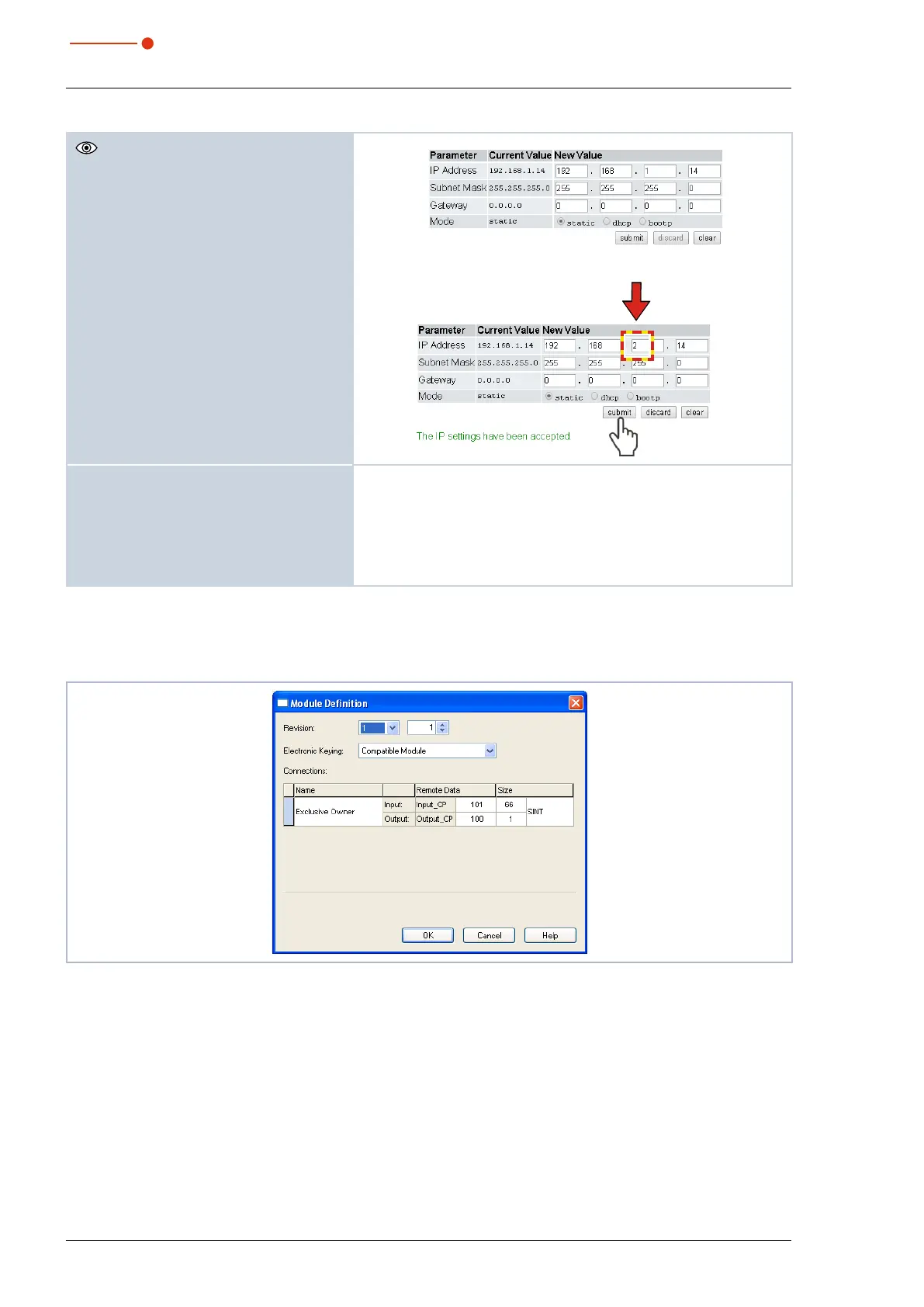
The current IP address of the PMM is
displayed.
9. Change the address according to your
wishes.
Notice:
The Mode selection field must always be left
static!
Switching to dhcp or bootp leads to a loss
of communication with the PMM.
10. Click the Submit button.
The device address is transferred.
11. Please mind that the last byte of the IP
address of the PMM is set by means of
two rotary switches (see chapter 13.4.2
on page71).
The PMM is now reprogrammed.
12. Switch off the PMM and turn it on again
so that the new address is implement-
ed.
13. Reset the network interface card of your
computer to the new address as well.
14. Check the communication with the
PMM.
13.4.4 Module definition
With regard to the module definition, the name “Exclusive Owner” is selected in the drop-down box
(seeFig. 13.10 on page74). The automatically entered data sizes of 66 for input and 1 for output are kept.
Fig. 13.10: Module Definition



 To Next Page