PowerMeasuringModule PMM
35,0(6
73
Revision 13 EN - 02/2023
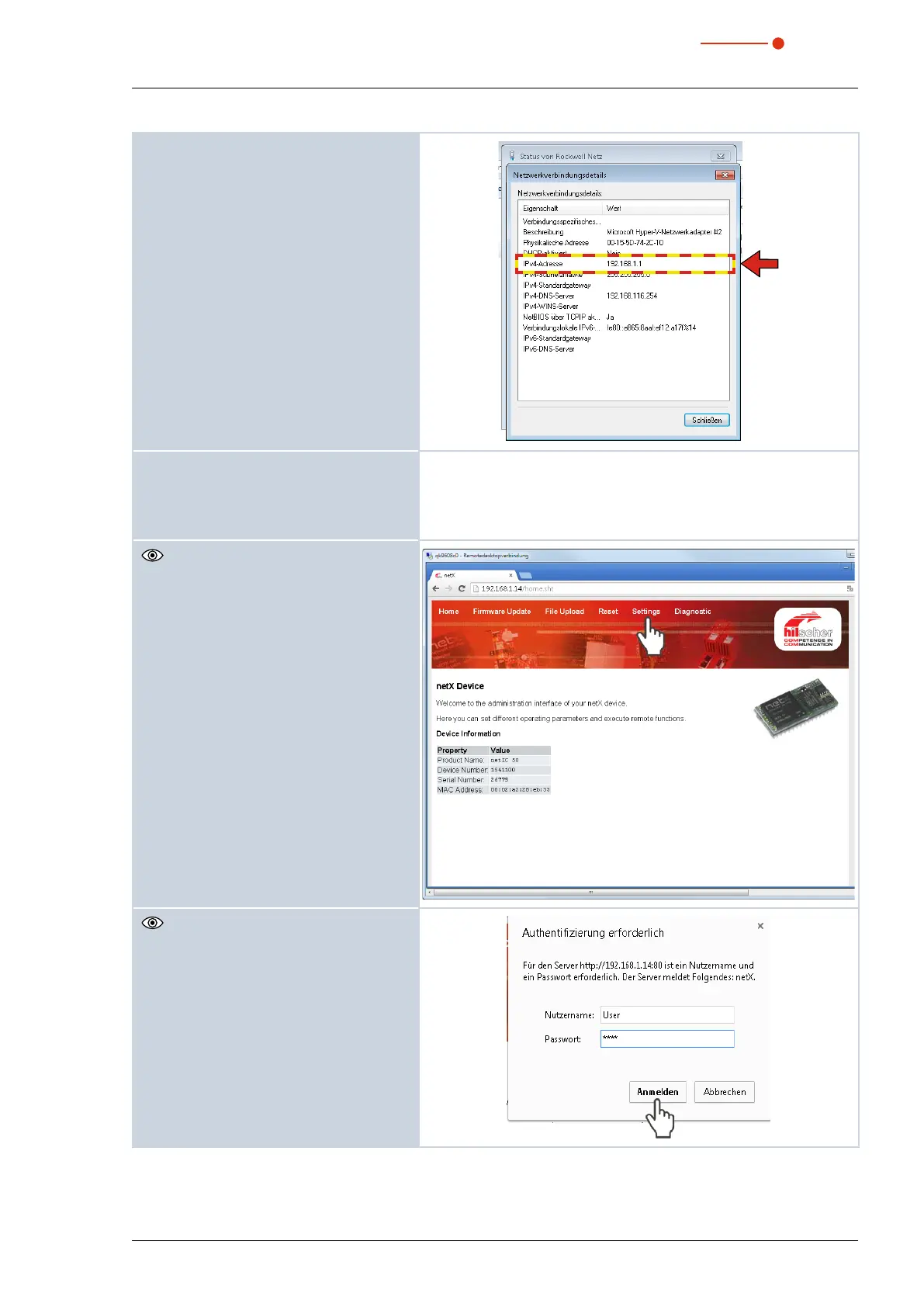
Please mind for the next steps, that the IP
address of the network interface card of
your PC has to be within the address range
of the PMM.
3. Start your web browser.
4. Enter the IP address of the PMM in the
address line.
If no connection can be established, this can have the following rea-
son:
The communication software „EthernetDeviceConfiguration“ of the
PMM is not up-to-date (version 1.5 is required).
The dialogue window of the web
browser interface is opened.
5. Click Settings.
The registration window is opened.
Please mind the correct use of capital and
small initial letters.
6. Enter the user name (Nutzername)
User.
7. Enter the password (Passwort)
User.
8. Click the Register (Anmelden) button.



 To Next Page