PowerMeasuringModule PMM
35,0(6
65
Revision 13 EN - 02/2023
13.3.4 Bus configuration with RSNetWorx
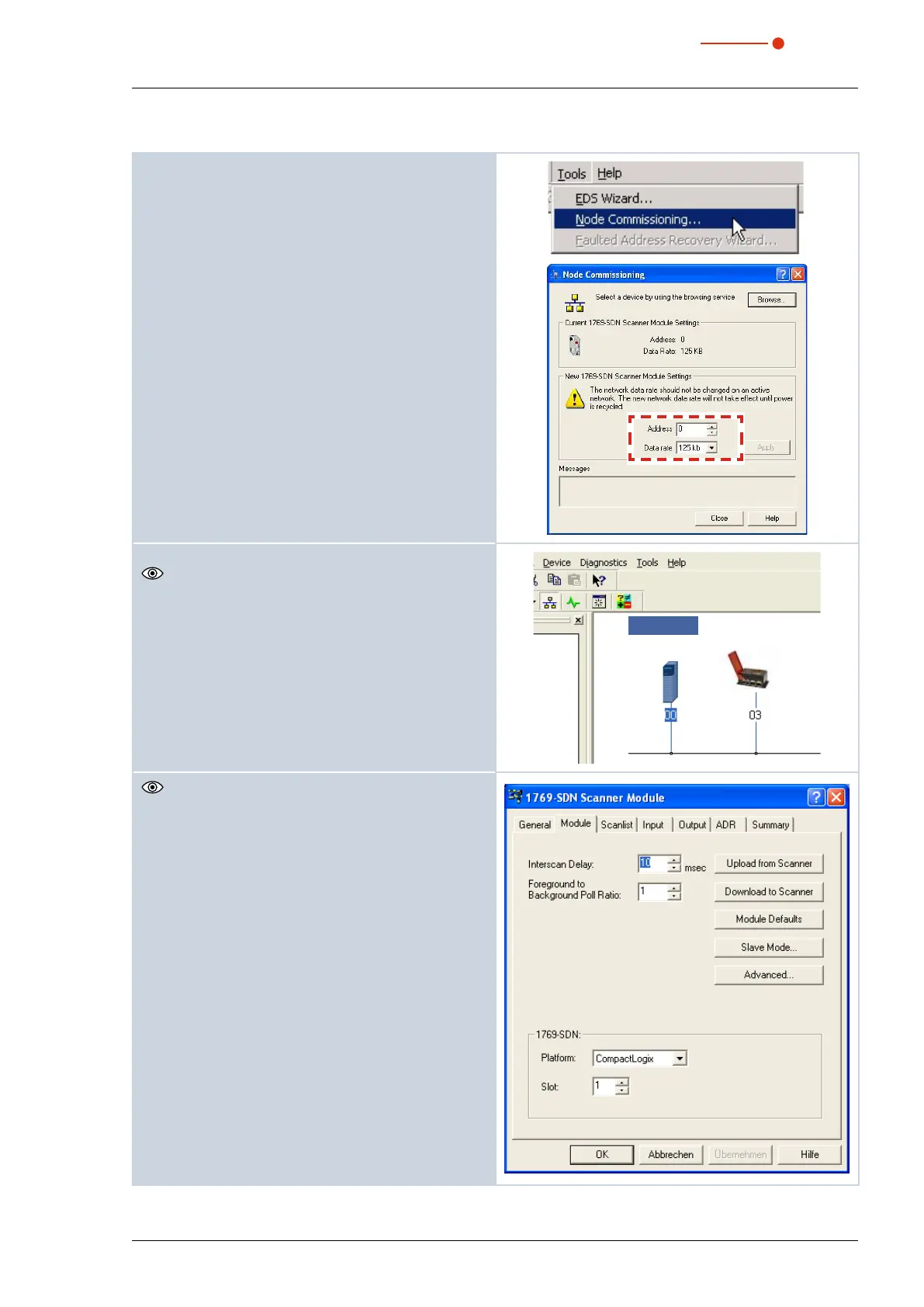
1. Start the program RSNetWorx.
2. Set the bus address and the baud rate in Tools -->
Node Commissioning.
3. Open the network (menu Network --> Online).
The search process on the bus starts automatically.
The found bus components are displayed.
4. Double-click the scanner symbol.
PMM
1769-L24ER
The characteristics dialogue of the DeviceNet™
scanner appears.
5. Switch to the tab Scanlist.



 To Next Page