PowerMeasuringModule PMM
35,0(
78
Revision 13 EN - 02/2023
14.2 Process data mapping
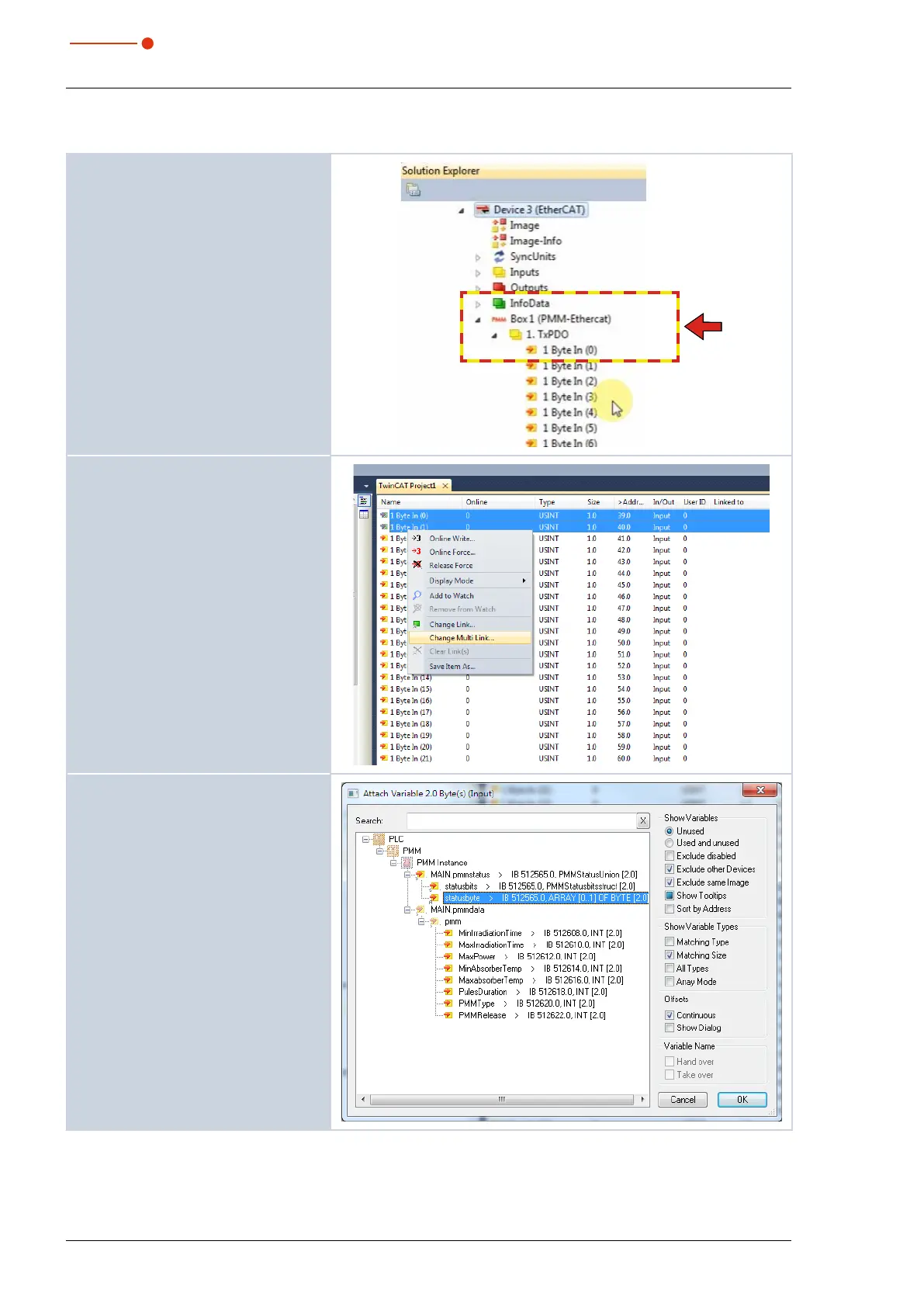
1. Open the PMM Ethercat box.
2. Open the subdirectory for the input
data TxPDO.
3. Mark the first two bytes (status
bytes) in the project window and
click on Change Multi Link... in the
context menu.
4. Mark the input Status byte and
click on OK.



 To Next Page