PowerMeasuringModule PMM
35,0(6
67
Revision 13 EN - 02/2023
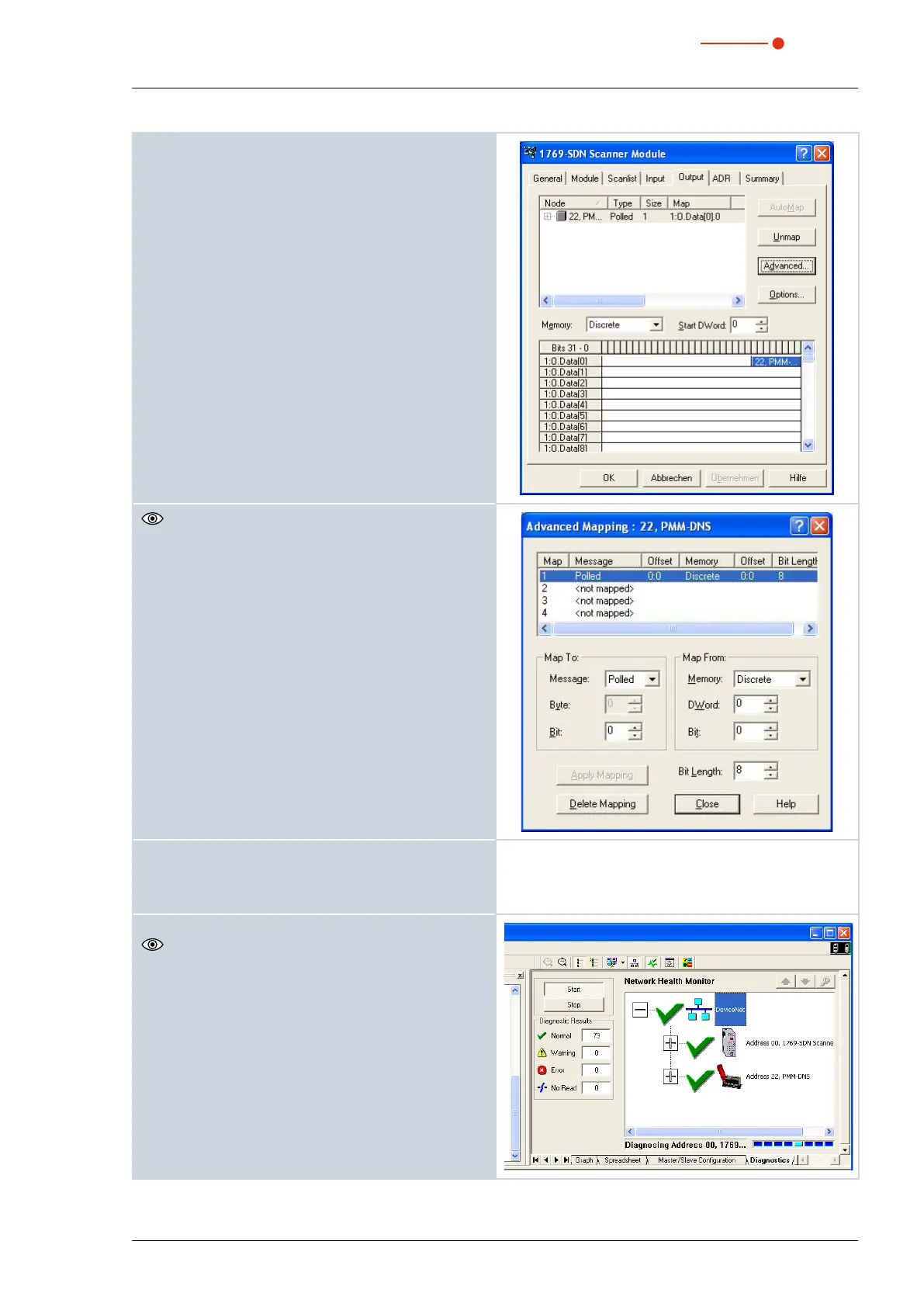
7. Click the button Advanced.
It is essential that the command byte is mapped cor-
rectly (8 Bit).
8. Activate the devices via the menu Network --->
Online.
9. Load the configuration via Download to Network
into the scanner and the PMM.
10. Open the menu View --> Diagnostics
In this dialogue window the network condition is dis-
played. If all components are provided with a green
tick, the field bus is ready for operation.



 To Next Page