PowerMeasuringModule PMM
35,0(6
69
Revision 13 EN - 02/2023
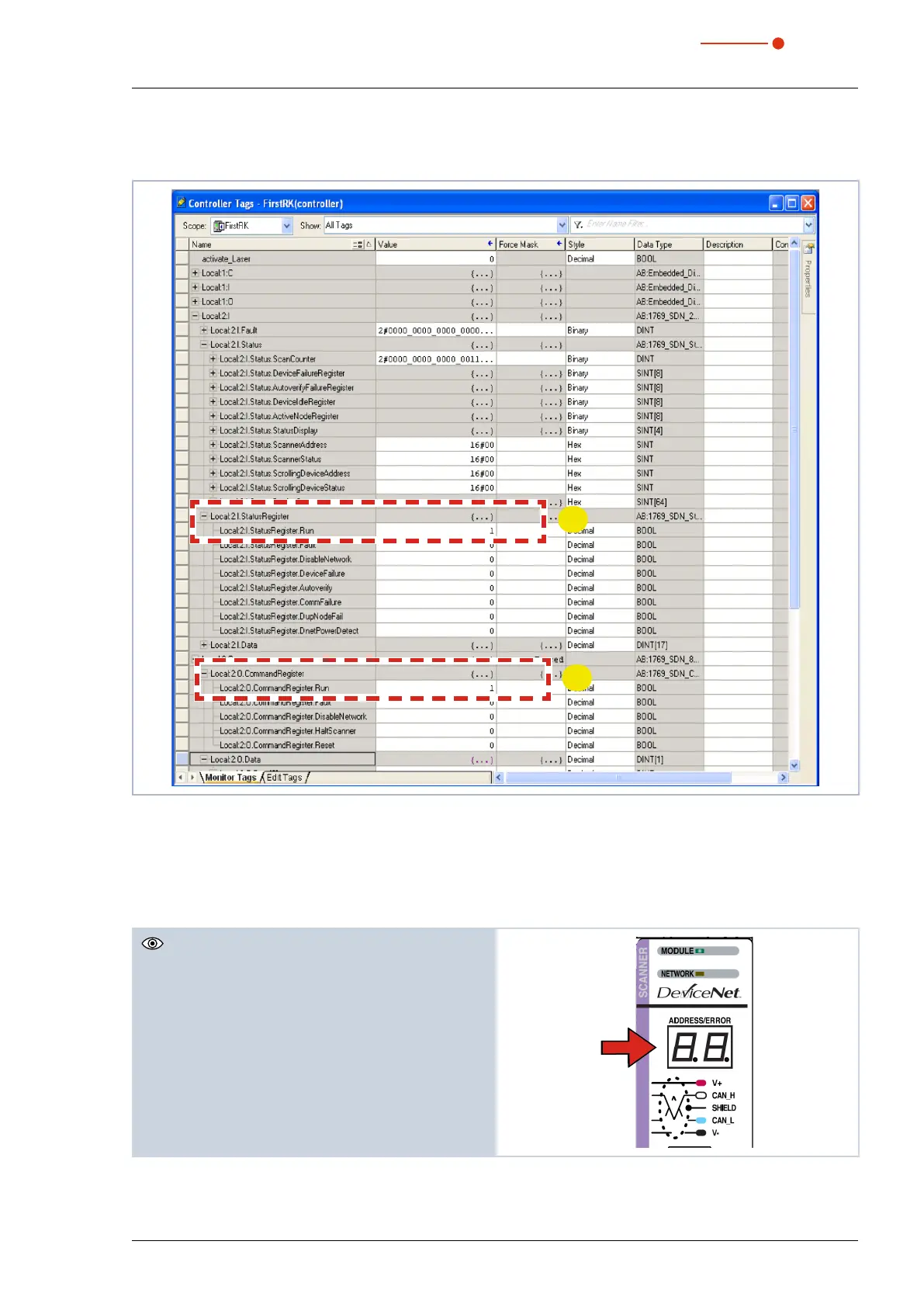
After the integration of the DeviceNet™ scanner and the PMM into the system, the data of the PMM are
displayed in the data range of the scanner first (see Fig. 13.5 on page69):
❶
➋
Fig. 13.5: Data range of the scanner
The entry „Local:2:O.CommandRegister.Run = 1“ in Fig. 13.5 on page69 --> ➋ sets the scanner into the
RUN-Mode. Only then data will be transferred from the scanner to the PMM.
The RUN-Mode of the scanner can be checked by means of the status register in Fig. 13.5 on page69
--> ❶„Local:2:I.StatusRegister.Run = 1“.
The two-digit segment display of the scanner bears
the bus address of the scanner. If the bus address is
0, the display will depict “00”.
If run = 0, the bus address and the error code are
displayed alternately. The error codes are listed in the
manual of the scanner by Rockwell.



 To Next Page