PowerMeasuringModule PMM
35,0(
70
Revision 13 EN - 02/2023
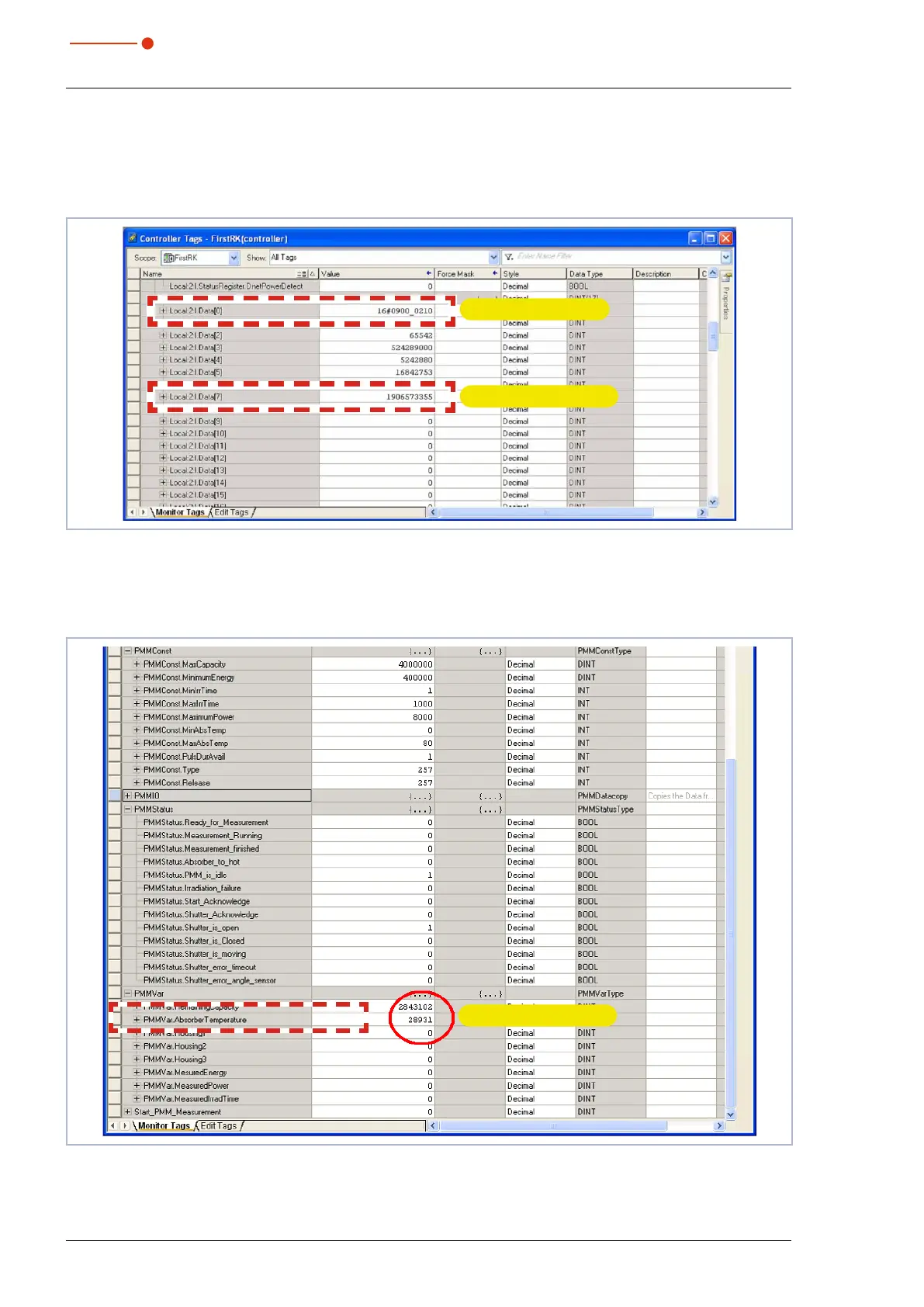
The display of the scanner must not show any error codes when in the “RUN-Mode”. During the communi-
cation with the PMM the values in the entry “Local:2:I.Data[7]” should change (absorber temperature). When
opening and closing the shutter of the PMM manually, the bits in Local:2:I.Data[0] should change (see Fig.
13.6 on page70).
Absorber temperature
Shutter movement
Fig. 13.6: Values for absorber temperature and shutter movement
As soon as the add-on command for copying of the data is carried out, the absorber temperature can be
read out directly in the variable „PMMVar.AbsorberTemperature“ in a thousandth degree Celsius (see Fig.
13.7 on page70).
Absorber temperature
Fig. 13.7: Variable „Absorber temperature“



 To Next Page