PowerMeasuringModule PMM
35,0(
80
Revision 13 EN - 02/2023
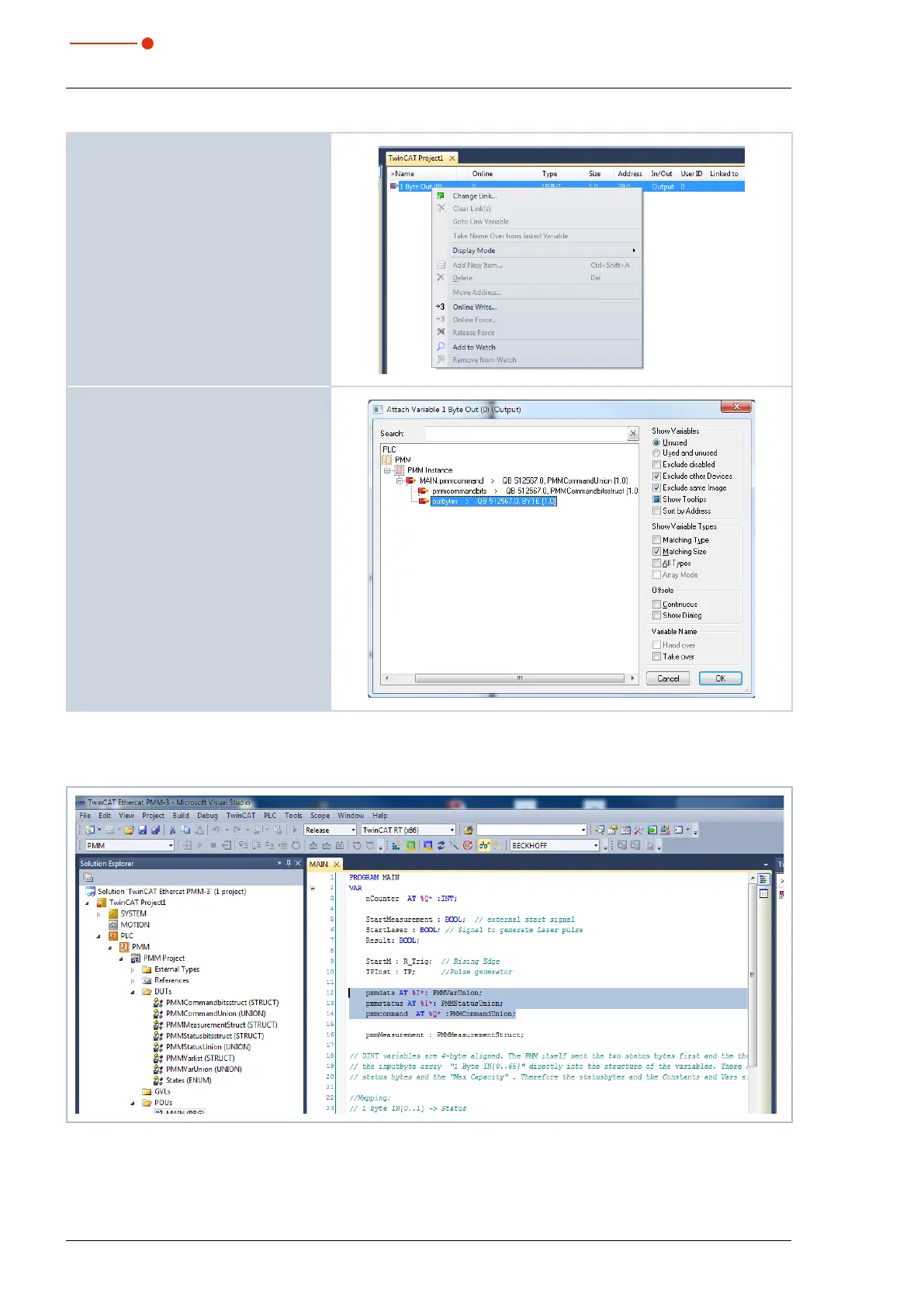
8. Mark the command byte in the
project window and click on Change
Link... in the context menu.
9. Mark the output Out bytes and click
on OK.
Once mapping has been completed, the variable groups and their current states can be displayed in the
program window (main [online]).
Fig. 14.1: Indication of the variable groups and their current states



 To Next Page