SECTION 5
5-16 PROCLEIX
®
TIGRIS System Operator’s Manual
Part # 902649EN Rev. A Volume I: Operating the Instrument
Configuring the Symbol LS4000i Hand-held Barcode Scanner
Refer to the following instructions to configure the Symbol LS4000i hand-held barcode scanner.
1. Power on the system and computer workstation with the hand-held barcode scanner
installed.
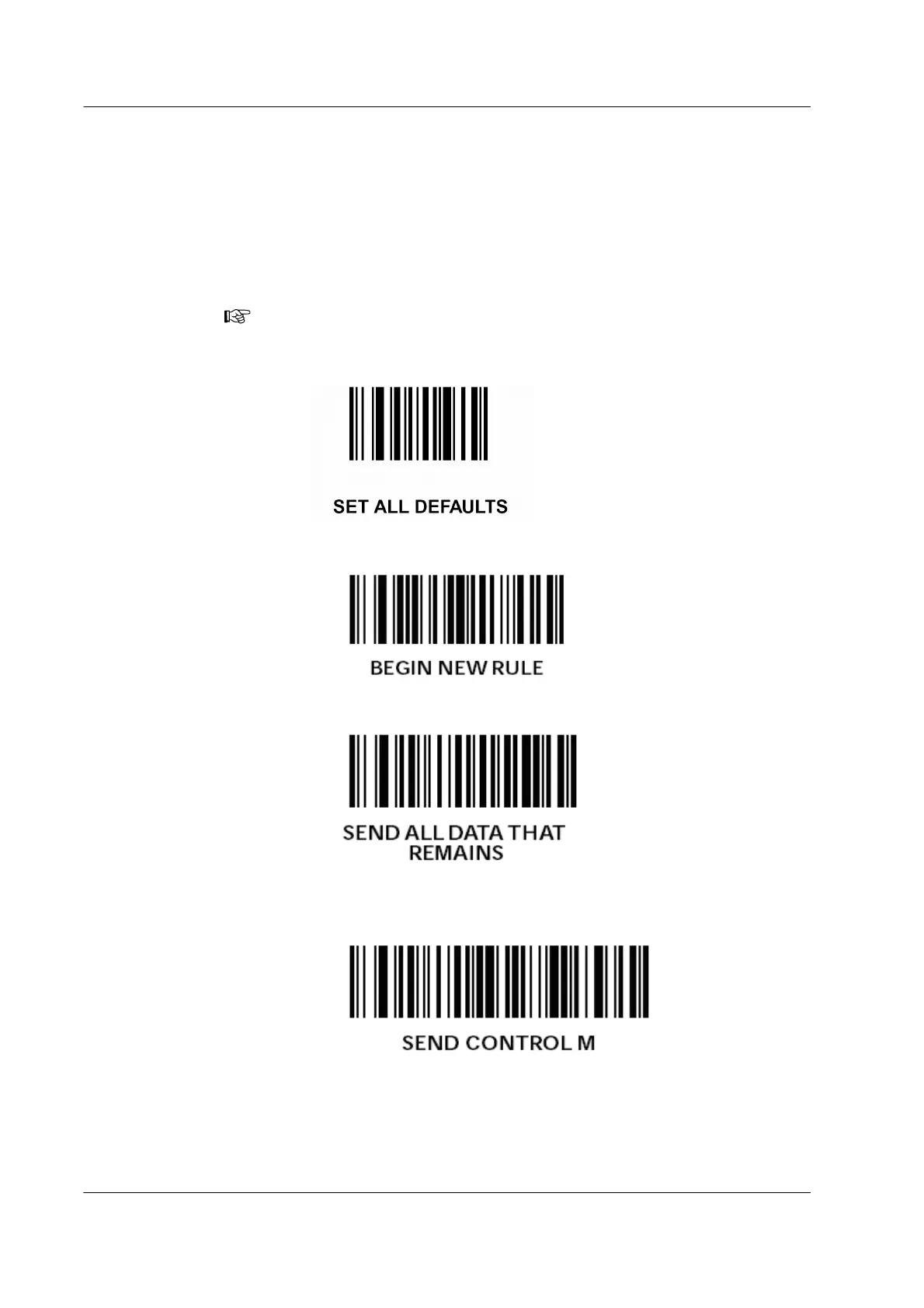
2. Scan the following barcodes in this order, unless instructed otherwise:
a) Scan “SET ALL DEFAULTS.”
b) Scan “BEGIN NEW RULE.”
c) Scan “SEND ALL DATA THAT REMAINS.”
d) Scan “SEND CONTROL M.”
This is a carriage return.
Note: After scanning this barcode, all other setups with different types of code
decoding default to their values (see Default Table 5-1 in the Symbol Product
Reference Guide).



 To Next Page