RUNNING SAMPLES
PROCLEIX
®
TIGRIS System Operator’s Manual 3-11
Volume I: Operating the Instrument Part # 902649EN Rev. A
Processing a Run
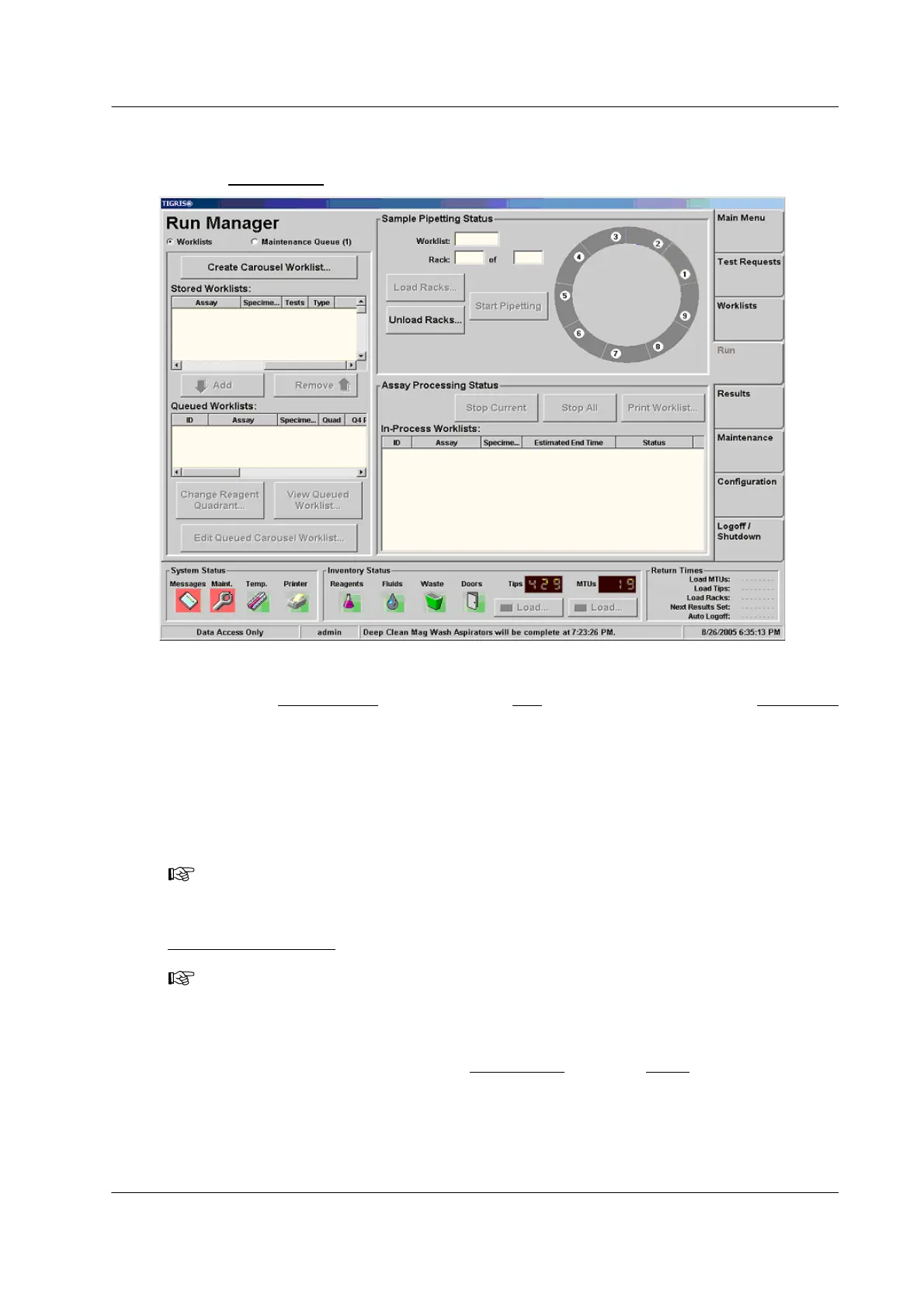
Use the Run Manager screen to manage run processing.
Figure 3.4 Run Manager Screen (Example)
To access the Run Manager
screen, click the Run tab on the right side of the Main Menu
screen.
Initiating Processing
If the System is configured to automatically start pipetting (see “Configuring System Settings” on
page 5-4), the system automatically starts pipetting samples as soon as it scans and validates
the sample racks in the worklist.
If the System is not configured to automatically start pipetting, click Start Pipetting in the
Sample Pipetting Status
box.
Once pipetting starts, the system requires no further operator action until it runs out of sample
racks or consumables or finishes processing all worklists. To determine the estimated time that
operator action will be required, check the Return Times
box in the Status panel.
Note: In order to change the Auto Start Pipetting after Rack Validation setting, the system
must be in Standby mode.
Note: Wait for confirmation of sample pipetting – the on-screen rack turns yellow – before
walking away from the system.



 To Next Page