RUNNING SAMPLES
PROCLEIX
®
TIGRIS System Operator’s Manual 3-1
Volume I: Operating the Instrument Part # 902649EN Rev. A
Using A Worklist
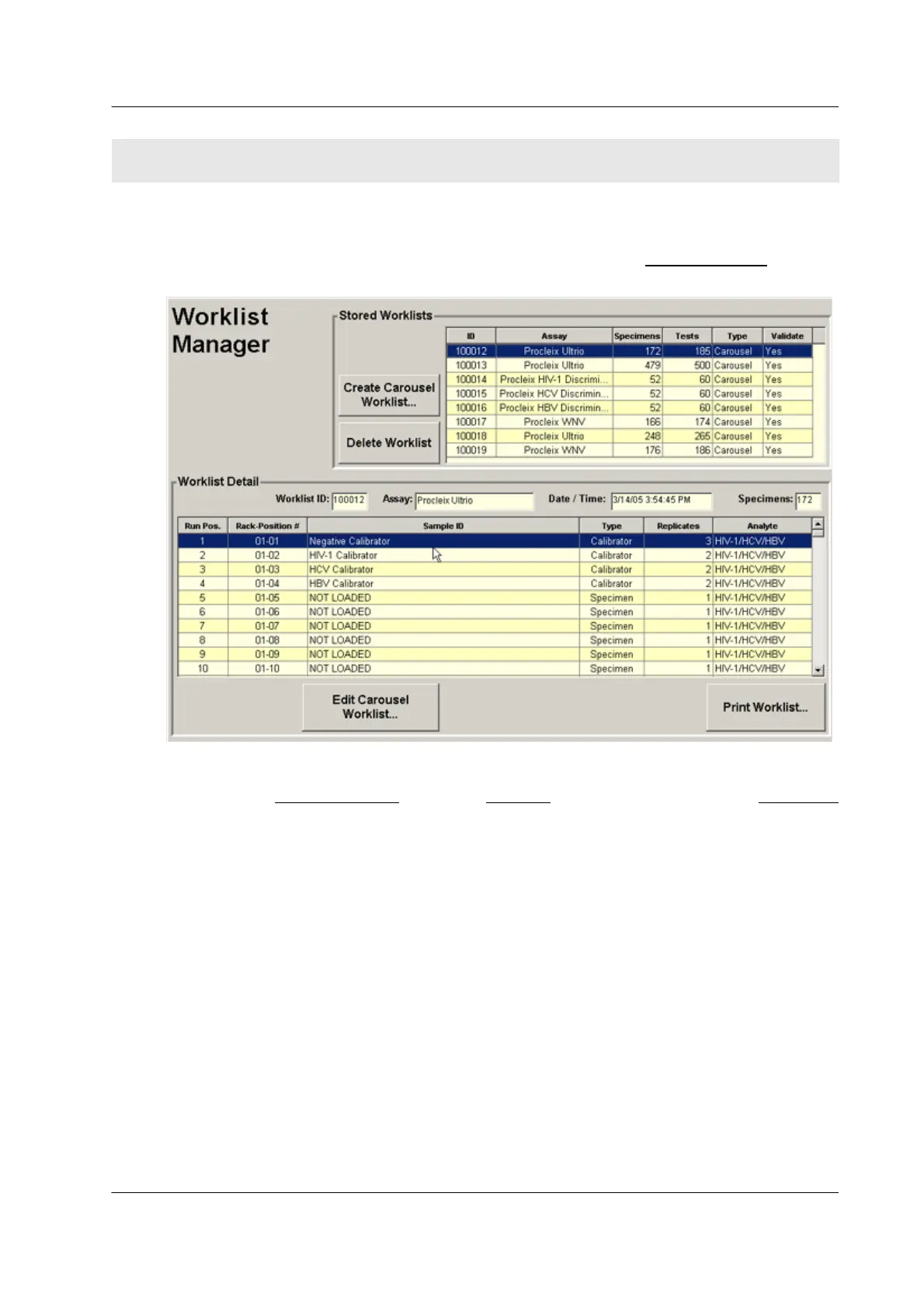
The System uses worklists to manage its processing runs. Use the Worklist Manager screen to
create and manage the worklists.
Figure 3.1 Worklist Manager Screen
To access the Worklist Manager
, select the Worklists tab on the right side of the Main Menu
screen.
Samples cannot be run until a worklist is created for them. The system then automatically
populates the worklist when the sample barcodes on its carousel are scanned.
SECTION 3. RUNNING SAMPLES



 To Next Page