SECTION 2
2-6 PROCLEIX
®
TIGRIS System Operator’s Manual
Part # 902649EN Rev. A Volume I: Operating the Instrument
Managing Inventories
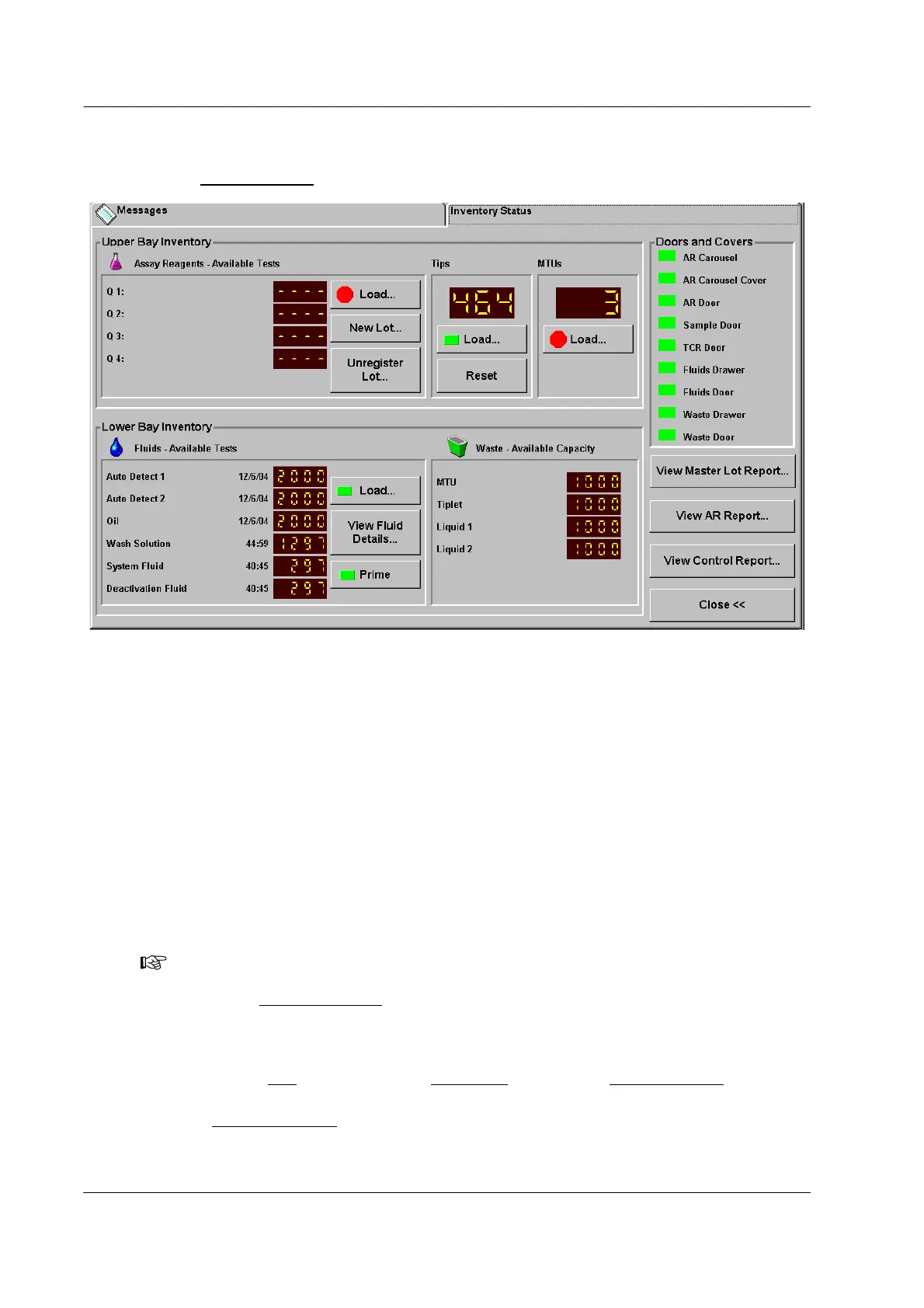
Use the Inventory Status screen to manage reagents, fluids, consumables, and waste.
Figure 2.2 Inventory Status Screen
Loading Consumables
Pipette tips and Multi-Tube Units (MTUs) can be loaded at any time except for when the Status
Bar indicates that the system is in Data Access Only mode or during maintenance procedures.
Do not re-use pipette tips, MTUs, or MTU Tiplets. Use only tips, MTUs, MTU Waste Covers and
MTU Waste Deflectors that are supplied by Novartis Diagnostics. Use of unapproved
consumables may compromise assay or analyzer performance.
Loading Pipette Tips
The Pipette Tip Ring can hold up to 5 trays of 96 tips, for a total of 480 tips. The indicator on
the Load... button changes from green to red if there are 96 tips (one tray) or fewer remaining.
To l oa d t ips :
1. From the Tips
box of either the Upper Bay panel or the Inventory Status panel, click
Load….
A Load Pipette Tips
window opens containing instructions for loading the tips onto the
ring.
Note: If the Tips Count does not display the number of tips on the system, load tips as
described below to update the tip count. If there are no empty tip trays on board, click
Done in the Load Pipette Tips
window to set the tips count equal to the last known count in
the database.



 To Next Page