SECTION 5
5-4 PROCLEIX
®
TIGRIS System Operator’s Manual
Part # 902649EN Rev. A Volume I: Operating the Instrument
Configuring System Settings
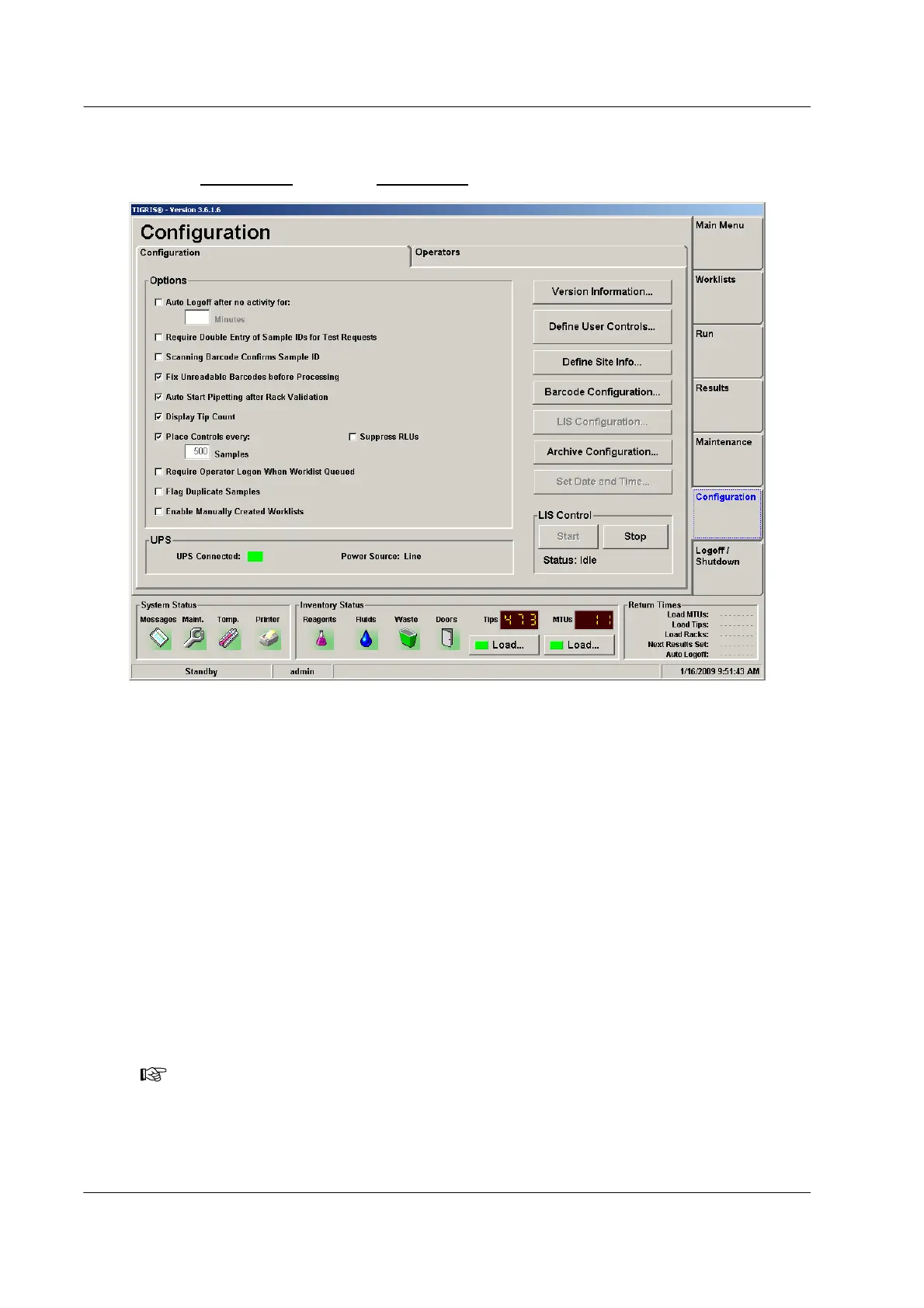
Use the Configuration tab on the Configuration screen to change the options for the system.
Figure 5.2 Configuration Screen (Example)
Use this screen to do the following:
♦ Manage basic system configuration.
♦ Check the PROCLEIX
®
TIGRIS System version being used.
♦ Define custom control samples.
♦ Define site information.
♦ Define tube barcode configuration.
♦ Set the export location for results and logs.
♦ Set the system’s date and time.
♦ Start and stop LIS Control (transmission).
♦ Monitor the UPS connection status – Green indicates the UPS is connected and Red
indicates the UPS is not connected.
The system must be in Standby mode to access the system settings on the Configuration tab.
Note: An operator must have “Maintenance – Software Setup” rights to configure the
software.



 To Next Page