SECTION 2
2-2 PROCLEIX
®
TIGRIS System Operator’s Manual
Part # 902649EN Rev. A Volume I: Operating the Instrument
b) Click Logon.
The Main Menu
screen opens. The system takes several minutes to complete the start-
up process. The current activity field on the Status Bar displays the start up activity
being performed and the estimated time of completion.
When the start up process is complete, the Status Bar reads “Standby.”
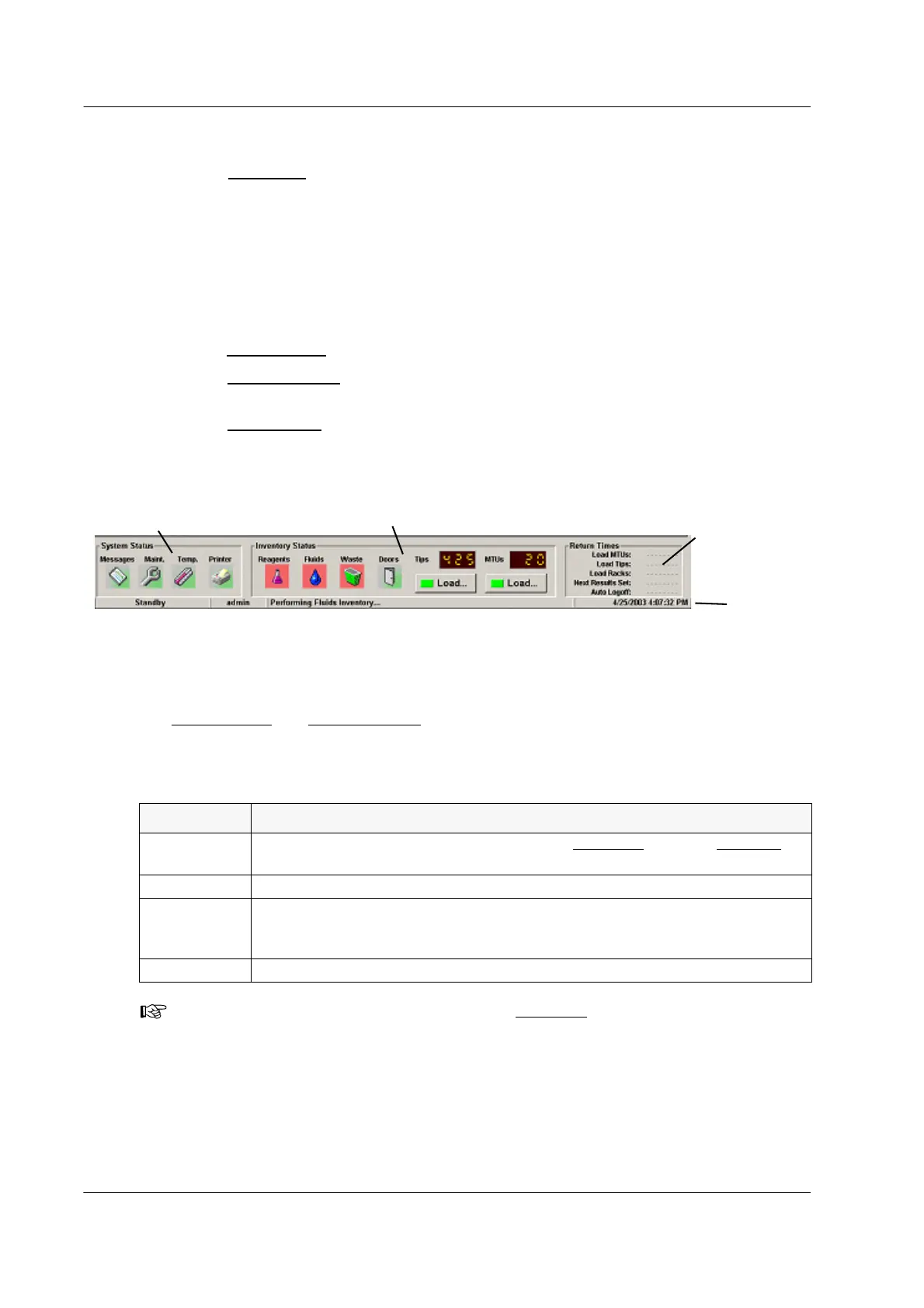
Monitoring System Status
The bottom of the screen has four status panels that monitor the system as follows:
♦ The System Status
panel monitors system conditions.
♦ The Inventory Status
panel monitors reagents, fluids, waste, and consumables inventory
statuses, as well as door and covers statuses.
♦ The Return Times
panel estimates the times that the system will require user interaction
during sample processing.
♦ The Status Bar displays the system mode, current user, current system action, and the
current date and time.
Figure 2.1 Status Bar
System Status and Inventory Status Panels
The System Status and Inventory Status panels contain color-coded icons that alert the operator
to certain conditions. Red flashing icons indicate that an action is required. Green flashing icons
indicate that a task has been completed or valid inventory is on-board and therefore no action is
required.
Table 2.1 System Status Panel Icon Indicators
Icon Meaning of Flashing Red Icon
Messages
Error or warning messages are waiting in the Messages
tab of the Inventory
screen. See Volume III, Error Handling.
Maintenance Maintenance items are overdue. See Volume II, Maintenance.
Temperature
One or more internal modules is not at the temperature required for processing.
No action is required. The system will not start assay processing until all
system component temperatures are within the expected ranges.
Printer The printer is turned off, has malfunctioned, or is out of paper.
Note: Information messages will display in the Messages
tab, but the icon will not flash
red. It is recommended that the operator periodically view the messages screen for any
informational messages. If there are several repeat informational messages, contact
Novartis Diagnostics Technical Service.
Status Bar
Return Times
Inventory Status
System Status



 To Next Page