SECTION 6
6-4 PROCLEIX
®
TIGRIS System Operator’s Manual
Part # 902649EN Rev. A Volume I: Operating the Instrument
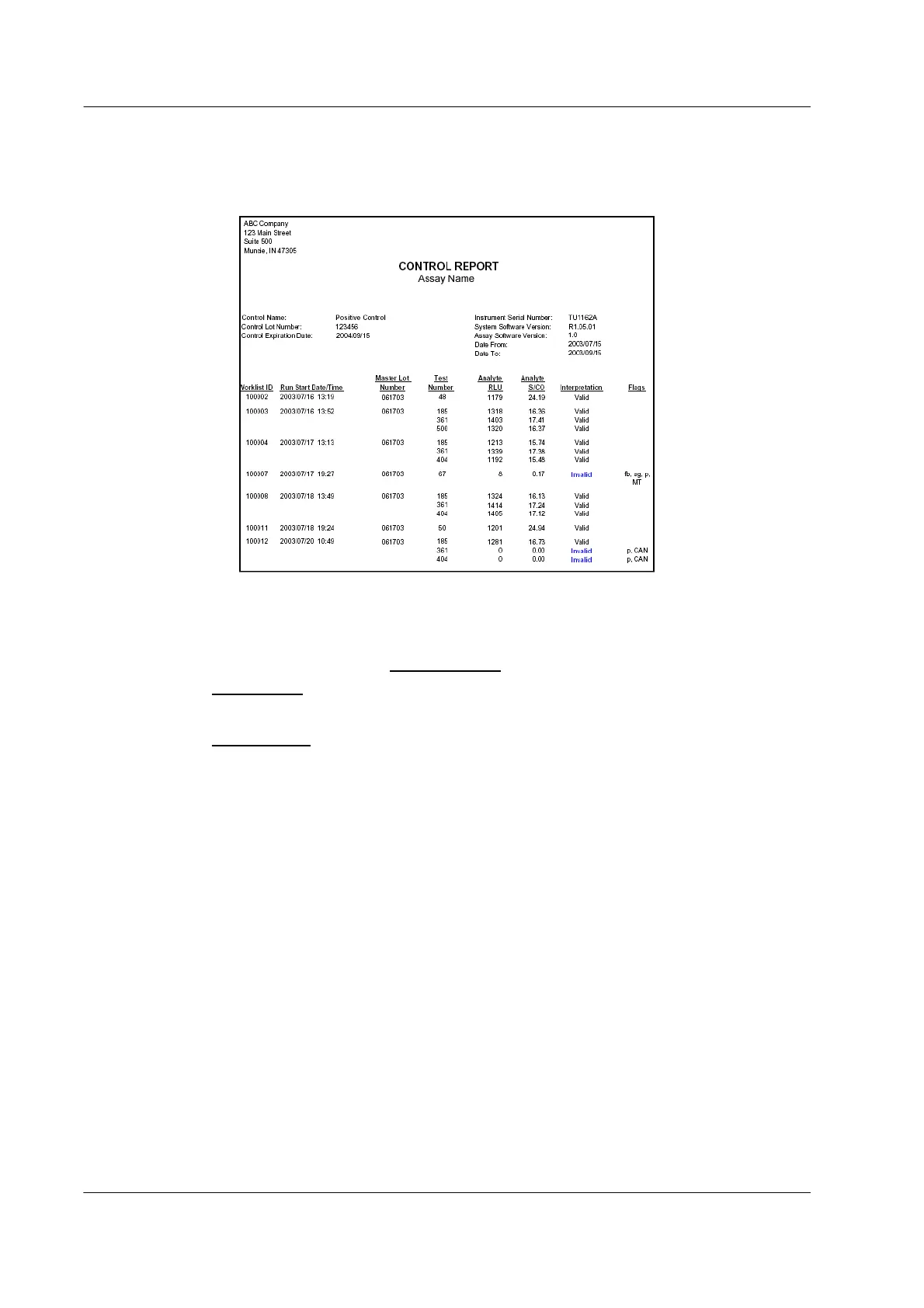
Control Report
The Control Report lists processing run history for an individual PROCLEIX
®
TIGRIS Control lot
for a specified date range.
Figure 6.3 Control Report Example
To generate a Control Report:
1. In the lower-right part of the Inventory Status
screen, click View Control Report….
A Select Assay
window opens.
2. From the Assay drop-down list, select the applicable assay and click OK.
A Select Control
window opens.
3. From the Control drop-down list, select the PROCLEIX TIGRIS Control lot number to be
viewed.
4. Select the beginning and end date and click OK.
The system generates a Control Report for the specified PROCLEIX TIGRIS Control.
The top portion of the Control Report lists summary information:
♦ PROCLEIX TIGRIS Control Name
♦ PROCLEIX TIGRIS Control Lot Number
♦ PROCLEIX TIGRIS Control Expiration Date
♦ Instrument Serial Number
♦ System Software Version
♦ Assay Software Version
♦ Date range for the report



 To Next Page