SECTION 5
5-18 PROCLEIX
®
TIGRIS System Operator’s Manual
Part # 902649EN Rev. A Volume I: Operating the Instrument
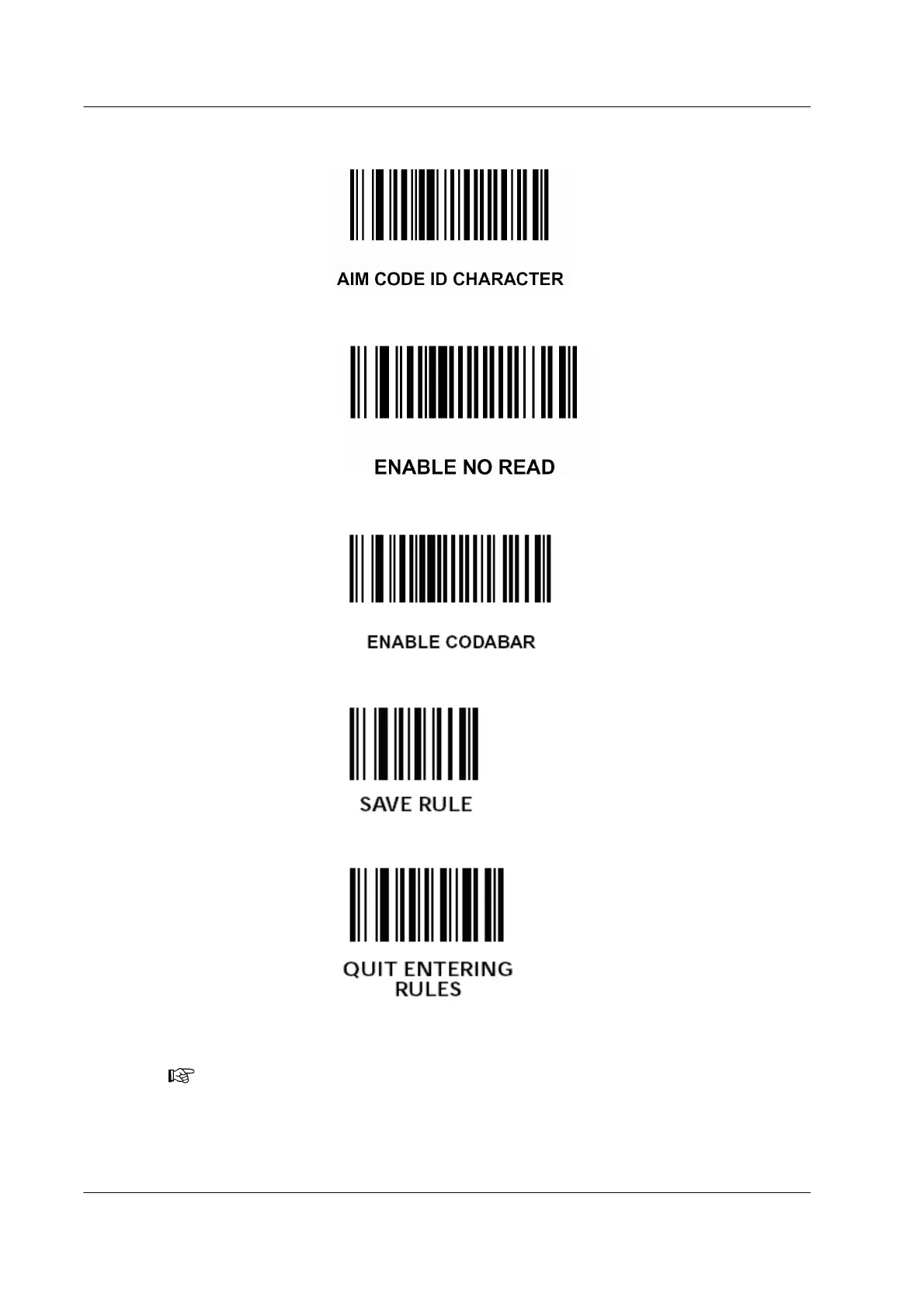
j) Scan “AIM CODE ID CHARACTER.”
k) Scan “ENABLE NO READ.”
l) Scan “ENABLE CODABAR.”
m) Scan “SAVE RULE.”
n) Scan “QUIT ENTERING RULES.”
3. Once the setup procedure is completed, scan an example barcode to verify that the
hand-held barcode scanner is functioning properly.
Note: Contact Novartis Diagnostics Technical Service for more assistance in changing
the barcode configuration for the hand-held barcode scanner.



 To Next Page