Chapter 2: Basic Checkout
Configuring An IEEE 802.11 Radio In The Unit
24
Psion Teklogix 7535/7530 Hand-Held Computer User Manual
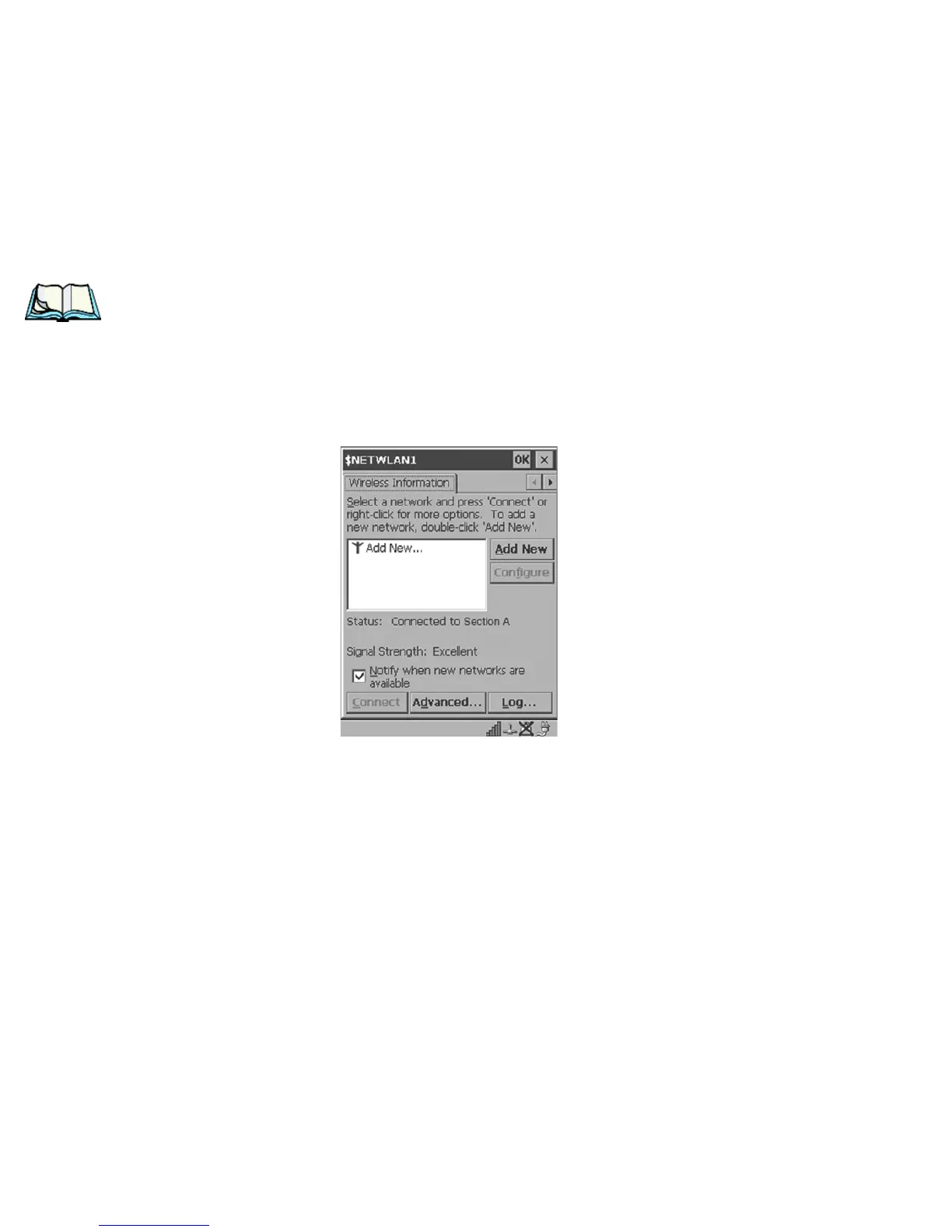
4. Wireless Information Tab
The options under this tab display existing networks to which you can
connect, and it allows you to add a new network or modify the settings
for an existing network.
Note: Configure button – To change the settings in an existing network, high-
light the network you want to modify, and choose the Configure button to
display the Wireless Properties dialog box.
Connect button – To force connection to a specific, existing network,
highlight the network to which you want your 7535/7530 to connect, and
choose the Connect button.
Figure 2.8 Wireless Information Tab
This tab lists available networks – any access points that are broadcasting
an SSID, and it lists preferred networks – networks that you have config-
ured. Since access points are generally secure, they will most likely not
be listed here. By default, 7535/7530 attempts to connect to preferred net-
works. This behaviour can be changed by enabling Automatically connect
to non-preferred networks in the Advanced dialog box (page 30).
• To add a new configuration, tap on the Add New button. A blank Wire-
less Properties dialog box is displayed.



 To Next Page