WORKABOUT PRO G2 Hand-Held With Windows Embedded CE 5.0 User Manual 133
Chapter 5: Configuration
Partition Management
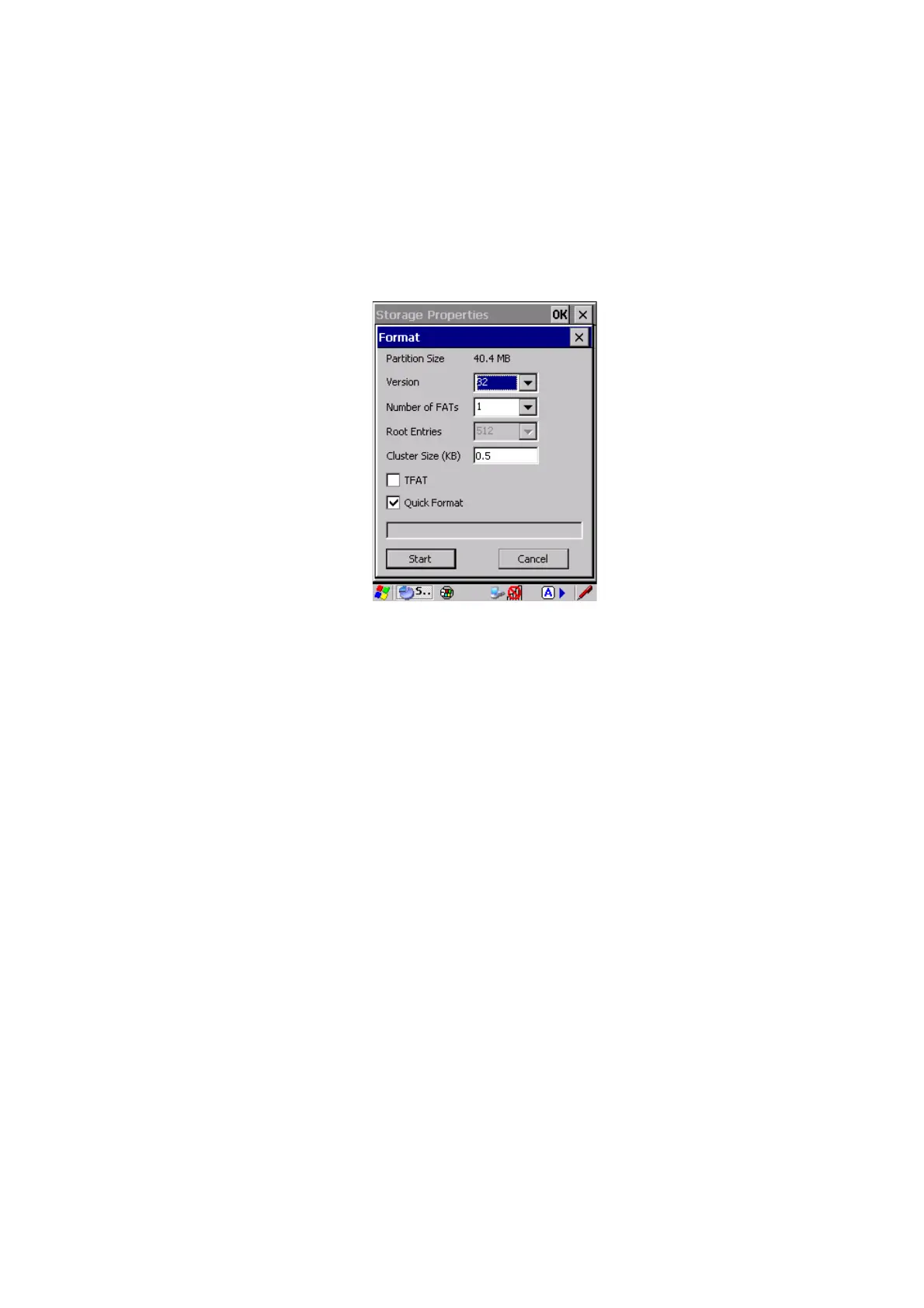
4. Press the Format button. The Format dialog appears:
5. Choose your format options. These options include:
• Version of file system (FAT-16, for devices holding up to 4 GB; or
FAT-32, for devices containing up to 32 GB).
• Number of FATs (File-Allocation Tables).
• Number of entries allowed in the root directory.
• Cluster size (.5 KB to 64 KB).
There are also two checkboxes, which govern:
• Whether to use the transaction-safe FAT file system (TFAT). This file
system keeps multiple copies of the file-allocation table, changing one
while maintaining another as a backup.
• Whether to perform a quick format. Quick formatting removes all ref-
erence to data in the partition without erasing the actual partition. The
partition will be treated as empty, and new data will overwrite it.
6. Press Start. The partition is formatted.
To mount a partition:
1. Select the desired partition.
2. Press the Properties button. The Partition Properties dialog appears.



 To Next Page