WORKABOUT PRO Hand-Held Computer With Windows Mobile 5.0 User Manual 217
Chapter 6: Peripheral Devices & Accessories
Attaching The Pistol Grip
6.1.2 Attaching The Pistol Grip
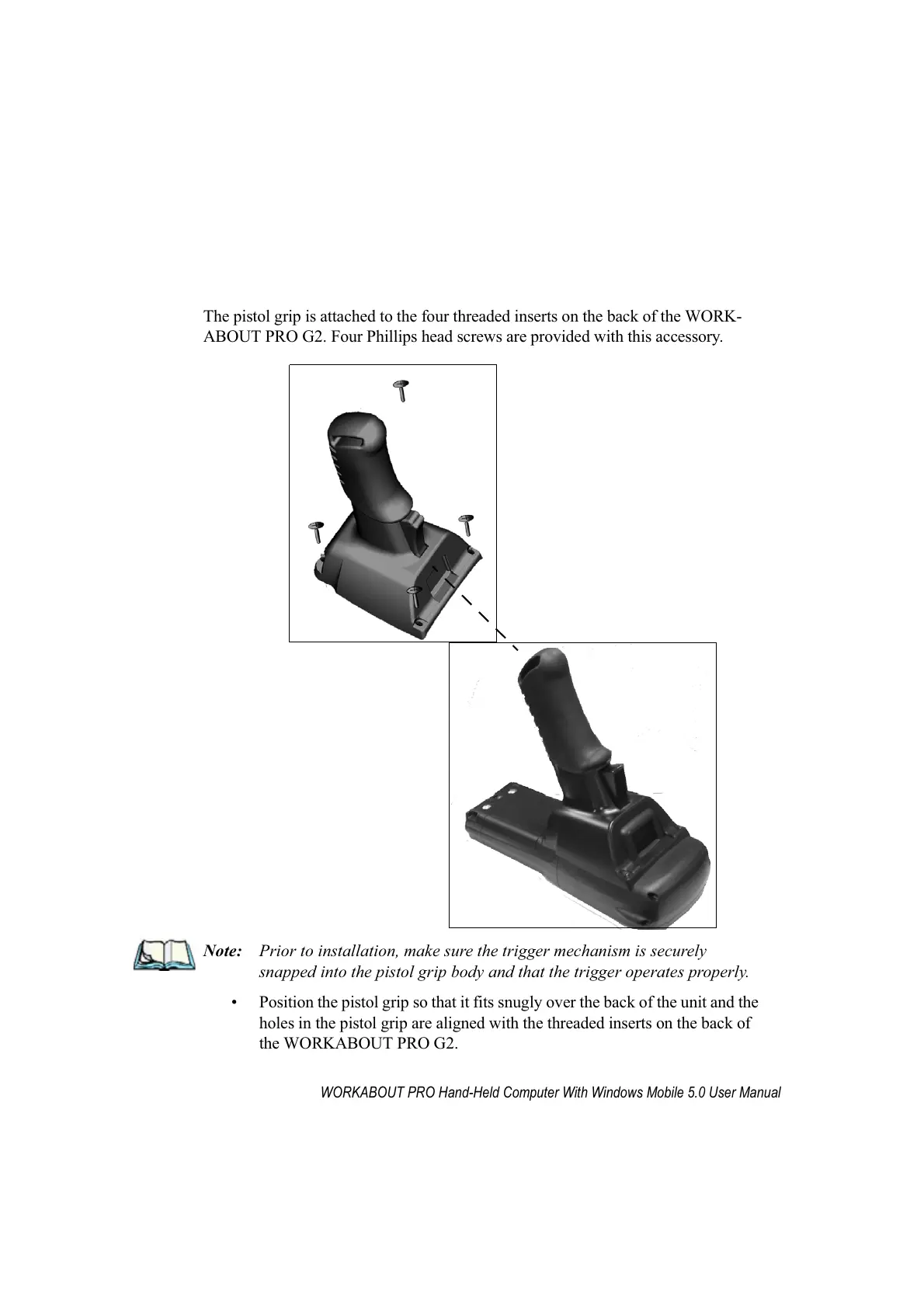
The pistol grip is attached to the four threaded inserts on the back of the WORK-
ABOUT PRO G2. Four Phillips head screws are provided with this accessory.
Note: Prior to installation, make sure the trigger mechanism is securely
snapped into the pistol grip body and that the trigger operates properly.
• Position the pistol grip so that it fits snugly over the back of the unit and the
holes in the pistol grip are aligned with the threaded inserts on the back of
the WORKABOUT PRO G2.



 To Next Page