Chapter 6: Peripheral Devices & Accessories
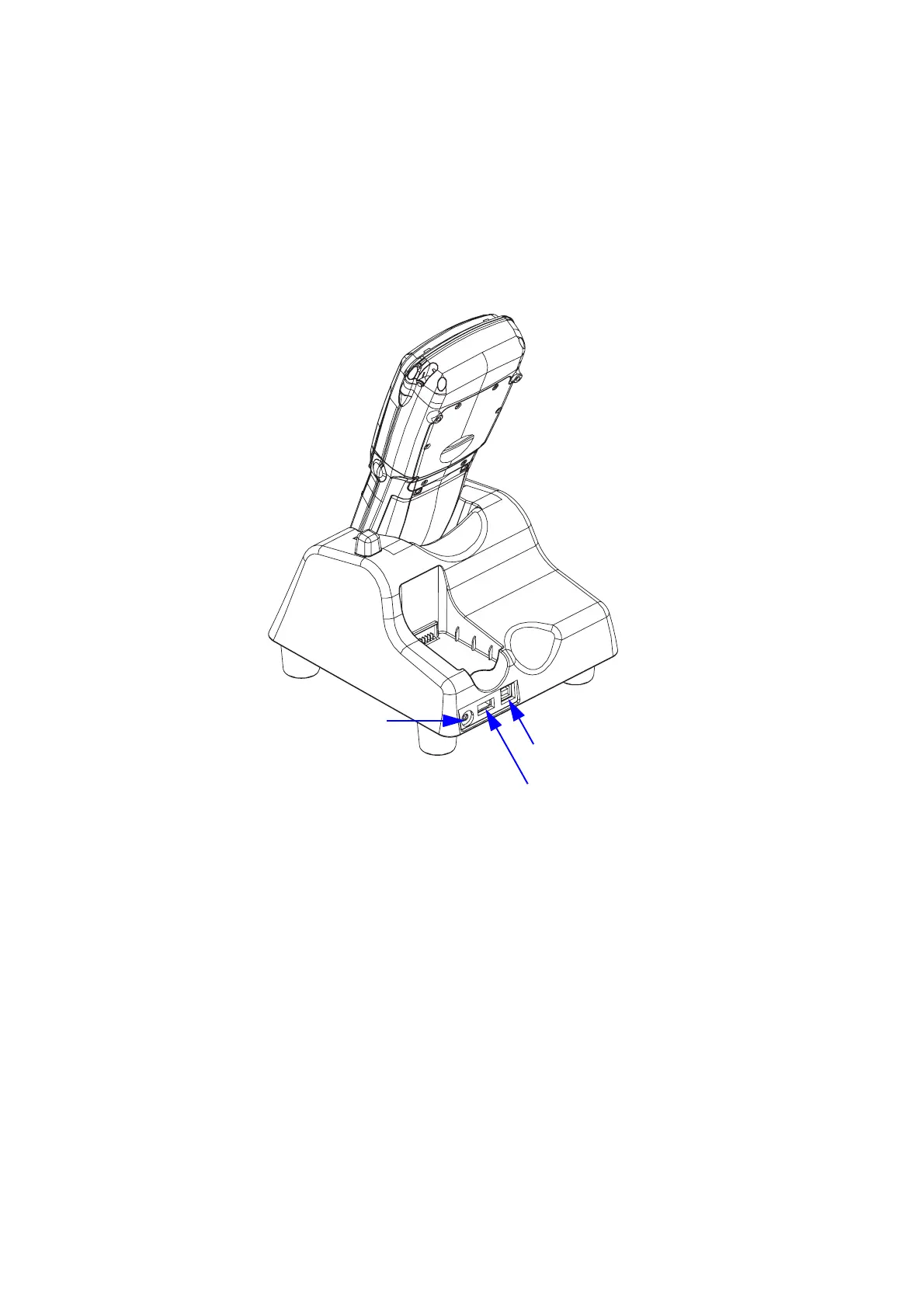
Desktop Docking Station Ports
226 WORKABOUT PRO Hand-Held Computer With Windows Mobile 5.0 User Manual
6.4.6 Desktop Docking Station Ports
Figure 6.7 Back of Desktop Docking Station
The desktop docking station is equipped with two USB ports–a Host USB port to
connect peripherals such as a printer, keyboard, etc. and a Client USB to connect the
docking station to a PC.
6.4.7 Linking A WORKABOUT PRO G2 To A PC
The desktop docking station can be connected to a PC so that you can exchange files
in the same way that you would between PC drives. A USB cable is included with
your docking station.
DC IN Socket
Host USB Port
Client USB Port



 To Next Page