Chapter 6: Peripheral Devices & Accessories
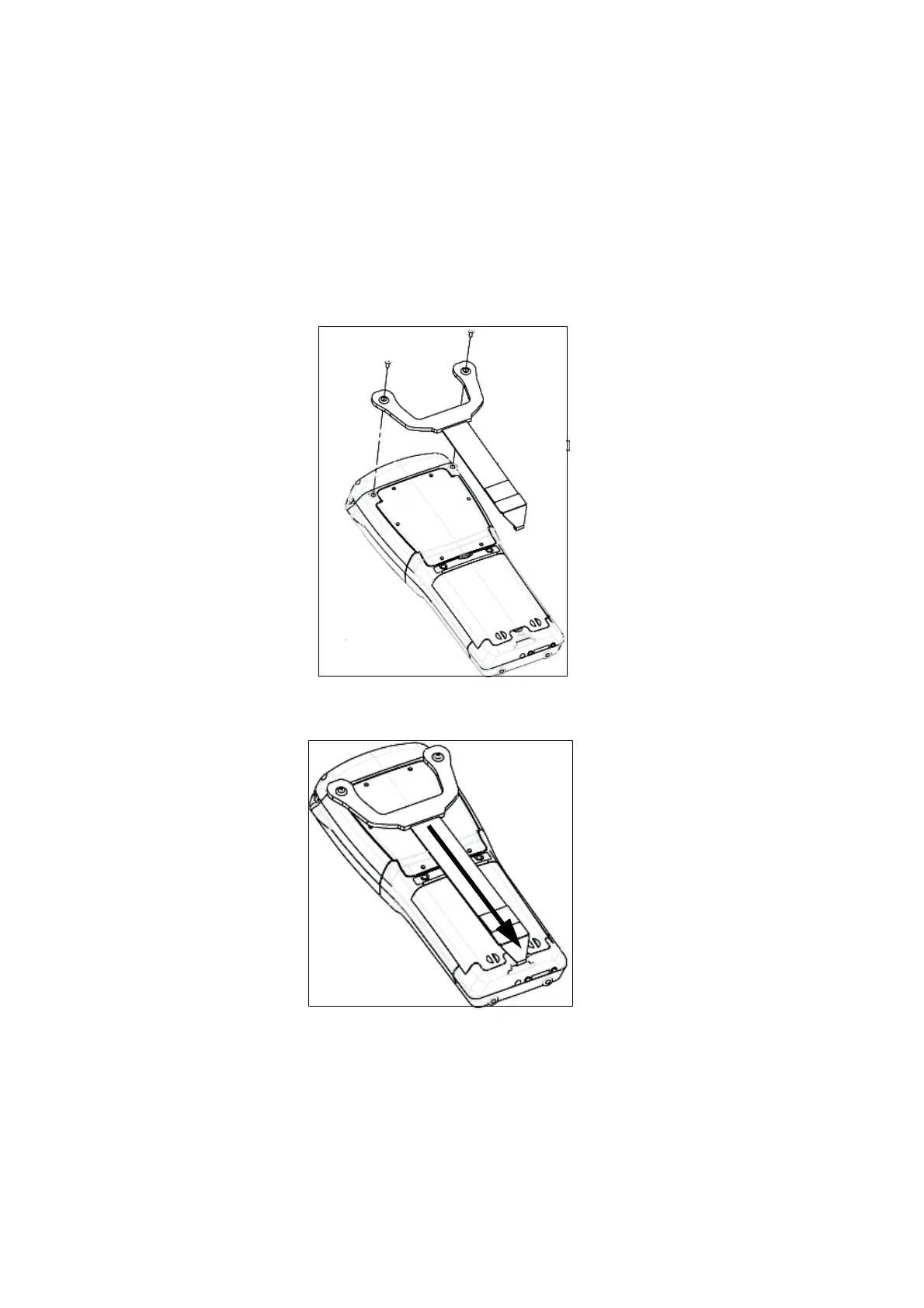
Attaching The Hand Strap
216 WORKABOUT PRO Hand-Held Computer With Windows Mobile 5.0 User Manual
• Use a Phillips screwdriver to attach the strap to the two threaded inserts on
the back of the WORKABOUT PRO G2, near the top of the unit
• Stretch the hand strap toward the base of the WORKABOUT PRO G2, and
hook the bottom of the strap into the slot near the base of the battery pack.



 To Next Page