PathMaster® Manual Rev. H 6/03
- 62 -
In AutoCAD:
• Click the File->Export menu.
• When the Export Data window comes up, select Save As Type AutoCAD R12/LT2DXF.
• Under the Options button ensure that the Export Format is ASCII.
• Give the file a name and save it.
Importing the file into PathMaster
The path will be imported to a new program.
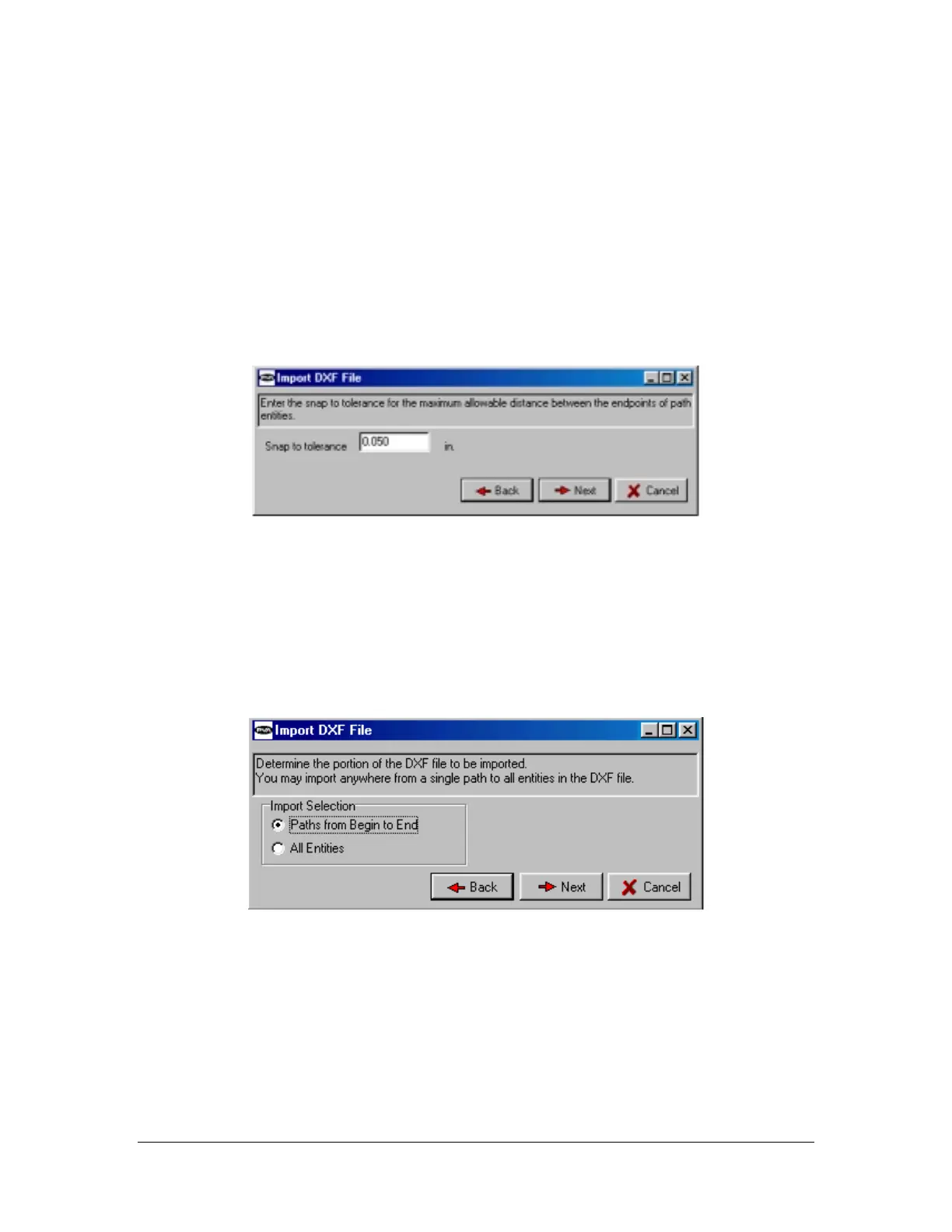
Click on File ->Import ->Program ->DXF File. Te following screen appears. (Figure 4)
Figure 4: PathMaster import screen #1
The snap to tolerance must be set properly to allow the import process to recognize the proper associations
between drawing segments in the CAD file. A minimum of 0.015” is recommended. NOTE: This does
not affect the accuracy of the path. It only allows for proper translation of the drawing entities.
Choose the method of importation (Figure 5). Paths from Begin to End will import the file as drawn, with
proper segment ordering (BEGIN1,END1, etc.) observed. All Entities ignores commands for order of
operations, but is useful for large files with many paths, such as placement of dots, where each segment
may not be numbered.
Figure 5: PathMaster import screen #2
Choose the location of the starting point. (Figure 6) This can be taught via trackball from the machine OIT
or a typed location.



 To Next Page