PCX SMS AND PCX 256 SYSTEM MANUAL
Page: 104 RINS871-3
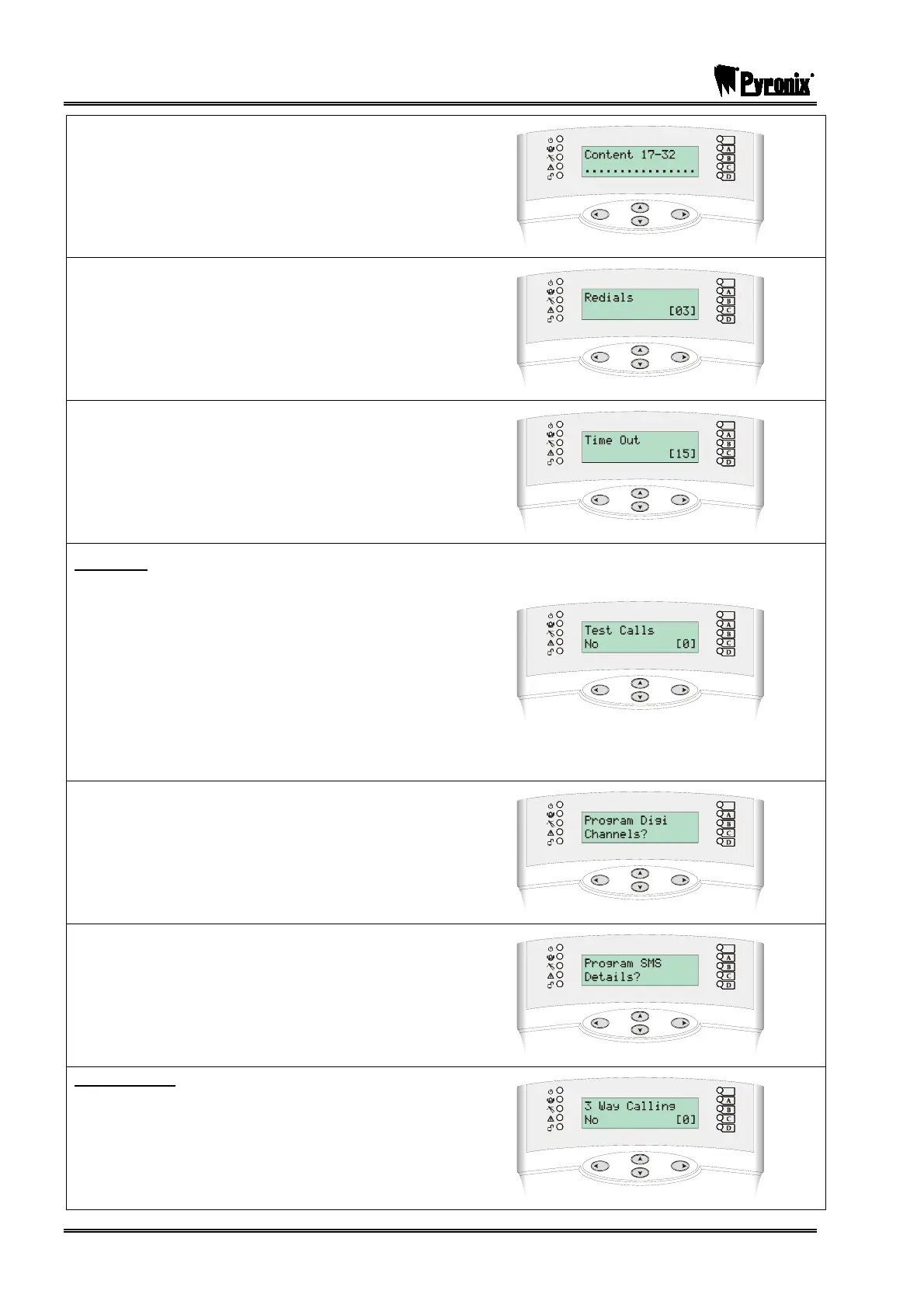
Using the numeric keys select the content types you
would like to use for Contact ID for the different types.
Press the Okey.
Select the number of redials you require (0-15). Press
the Okey.
Select the time that the panel will wait for a reply (0-
99). Press the Okey.
Test Calls
Enter : for No . Enter : for Timed
(If Timed is chosen you will need to enter the hours
and minutes once you have pressed the Okey)
Press the Okey
ARC Details will be displayed. Repeat the above for
any other ARC stations you are using. Press the
Pkey. ‘Program Digi/SMS Calls?’ will be displayed,
press the Pkey.
‘Program Digi Channels’ will be displayed and Press
the Pkey.
‘Program SMS Details’ will be displayed and Press
the Pkey.
3 Way Calling
Enter : for No
Enter : for Yes
Press the Okey. You will be returned to the
Engineer Menu.








 To Next Page