130 Chapter 13 Testing HDCP on HDMI
To run the 2C-0x compliance tests on an HDMI sink (receiver):
1. For the 882E analyzer connect the cables as follows:
a. Apply power to the Encryption Status Tester (EST) using the power adapter that is
supplied with the EST.
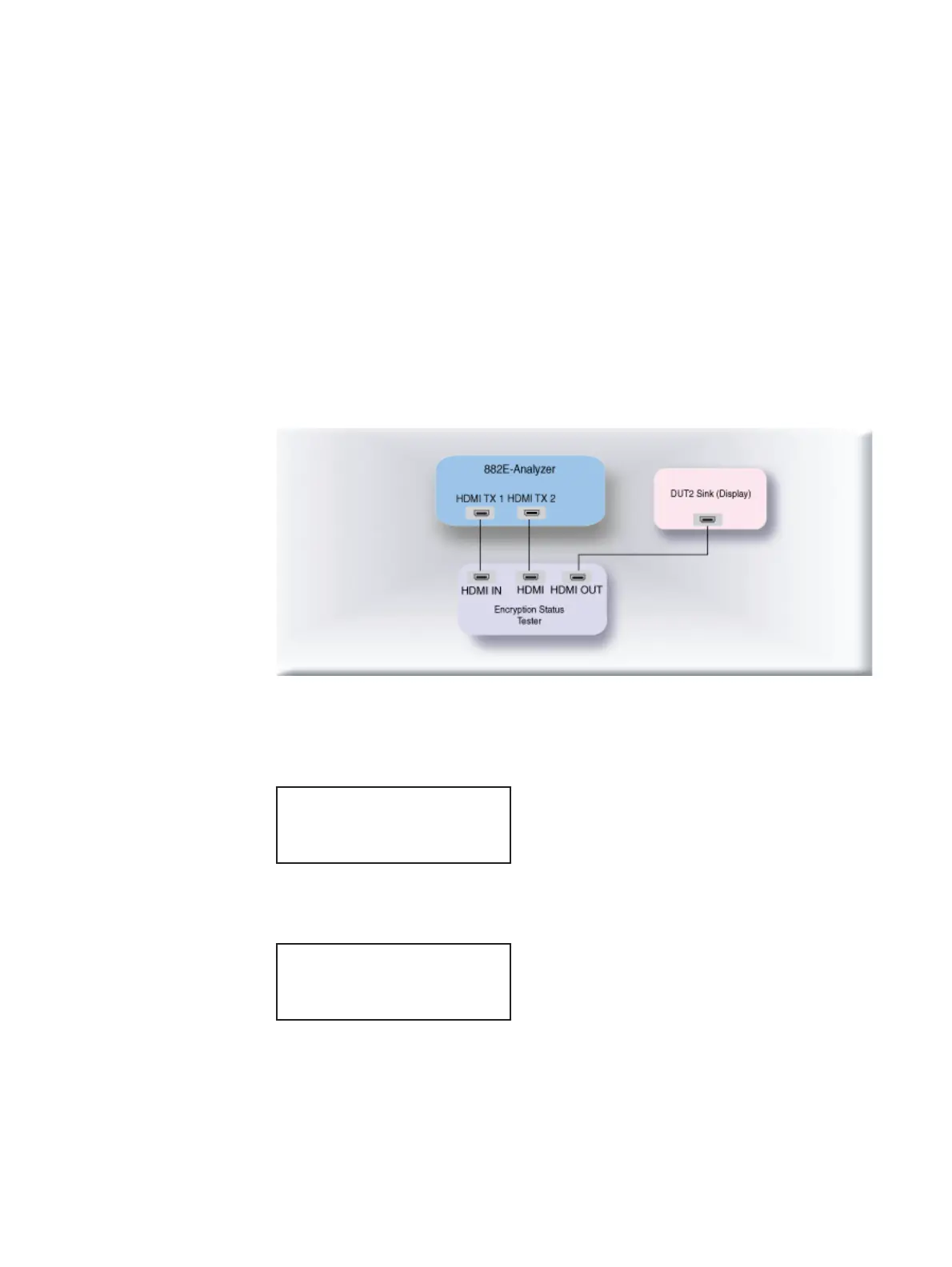
b. Connect an HDMI cable from the sink device under test input to the EST HDMI port
labeled, “HDMI OUT.”
c. Connect an HDMI cable from the 882 HDMI Tx 1 port to the EST HDMI port labeled
“HDMI IN.”
d. Connect an HDMI cable from the 882 HDMI Tx 2 port to the EST HDMI port labeled
“HDMI.”
The following diagram depicts the test setup for the 882EA:
2. Activate the HDMI-H interface on the output port as follows:
a. Press the Interface key. A listing of signal interfaces appears on the 882’s display
as shown below.
b. Choose the HDMI-H item by pressing the adjacent soft key. The interface is
activated and the display is shown below.
Alternatively, to activate the interface through the command line interface, enter the
following commands:
XVSI 4 // Activates the HDMI-H interface.
ALLU // Applies the interface setting to the 882.
VGA
HDMI-D
CVBS
S-VIDEO
SDI
*
HDMI-H
VGA
HDMI-D
CVBS
S-VIDEO
SDI
*HDMI-H



 To Next Page