6
P/N 016-0171-493 Rev. I 57
Basic Operation
5. Touch the Accept icon in the lower, right corner of the screen to begin the job. See the Guidance
Screen section on page 62 for more information. Touch the Cancel icon to end job setup without starting the
job.
Note: Canceling the job will discard any settings or selections made on the setup screens. Any
configured settings or selections will be lost.
6. If an optional AutoBoom system is detected on the CANbus, the AutoBoom Setup screen will be displayed.
Refer to the AutoBoom® Setup section on page 61 to enable or disable the AutoBoom feature.
Direction of Travel
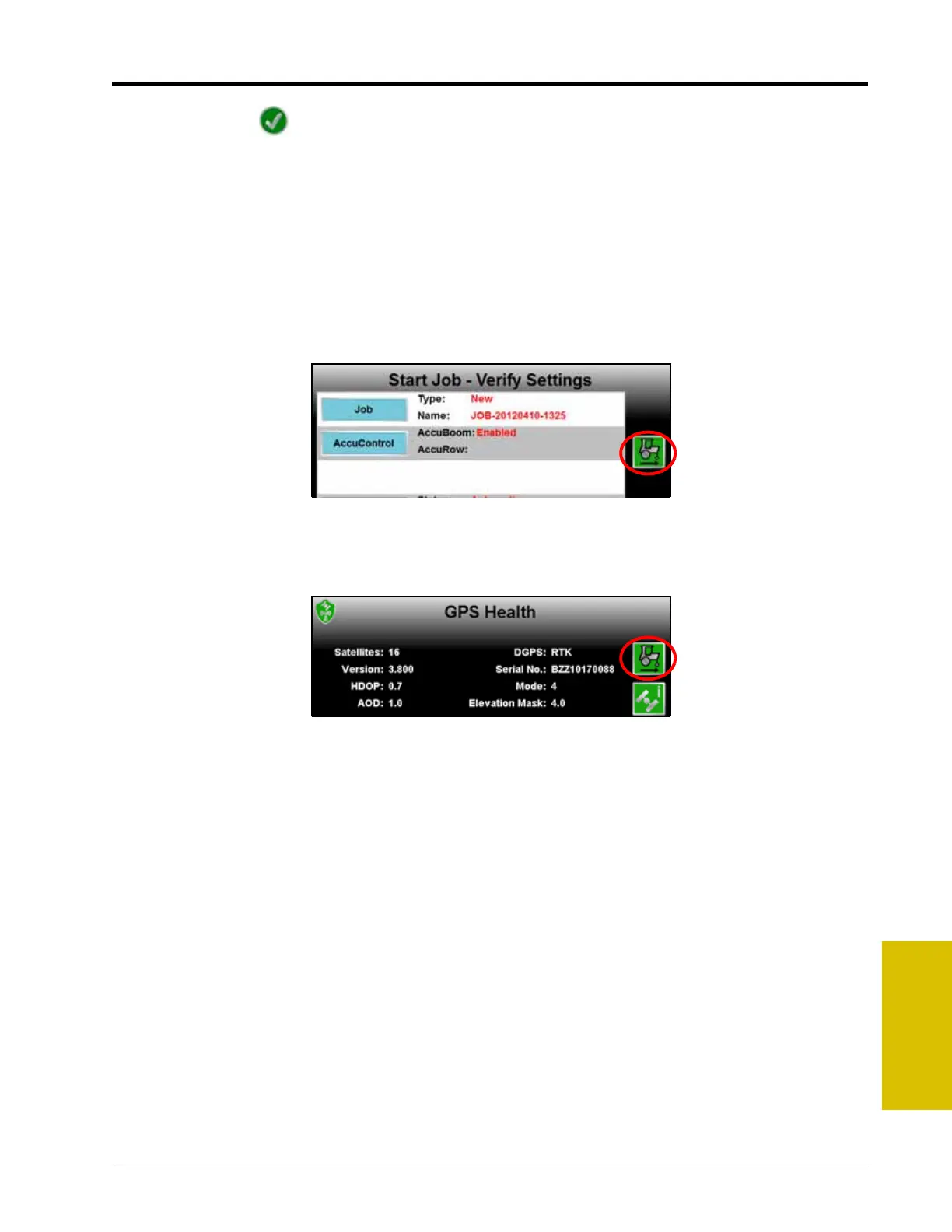
The last direction of travel detected by the field computer is displayed on the Start Job - Verify Settings screen.
If the direction of travel indicator displays incorrectly, touch the indicator to manually toggle the last detected
GPS direction.
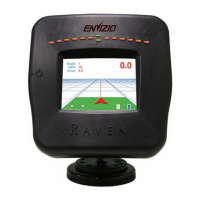
Note: The direction of travel indicator is also displayed on the GPS Health screen and may be toggled
during a job if necessary.
Refer to the Reverse Sensing section on page 121 for more information or to enable the direction
of travel indicator. The direction of travel indicator will not be displayed if a SmarTrax 3D node is
detected on the CANbus and the terrain compensation feature is active.



 To Next Page