Chapter 4: Using the Chart 65
Displaying details of business services & points of interest
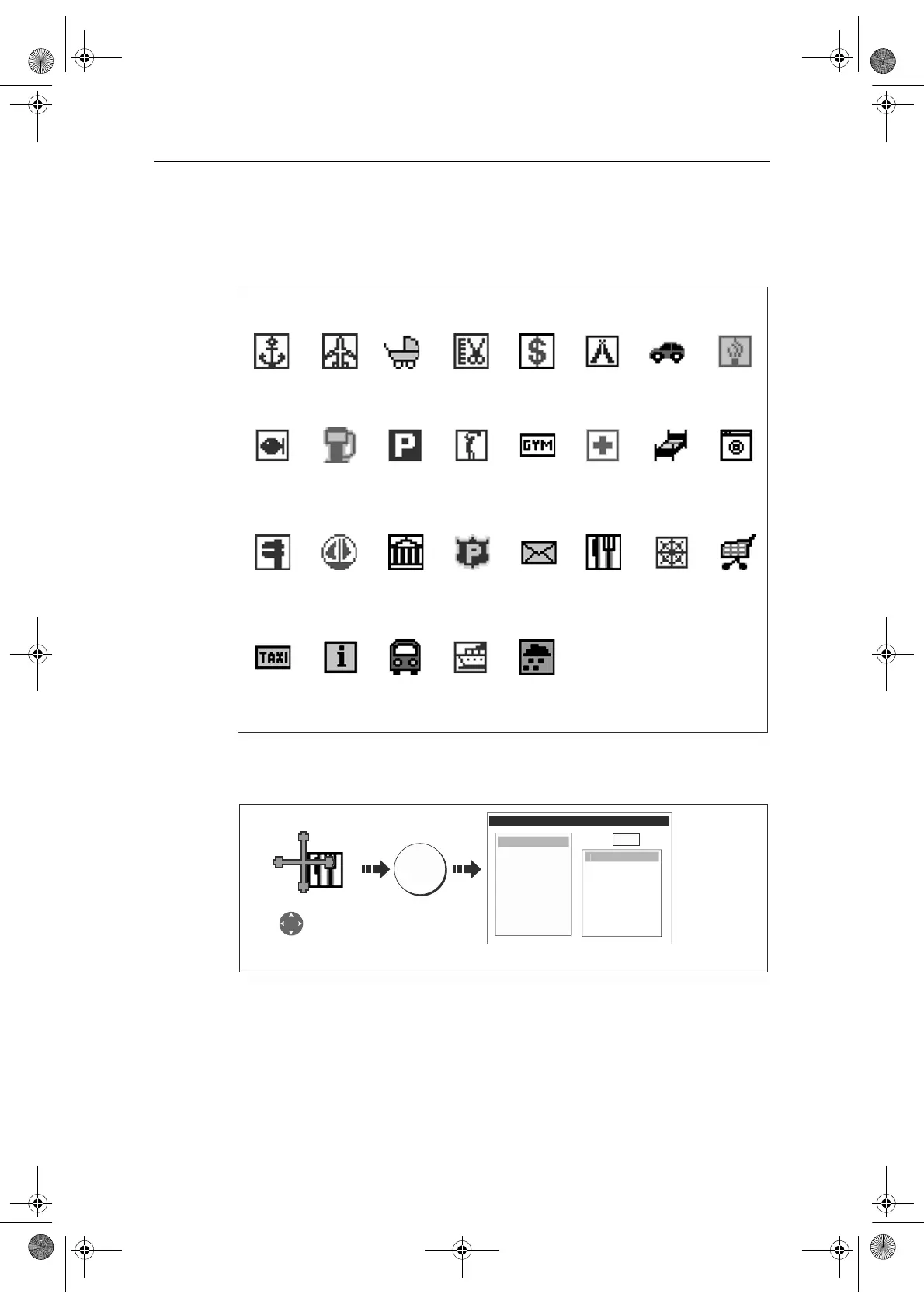
When a suitable chart card is installed the location of various business services and
points of interest are indicated by the following symbols:
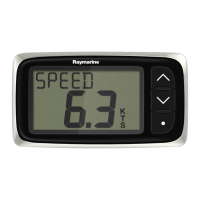
You can view the name, address, telephone number, and type of business of an
individual service by selecting its symbol on screen:
Note:
If required, you can declutter your chart by either switching off the business ser-
vices symbols (via the Cartography Setup Menu) or by switching on the DECLUTTER
option (via the PRESENTATION soft key).
Business services/points of interest symbols
Airport Babysitting Barber Bank Camping Car hire
Fishing
equipment
Parking
Firemen
Gas/Petrol
MarinaNautical
repairs
LaundryHotelHospitalGym
Golf
Post OfficePoliceMuseum
Anchorage
Water
transport
TrainTourist
information
Taxi
station
ShopShip
repairs
Restaurant
Weather
station
D8226_1
D8264_1
OK
Select business
service symbol
e.g restaurant
OBJECT INFO
Land area
am
The Haven
Address
20 High Rd
Seaview
Isle of Wight
Phone
0123 45678
Position
xxx
int
f Interes
Eating p
aces
Additional information displayed
81244_4.book Page 65 Thursday, January 31, 2008 1:53 PM



 To Next Page