25
SMART-Sensor Expansion Board (SSX)
USER GUIDE
SMART-NET NETWORK TOPOLOGY
SMART-SENSOR
™
2004 – 2014 Reliable Controls
®
Corporation. All rights reserved.
SSX PORTS
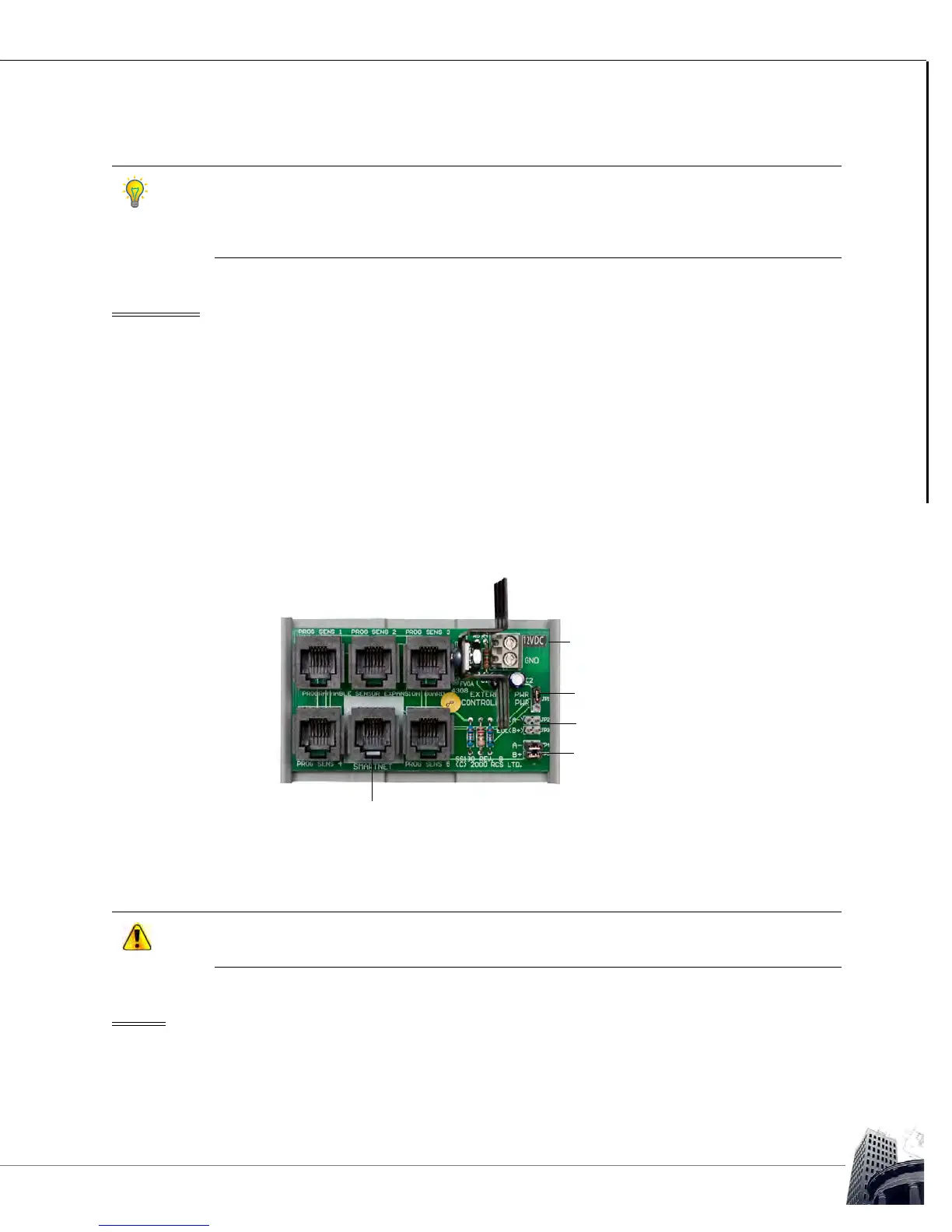
The SSX expansion board has six ports and an external power connector.
PORTS AND EXTERNAL POWER CONNECTOR
POWER
The SSX expansion board can be powered by an external power supply or it can be
powered by the host controller via the SMART-Net
™
port. Connecting an external 12 VDC
power supply to the SSX expansion board will aid in maximizing the overall allowable
cable length.
SS models with I/O, backlight, or CO
2
require more current. An SSX is recommended for
applications where more than four SSs are installed on the same SMART-Net
™
network or
where the total combined cable length of a SMART-Net
™
network exceeds 50 meters (150
feet).
• Ports PROG SENS 1–5 connect SSs or an additional SSX to the SSX expansion
board
•
The SMART-Net
™
port connects the expansion board to the host controller or
daisy-chained SSX expansion boards
FIGURE 18: SMART-SENSOR
™
EXPANSION BOARD (SSX) PORTS AND JUMPERS
A rollover Voice Cable (SS-VC) must be used to connect the SSX expansion board to the
host controller or additional SSX expansion boards.
External power connection
Power jumper
EOL jumpers
Network jumpers
SMART-Net
™
Port



 To Next Page