80
2004 – 2014 Reliable Controls
®
Corporation. All rights reserved.
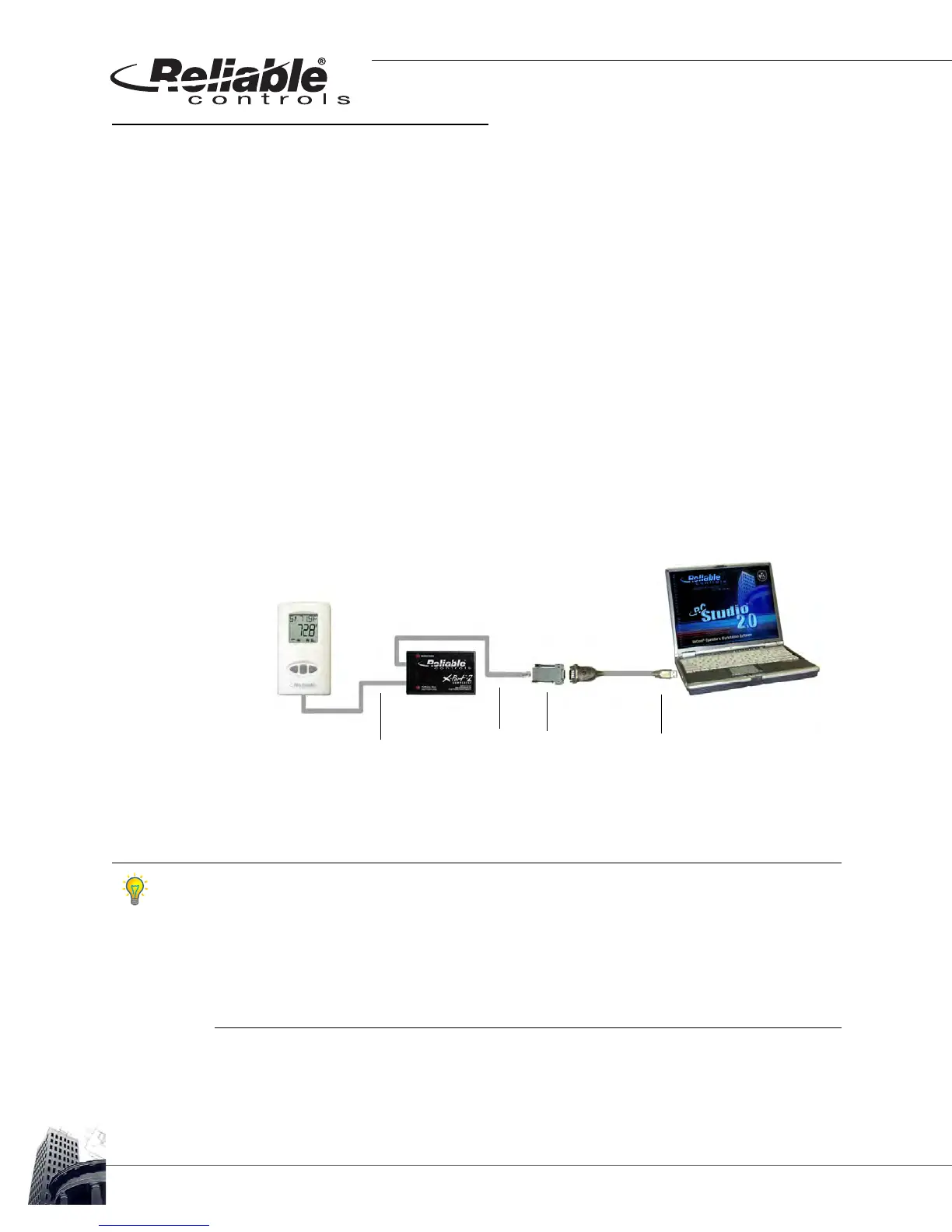
CONNECTING AN X-PORT-2 CONVERTER
TO CONNECT AN X-PORT-2 CONVERTER
1 Connect a 6-conductor rollover Voice Cable (SS-VC) with an RJ11 modular
connector to the RJ11 access port located on the bottom of the SS.
2
Connect the rollover SS-VC to the Network port of the X-Port-2
™
converter.
3
Wait for the X-Port-2
™
converter to complete the start-up cycle. The PC/Modem
indicator light will flash once per second when the start-up cycle is complete.
4 Use the appropriate direct connect cabling necessary to connect the PC/
Modem port of the X-Port-2
™
converter to the serial port adapter of the
workstation (CC-C1-C cables, CC-C1-B, RJ/11 to 9-pin adaptor, and CNV-USB-
232, as detailed below are standard part numbers available from Reliable
Controls
®
).
FIGURE 75: X-PORT-2
™
CONNECTION FROM AN SS-L-J TO A WORKSTATION
After a network connection is established, the X-Port-2
™
converter automatically configures
itself to the network baud rate. Active network traffic is required to complete the
configuration. Start-up may take up to two minutes, depending on the network and
controller address. The start-up is complete when the PC/Modem light flashes once per
second.
The X-Port-2
™
converter must be allowed to complete the start-up process before a
connection to the system by a workstation can be attempted.
USB-CNV converter
CC-VC-C cable
CC-C1-C cable
CC-C-B RJ11
to 9-pin adapter



 To Next Page