54
2004 – 2014 Reliable Controls
®
Corporation. All rights reserved.
DISPLAY MODES
The SS-L LCD has three main display modes: Idle (the default), Quick-adjust, and Display
point.
IDLE/DEFAULT MODE
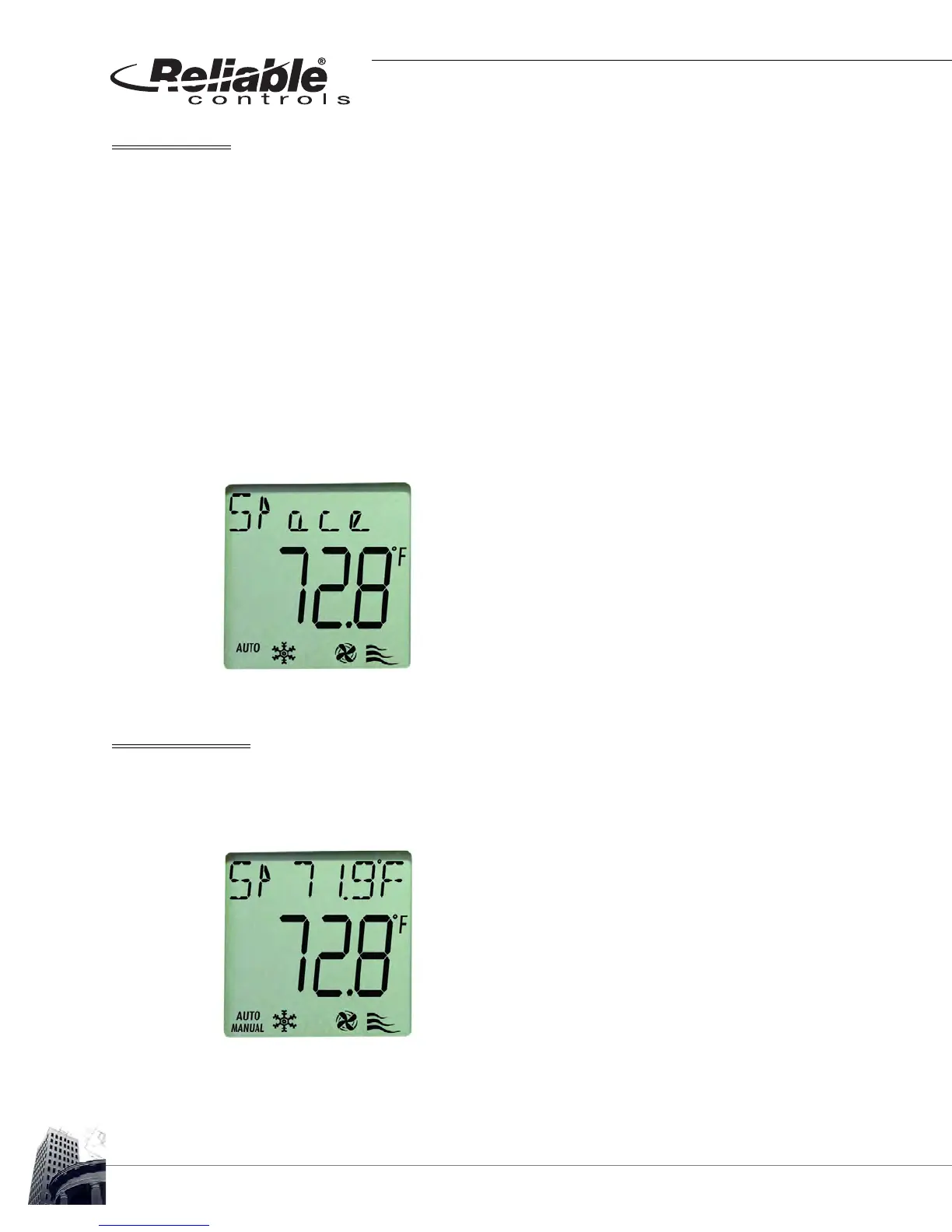
Idle mode is the SS-L's default screen display. If there has not been any button activity on
the SS-L for 20 seconds, the display will automatically revert to the default screen.
The default screen displays the present value of the point or object configured in row
number one of the SS-L worksheet in the center (or middle row) of the LCD.
Any points or objects configured to appear as an icon will be displayed in the bottom row
of the default LCD screen.
FIGURE 53: SS-L IDLE MODE DISPLAYING POINT DESCRIPTOR
SECONDARY POINT
If the secondary point is enabled in the SMART-Sensor Setup dialog box, the present
value of the point or object configured as the secondary point will be displayed in the top
row of the default LCD together with the programmed two-character abbreviation.
FIGURE 54: SS-L IDLE MODE DISPLAYING SECONDARY POINT



 To Next Page