87
Flow Tool
USER GUIDE
ONBOARD CONFIGURATION TOOLS (SS-L)
SMART-SENSOR
™
2004 – 2014 Reliable Controls
®
Corporation. All rights reserved.
FLOW TOOL
The SS-L onboard Flow Tool can be used to perform standard Test and Balance airflow
calibration of MACH-Air
™
controllers used in variable air volume (VAV) applications utilizing
the base standard Reliable Controls
®
pan file.
The Flow Tool accesses pre-configured variables (VARs) in the standard pan file provided
in all MACH-Air
™
controllers. These VARs may then be modified using the SS-L without a
need for RC-Studio
®
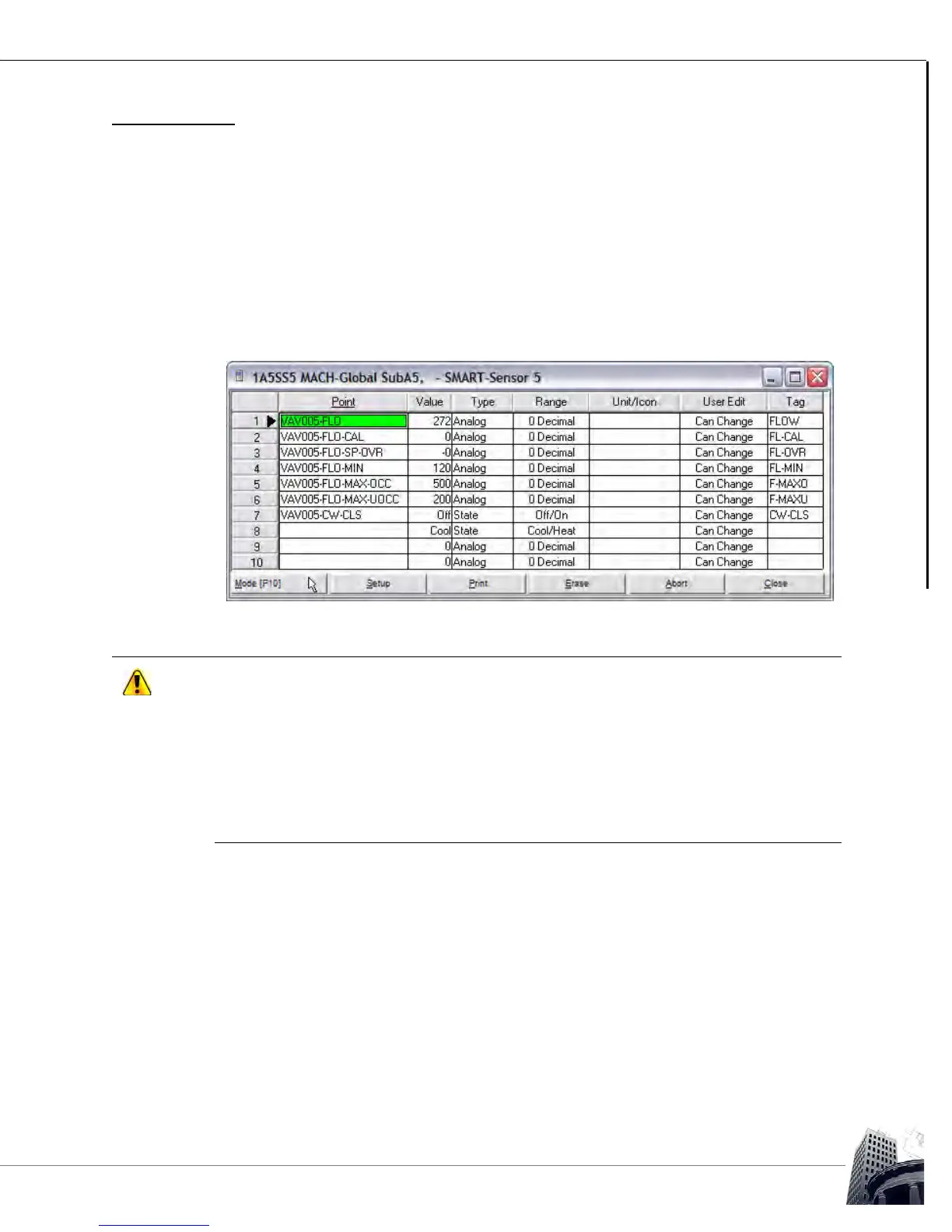
2.0 and a workstation connection. The Flow Tool VARs are outlined
in Figure 76 and Table 19.
FIGURE 76: SS-L FLOW TOOL WORKSHEET IN THE STANDARD PAN FILE IN ALL MACH-AIR
™
CONTROLLERS
The SSL onboard Flow Tool requires a pre-configured SS-L profile and several VARs that
are all featured in the Reliable Controls
®
standard MACH-Air
™
and MACH-ProAir
™
pan files.
For proper calibration using the Flow Tool, this pan file should be used.
In the standard MACH-Air
™
and MACH-ProAir
™
pan files, the SS-L onboard Flow Tool
display configuration is pre-configured in Sensor-5 of the SMART-Sensor
™
node. This is not
a functional SS-L address for a MACH-(Pro)Air
™
. Do not attempt to change the SS-L
address to 5 in order to use the Flow Tool. Access to these parameters is automatically
provided by invoking the embedded SS-L Flow Tool in the firmware.



 To Next Page