65
The SS Worksheet
USER GUIDE
SOFTWARE PROGRAMMING
SMART-SENSOR
™
2004 – 2014 Reliable Controls
®
Corporation. All rights reserved.
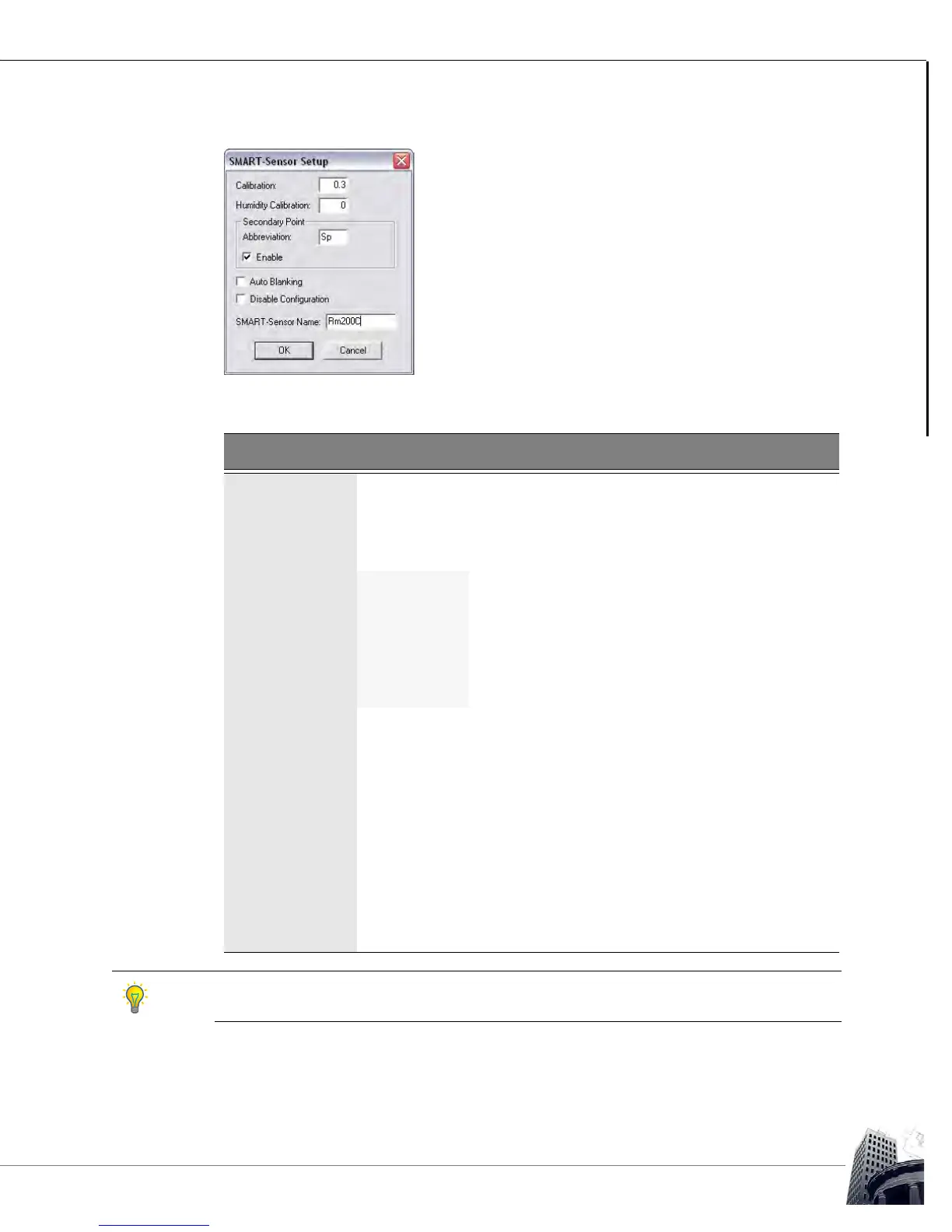
FIGURE 62: SMART-SENSOR SETUP DIALOG BOX
TABLE 14: SMART-SENSOR SETUP DIALOG BOX
Field Description
Calibration Used to calibrate the onboard temperature sensor ± 3.1 degrees
in °C or °F.
Humidity
Calibration
Used to calibrate the onboard humidity sensor ± 31 percent in
%RH (-H models only).
Secondary
Point
Abbreviation Two character abbreviated name to be displayed
preceding the value of the secondary-point in Idle
mode.
Enable Enables the display of the secondary point on the
top row of the LCD in Idle mode rather than the Tag
for Point 1.
Auto Blanking The LCD reverts to the idle screen after 20 seconds of button
inactivity. When Auto Blanking is enabled, the LCD automatically
turns off after 20 seconds of button inactivity in the idle screen (40
seconds of inactivity before screen blanking occurs). The display
will reappear in Idle mode when any button is pressed.
Disable
Configuration
Locks out the configuration abilities of the SS-L inherent in the
firmware. If this box is enabled, the SS-L may not be used as a
SETUP-Tool
™
or Flow Tool.
SMART-Sensor
Name
Twenty character name for the SMART-Sensor
™
LCD that will
appear in the SMART-Sensor worksheet title bar and the System
Tree.
If Time is selected as the Range for the secondary point, the abbreviation will not be shown.
Instead, AM or PM will be displayed.



 To Next Page