Writing in fair copy entry mode
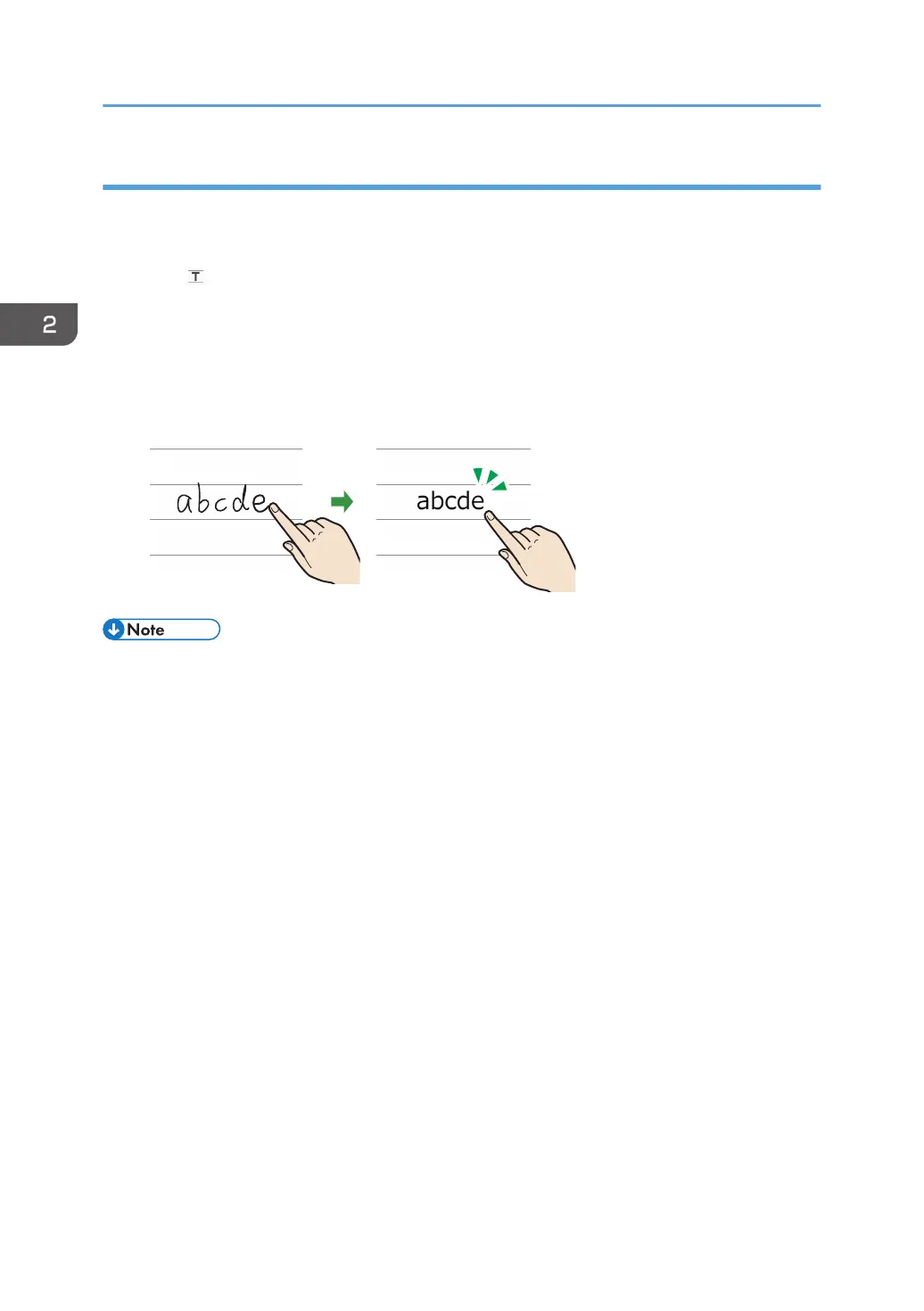
Write freehand characters and have them automatically recognized and converted to text data.
Horizontal and vertical lines, circles, and rectangles are also recognized and corrected automatically.
1. Touch , the Fair Copy Entry mode icon.
2. Select the color, size, and language of the characters to be entered.
A guideline that corresponds to the selected character size is displayed.
3. Write characters with your finger in the squares on the guideline.
Handwritten characters are recognized and converted automatically, and displayed as text data.
• Japanese or Chinese characters are recognized and converted into text for each single character.
Alphanumeric entries are recognized for each single word.
• If a hand-written Japanese or Chinese character is not recognized correctly, touch and hold the
character until the list of candidates appears. Then, select the correct character from the list.
• To add an additional available language to the machine, download the appropriate language
pack for whiteboard from the Ricoh website and use a USB memory device to install it on the
machine. For details about how to install a language pack for whiteboard, see page 158
"Updating the System Using a USB Flash Memory Device".
• The size of the character is not affected by changing the line width. An appropriate thickness is
automatically applied to the character according to the size of the character.
• A line that protrudes greatly from the guideline is recognized as a separate stroke.
• To deepen the color of the guide line, select the [Darken the color of grid/guide line] check box in
System Settings. For details, see page 160 "Changing the System Settings".
• If you change to remote whiteboard in compatible mode, the entered characters are converted to
an image and cannot be edited anymore.
• If you want to enter a small figure that may be converted as a character in fair copy entry mode,
you can configure the machine to perform figure recognition in the Whiteboard Detailed Settings.
For details, see page 123 "Changing the Detailed Settings".
2. Using a Whiteboard
32



 To Next Page