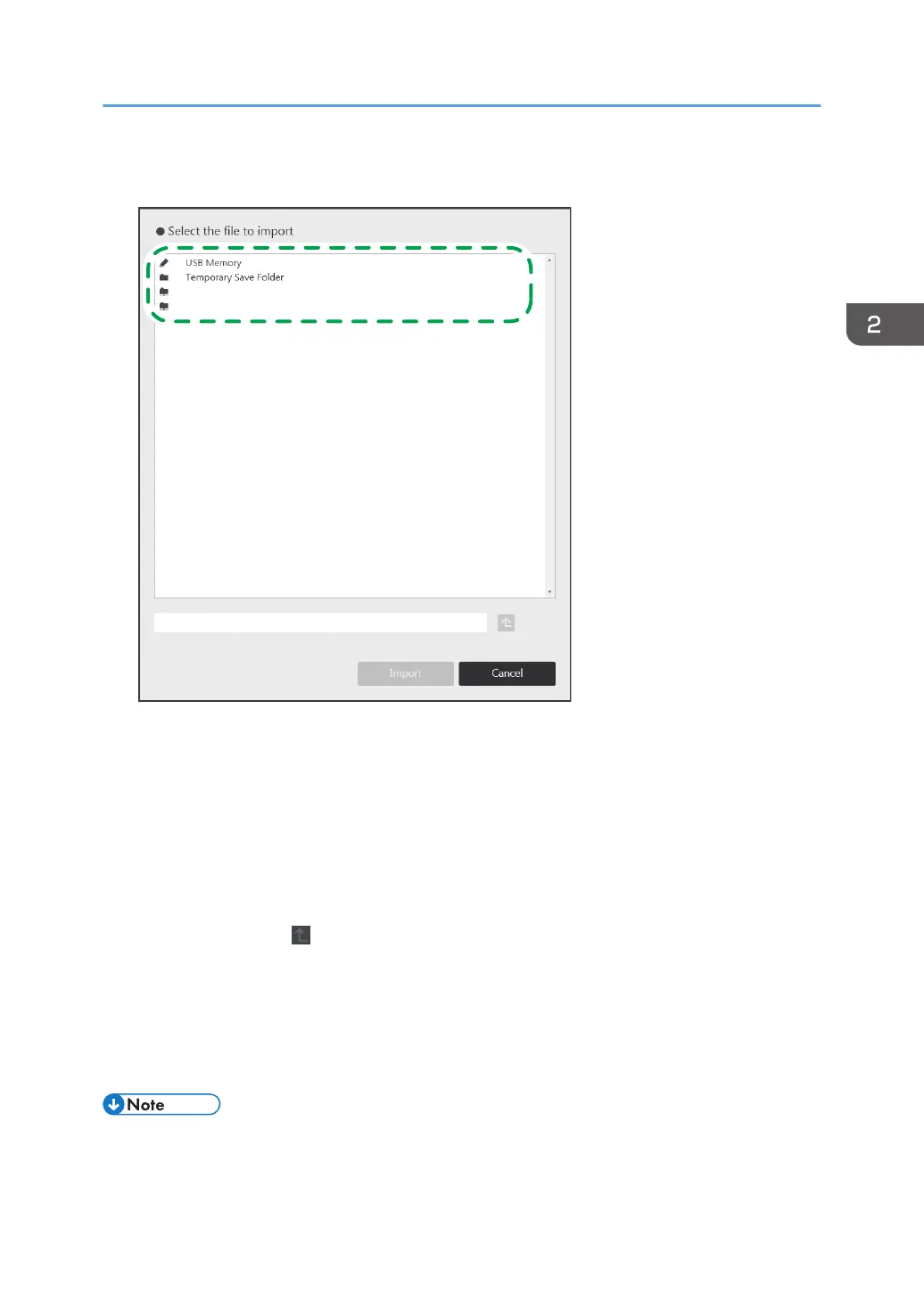
3. Select the file that you want to import to the Interactive Whiteboard.
DHG333
folder1 \\host01\appdata
folder2 \\host01\appdata\office
• Select “USB Memory” to display the files stored in the USB flash memory device that is
attached to the machine.
• When you select "Temporary Save Folder", the temporarily saved files to the machine are
displayed. For details about how to import a temporarily saved file, see page 56 "Importing
a Temporarily Saved File".
• When you import a file that is stored in a USB flash memory device or a shared folder, a sub
directory up to 10 layers deep can be specified.
• When you touch , the Move Up One Folder icon, you can move to the folder one level
above.
4. Touch [Import].
The machine imports the PDF file from the first page. The imported pages are added in sequence to
the end of the page list. When the PDF file has finished importing, the first page of the file is
displayed.
• The drawn strokes in a file saved by the Interactive Whiteboard when it was running version
1.3.140.0 or earlier cannot be edited.
Operating a File
55



 To Next Page