2.Replacement and Adjustment
103
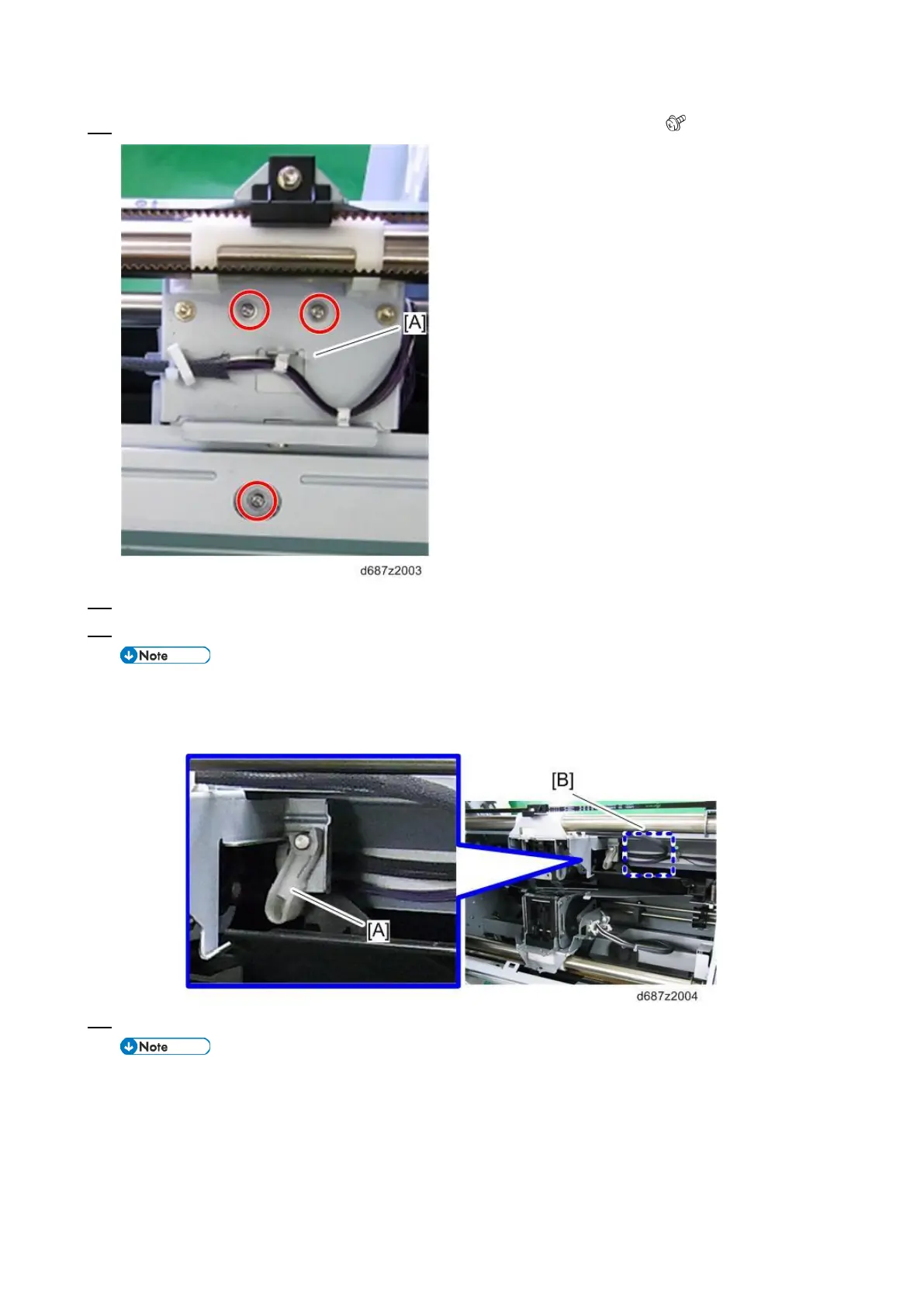
16. Tighten the screws completely to secure the clincher side [A] of the stapler ( ×3).
17. Loosen the wing screw to remove the special tool.
18. Reattach all the removed parts.
• Make sure that the harnesses [B] are routed behind the resin part [A]. Otherwise, the
harnesses block the route of the stapler, which causes a Booklet Stapler Transfer Motor
(STM7) error.
19. Check that the stapler works properly.
• All staple patterns must be checked.
• If there are any problems with the clincher, adjust the staple position with the special tool
again.


 To Next Page
 Loading...


