2.Replacement and Adjustment
79
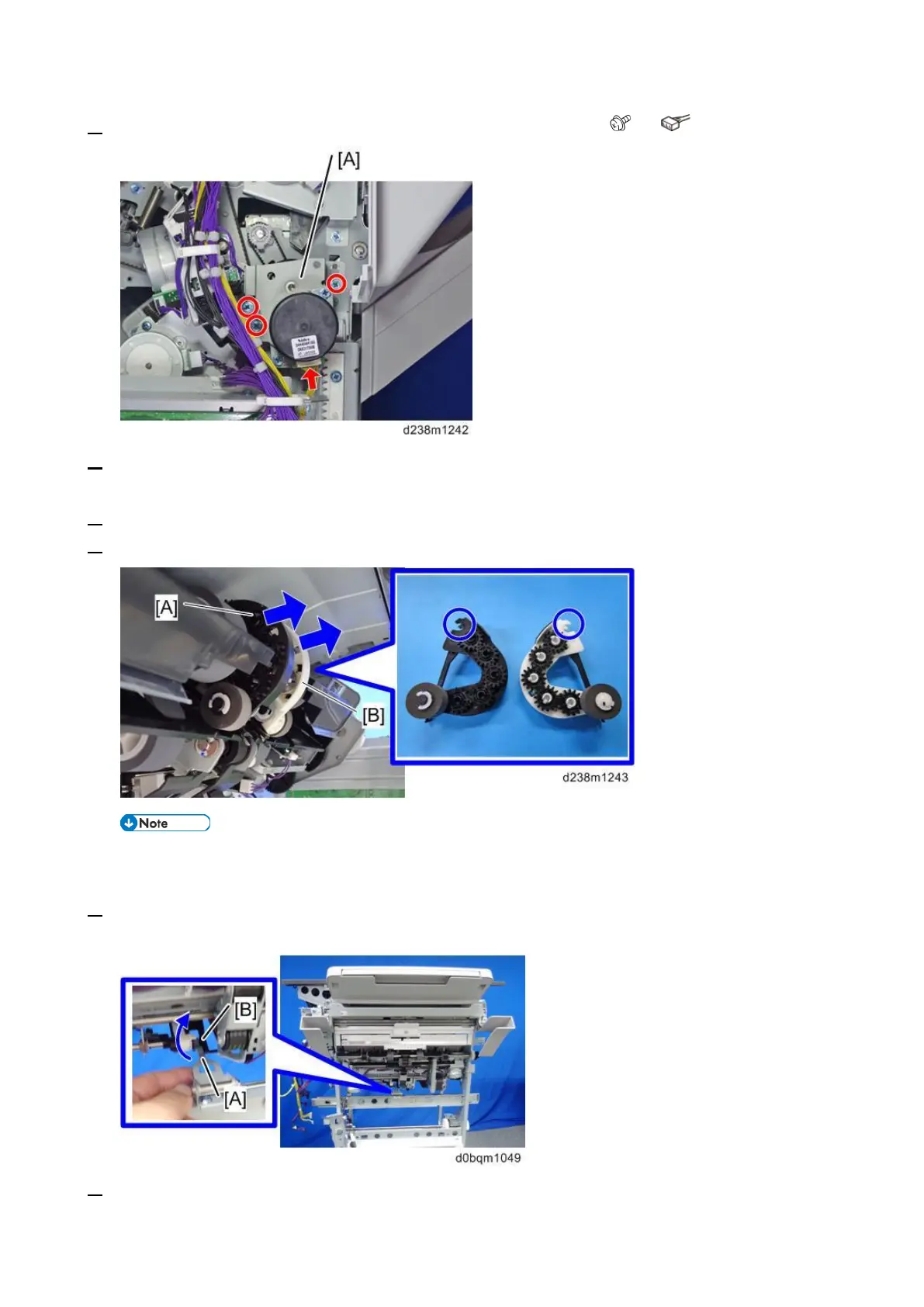
4. Remove the bracket [A] with the paper exit transport motor bracket ( ×3, ×1).
5. Remove the controller board bracket. (Booklet Transport (Upper) Motor (STM8) (Booklet Finisher
SR3270 Only))
6. Remove the shift tray bracket (Shift Tray Paper Surface Sensor (S13))
7. Remove the reverse roller (front) [A], reverse roller (rear) [B].
• Be careful not to damage the shape of the hook enclosed by the blue circle when
removing the reverse rollers.
8. Release part [B] from part [A].
9. Remove the indicated screws and connectors, and then disconnect the harness.



 To Next Page