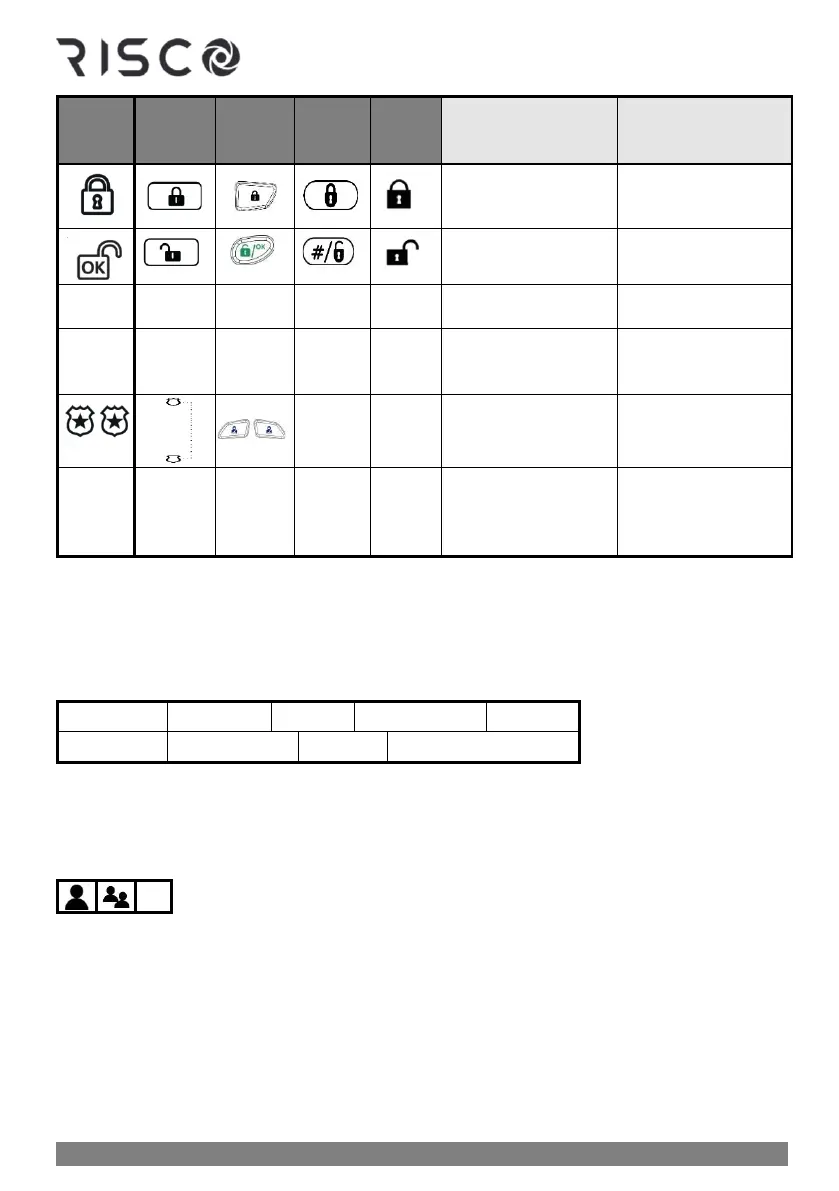
TOGGLE: To toggle
between options (not
applicable for Slim)
FULL ARM: For full
(away) arming
DISARM: For
disarming the system
FIRE ALARM: To
activate a fire alarm
EMERGENCY: To
activate an emergency
alarm
PANIC: To activate a
panic alarm
GROUP: To select
group/s for group
arming
GROUP: To select
group/s for group
arming
User Menus
From a wired keypad, the Grand Master is the one who typically performs the system setup
tasks (the tasks geared for system users) from the user menus. Each menu's configurable
options display for the devices connected in the system. User menus are as follows:
NOTE: For a detailed list of all user-programmable settings for all user menus, see Appendix
B: User Menu Maps, page 84.
Accessing User Menus – Upon First System Start-Up
➢ To access User menus upon first system start-up:
1. After the installer has installed, programmed, and handed over the system, make sure
the main panel is powered-up. If you power-up the system yourself, press the Exit
button (see table in Keypad Buttons, page 12) when prompted to do so and then wait a
few seconds.



 To Next Page