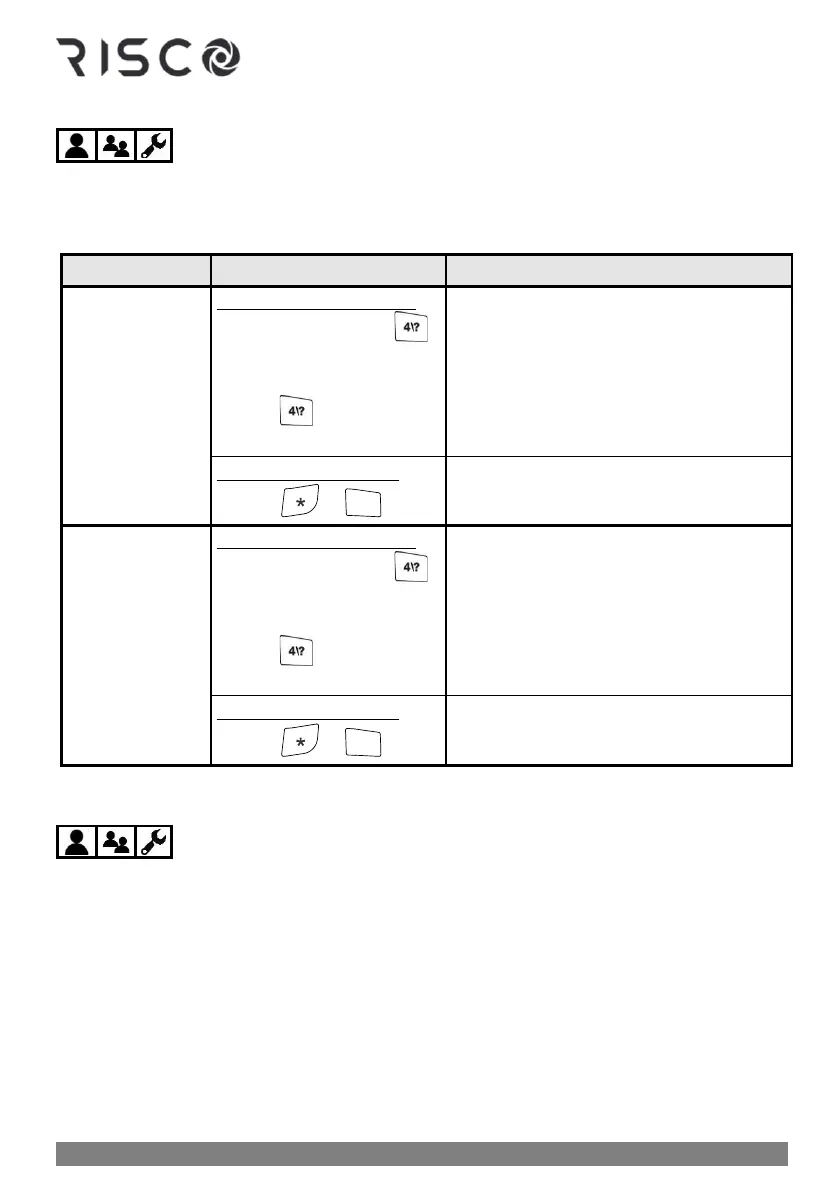
Obtaining System Status – Requested from Remote Controls
When requested from an 8-button remote control, you can get system status via the remote
control's LED indicators, and via "beeps" and "squawks" from the remote control and siren
respectively (see "Beep" and "Squawk" Sound Indicators, page 85).
Status indications received:
Sound status indication:
• Quick mode: Press
for 2 seconds
• High Security mode:
Press for 2 seconds ➢
press PIN code
• Beep indication from the remote
control
• Confirmation squawk from siren
See "Beep" and "Squawk" Sound Indicators,
page 85.
LED status indication:
• Press ➢
See 8-Button Remote Control Indicators,
page 89.
Sound status indication:
• Quick mode: Press
for 2 seconds
• High Security mode:
Press for 2 seconds ➢
press PIN code
• Beep indication from the remote
control
• Confirmation squawk from siren
See "Beep" and "Squawk" Sound Indicators,
page 85.
LED status indication:
• Press ➢
See4-Button Panda Keyfob Indicators,
page 89.
Obtaining System Status – Requested from Keypads
When requested from a keypad, you can get both audible and visual system status –
viewed via the keypad's display (or via the Slim keypad's LED indicators), and heard via
keypad "beeps" and siren "squawks" (see "Beep" and "Squawk" Sound Indicators, page 85). You
can also hear "voice announcements" broadcast from a Listen-In & Speak unit for system
events such as alarms, and as confirmation for user-initiated commands at the time of
arming/disarming only. See Voice Announcements, page 87.



 To Next Page