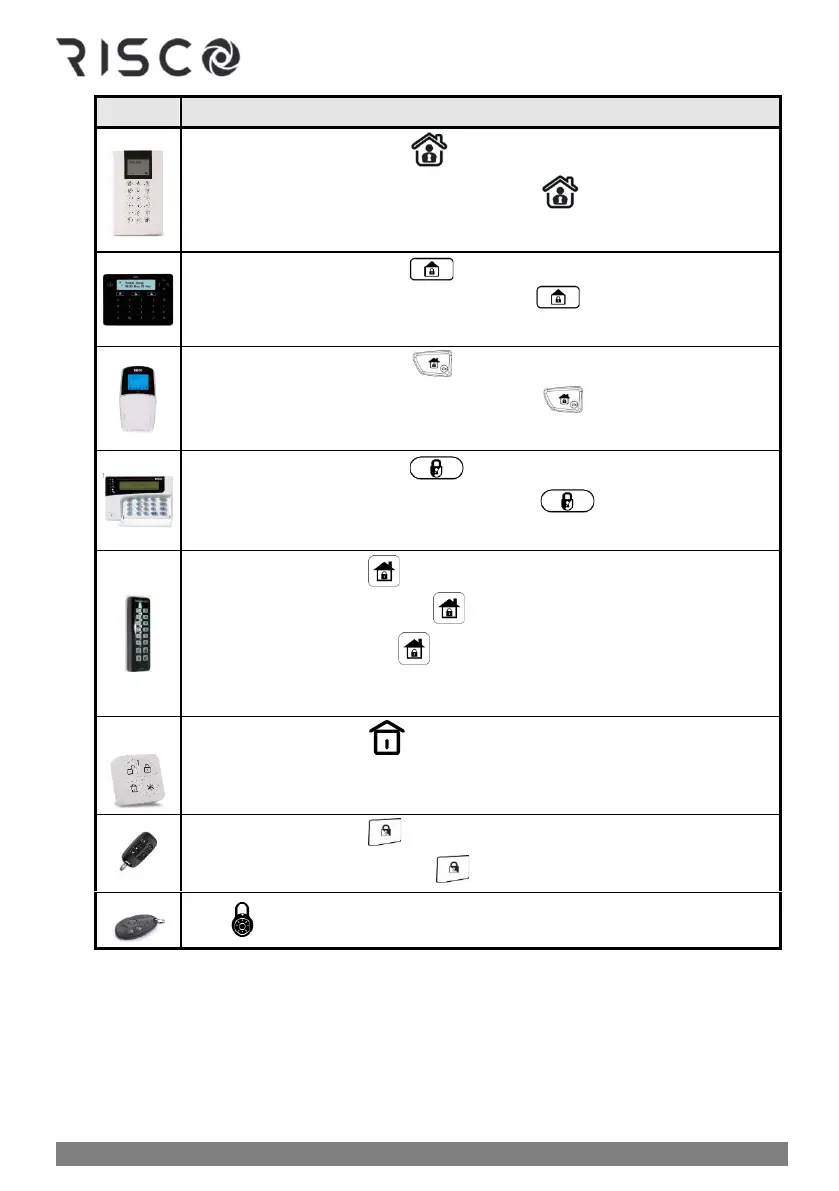
Partial-Arming procedure:
❖ Quick Arm mode: Press
❖ High Security mode: Enter code ➢ press
❖ Proximity mode: Place Proximity tag
❖ Quick Arm mode: Press
❖ High Security mode: Enter code ➢press
❖ Proximity mode: Place Proximity tag
❖ Quick Arm mode: Press
❖ High Security mode: Enter code ➢press
❖ Proximity mode: Place Proximity tag
❖ Quick Arm mode: Press
❖ High Security mode: Enter code ➢press
❖ Proximity mode: Place Proximity tag
❖ Quick mode: Press
❖ High security mode: Press ➢ enter code
❖ Proximity mode: Press ➢ place Proximity tag
NOTE: If needed, press * to "wake-up" the Slim keypad
❖ Quick mode: Press .
❖ High Security mode: Press ➢ enter PIN code (not user code)
5. Leave the premises before the end of the exit delay period. During the exit delay period,
you can observe the following indicators at the keypad:
• The keypad beeps slowly and repeatedly, followed by faster beeps at end of
exit delay time period
• The exit-delay countdown appears on the keypad display, and the full arm
icon flashes. On the LightSYS keypad the red LED is flashing.



 To Next Page