Installing the AP
Step 1: Preconfiguring the AP
Ruckus Wireless Indoor AP 100.2.0 User Guide, 800-70892-001 Rev A 86
Configuring Common Wireless Settings
1 On the left menu of the Web interface, click Configuration > Wireless (Radio
2.4G or Radio 5G on dual-band APs). The Configuration > Common page
appears.
NOTE For dual-band APs (7055, 7363, 7372, 7982, H500, R300, R500, R600,
and R700), the two radios (2.4GHz and 5GHz) need to be configured separately on
the Web interface. To configure the common wireless settings, click Configuration
> Radio 2.4G or Configuration > Radio 5G. The rest of the configuration
procedures are the same as for single-band models.
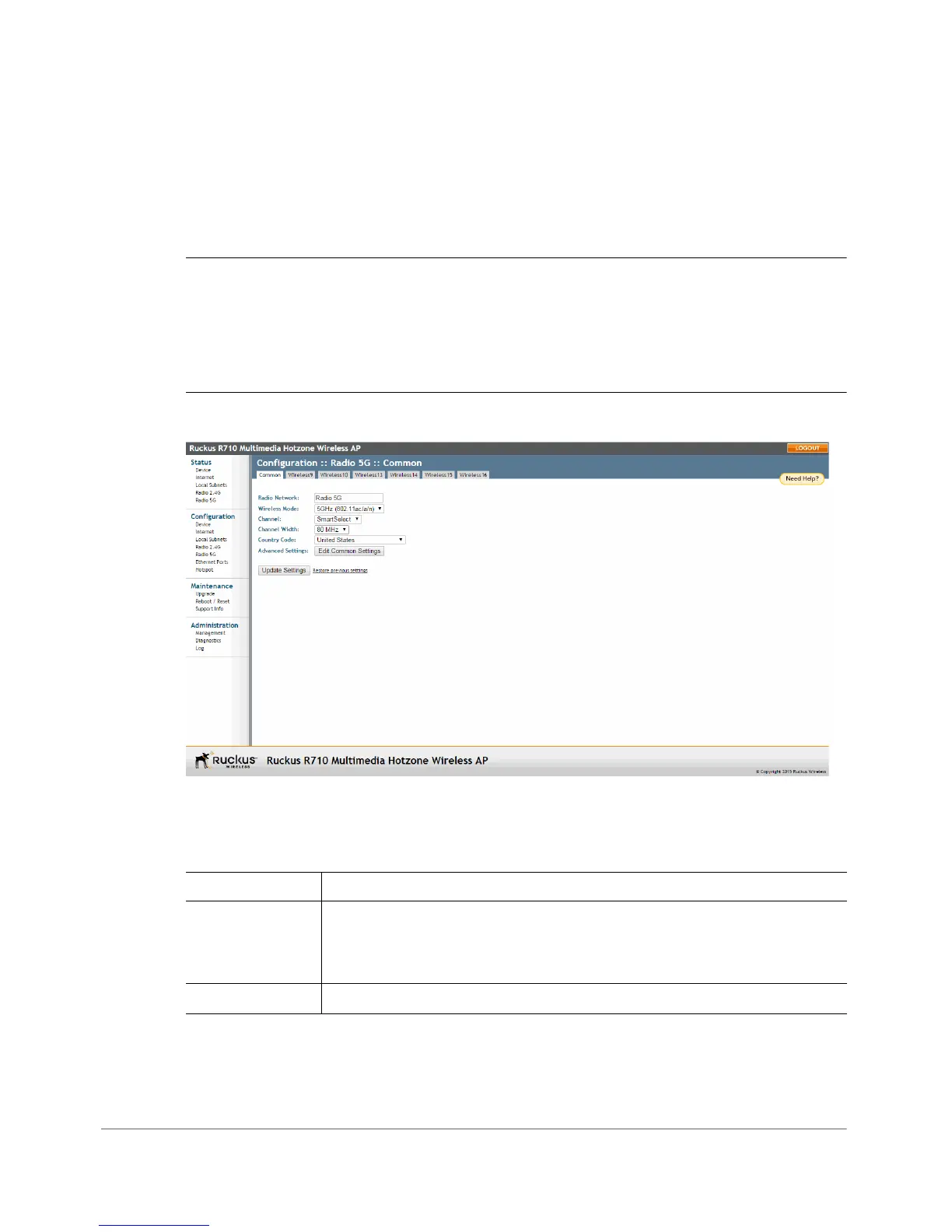
Figure 39. The Configuration > Radio 5G > Common tab
2 Verify that the common wireless settings are configured as listed in Tab l e 42 .
Table 42. Common wireless configuration
Setting Recommended Value
Wireless Mode For ZoneFlex 7321, select 2.4GHz or 5GHz mode.
For other APs, the wireless mode is determined by the radio band
(Wireless 2.4G or Wireless 5G).
Channel SmartSelect.












 To Next Page