Web-based Configuration Guide Wi-Fi Network Settings
113
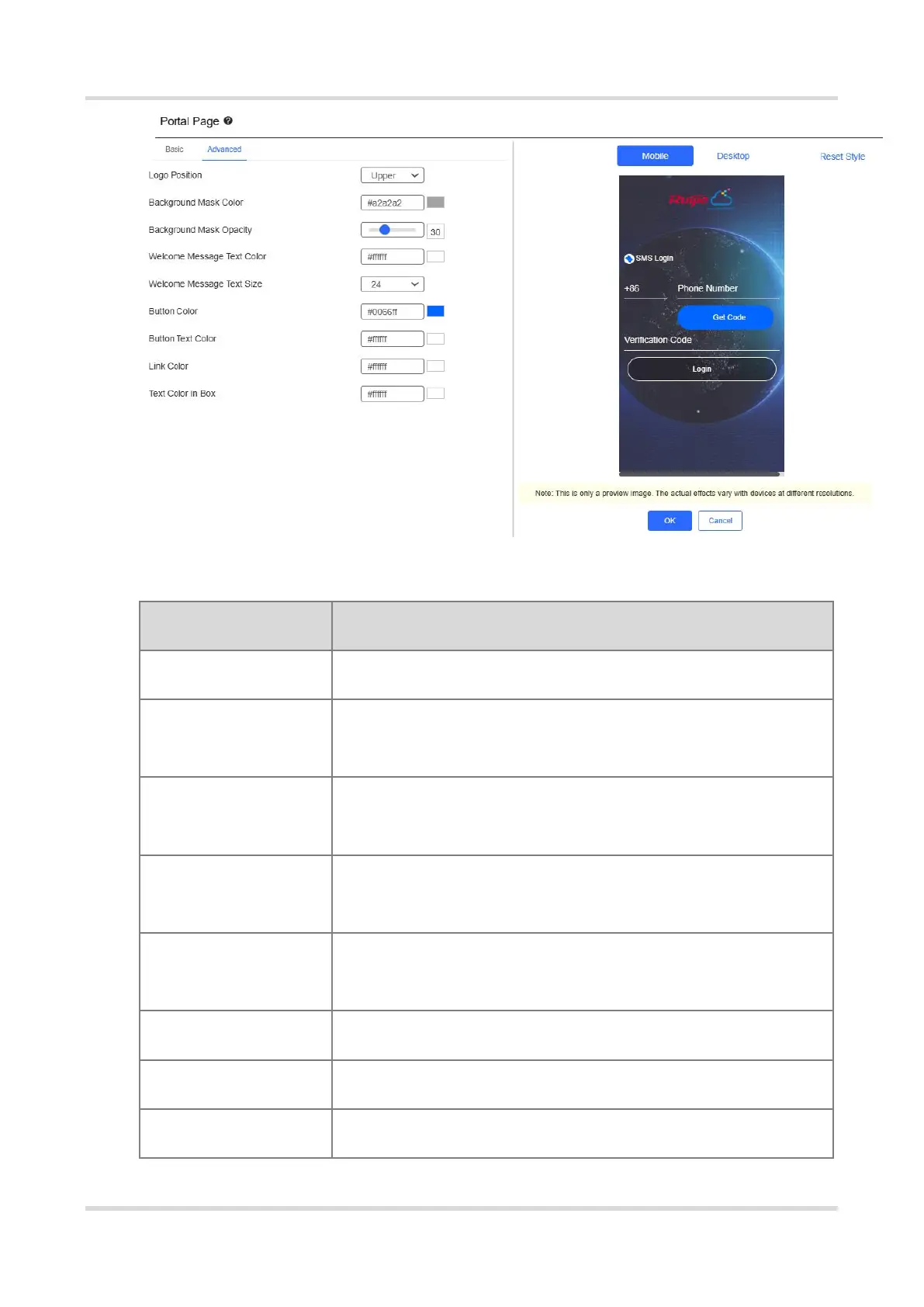
Table 3-18 Advanced Information of the Portal Page
Select the logo position (Upper, Middle, or Lower).
Select the background mask color. The default value is
#a2a2a2.
Select the background mask opacity (0-100).
Welcome Message
Text Color
Select the welcome message text color. The default value is
#ffffff.
Welcome Message
Text Size
Select the welcome message text size.
Select the button color. The default value is #0066ff.
Select the button text color. The default value is #ffffff.
Select the link color. The default value is #ffffff.



 To Next Page
 Loading...