Web-based Configuration Guide Network Settings
133
4.5 Configuring Repeater Mode
Caution
RG-RAP1200(F) access point do not support this function.
4.5.1 Wired Repeater
For RG-RAP2260(G), RG-RAP2260(E), RG-RAP6260(G), RG-RAP6262(G), RG-RAP2260(H), RG-
RAP6260(H), RG-RAP6260(H)-D, RG-RAP2266, RG-RAP2260, RG-RAP1261, RG-RAP1260 and
RG-RAP6262 models: In Local Device mode, choose Network > Repeater Mode
For other RAP models: Choose ( WLAN > APs > Manage >) Network > Repeater
Mode
Connect a network cable from the WAN port (uplink LAN port) of the device to the upper-
layer device.
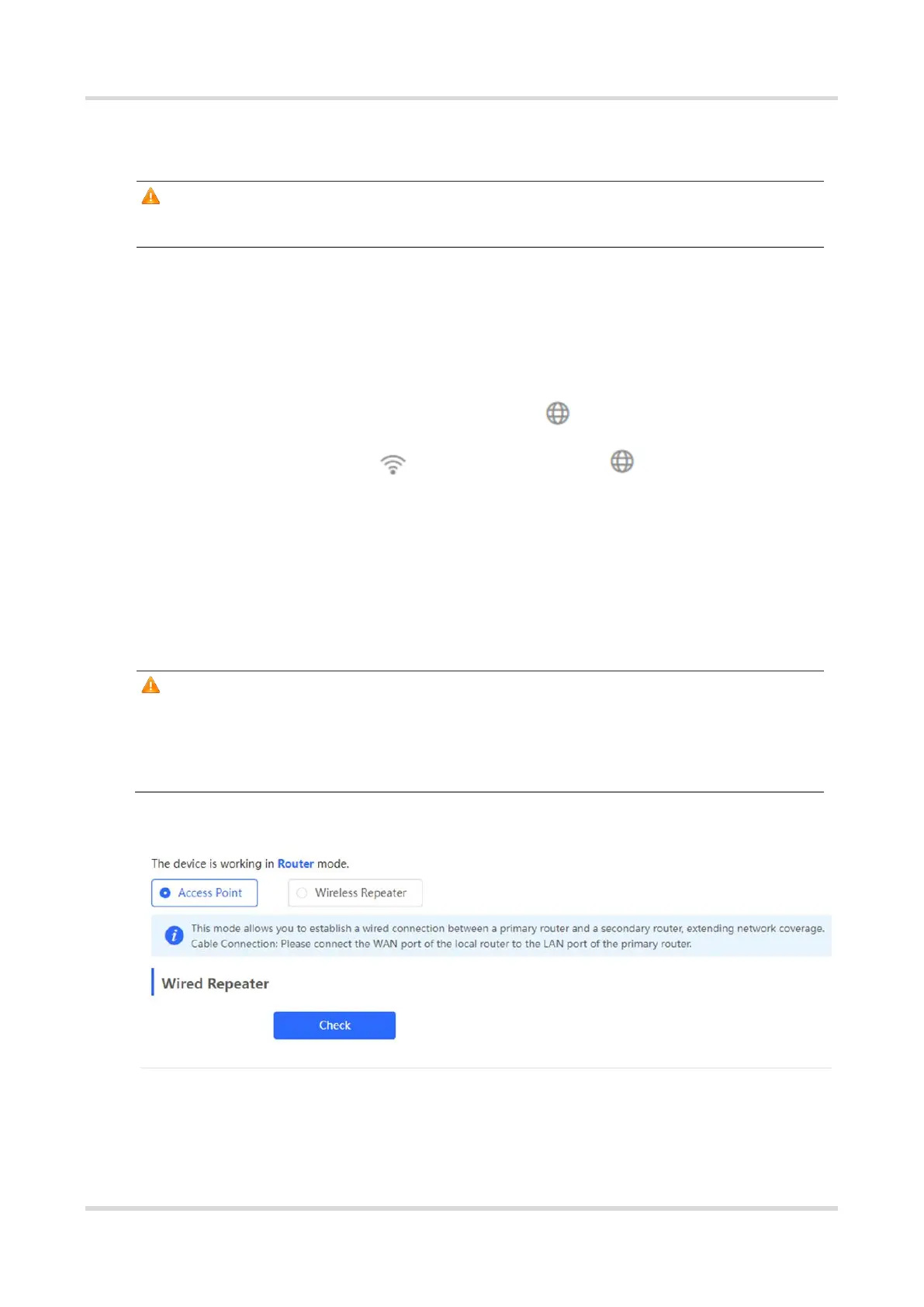
Select Access Point, click Check, confirm the Wi-Fi settings of the AP, and then click Save
to expand the network coverage.
Caution
After the configuration is saved, connected clients will be disconnected from the network
for a short period of time. You can reconnect the clients to the Wi-Fi network for
restoration.



 To Next Page
 Loading...