Web-based Configuration Guide System Settings
191
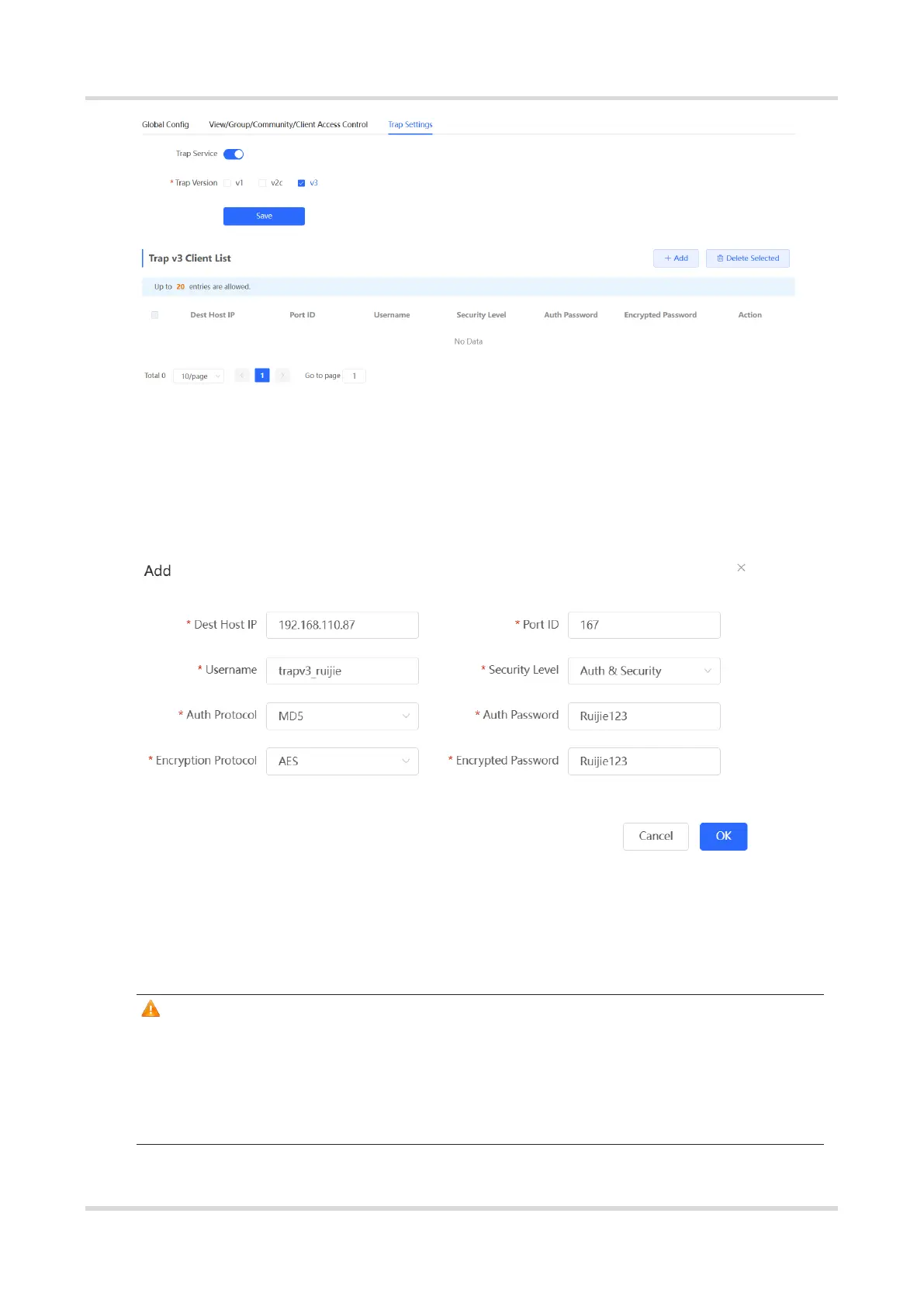
(2) Click Add in the Trap v3 Client List to add a trap v3 user.
(3) Enter the destination host IP address, port number, user name, and other information.
Then, click OK.
5.7 Configuring Reboot
Caution
Do not cut off power during system reboot to avoid device damage.
Do not refresh the page or close the browser during the reboot. After the device is
successfully rebooted and the Web service becomes available, the device
automatically jumps to the login page.



 To Next Page
 Loading...