Web-based Configuration Guide Wi-Fi Network Settings
63
3.15.3 Optimizing the Radio Channel
For RG-RAP2260(G), RG-RAP2260(E), RG-RAP6260(G), RG-RAP6262(G), RG-RAP2260(H), RG-
RAP6260(H), RG-RAP6260(H)-D, RG-RAP2266, RG-RAP2260, RG-RAP1261, RG-RAP1260 and
RG-RAP6262 models:
Configure the master device. Choose Network ( WLAN) > Radio Frequency
Configure the slave device. Choose Devices > Select the target device in the
device list and click SN > Radio Frequency
For other RAP models:
Configure the master device. Choose WLAN > Radio Frequency
Configure the slave device. Choose WLAN > APs > Select the target device in the
device list and click Manage > WLAN > Radio Frequency
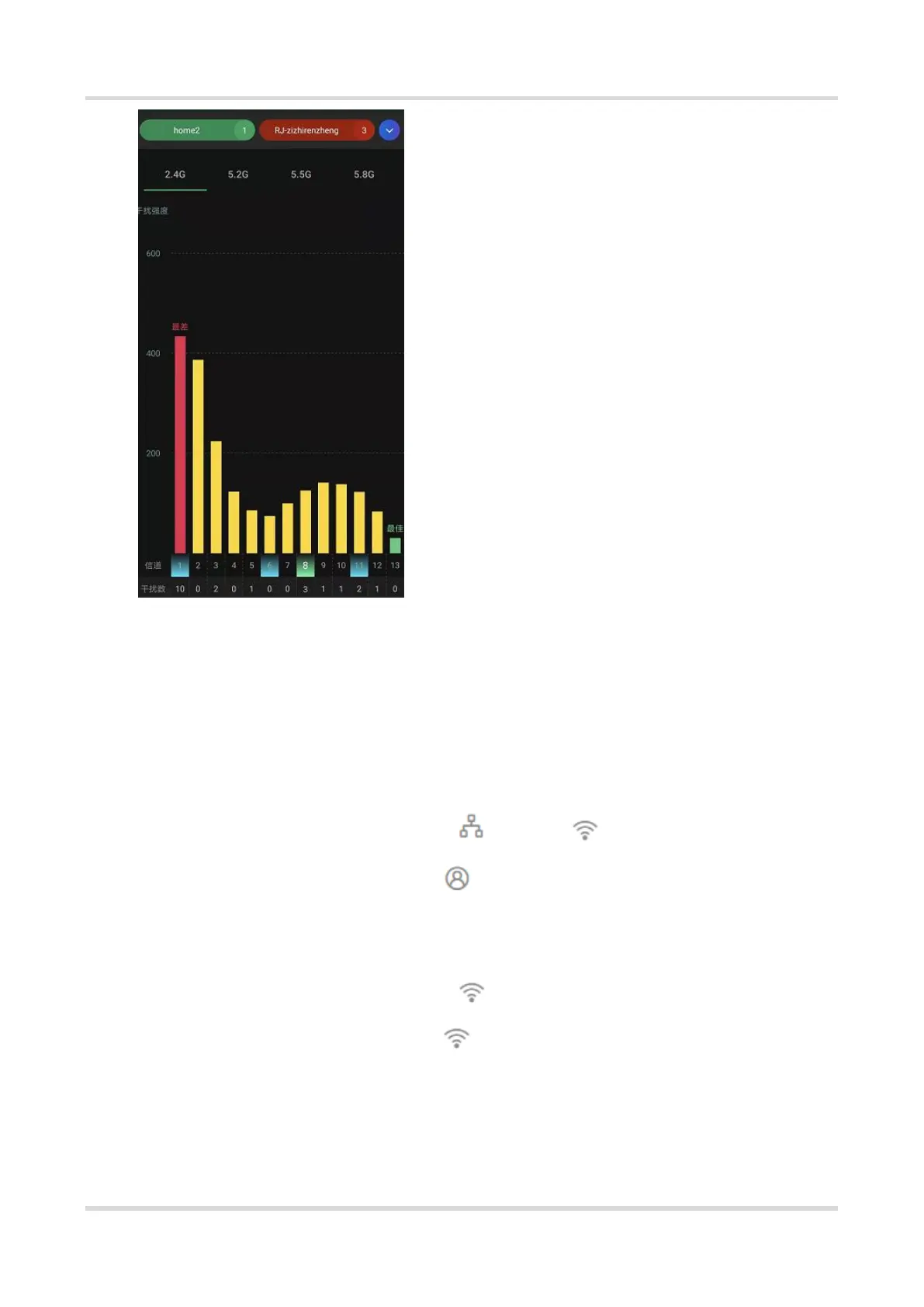
Choose the best channel identified by Wi-Fi Moho or other Wi-Fi scanning App. Click Save
to make the configuration take effect immediately. The more devices in a channel, the
greater the interference.



 To Next Page
 Loading...