Web-based Configuration Guide Network Settings
134
4.5.2 Wireless Repeater
The wireless repeater mode extends the Wi-Fi coverage range of the primary device. The
device supports the dual-link wireless repeater mode and can extend both 2.4 GHz and 5
GHz signals of the primary device.
Note
To avoid loops in wireless repeater mode, remove the network cable from the WAN
port.
Obtain the Wi-Fi name and Wi-Fi password of the upper-layer router.
For RG-RAP2260(G), RG-RAP2260(E), RG-RAP6260(G), RG-RAP6262(G), RG-RAP2260(H), RG-
RAP6260(H), RG-RAP6260(H)-D, RG-RAP2266, RG-RAP2260, RG-RAP1261, RG-RAP1260 and
RG-RAP6262 models: In Local Device mode, choose Network > Repeater Mode
For other RAP models: Choose ( WLAN > APs > Manage >) Network > Repeater
Mode
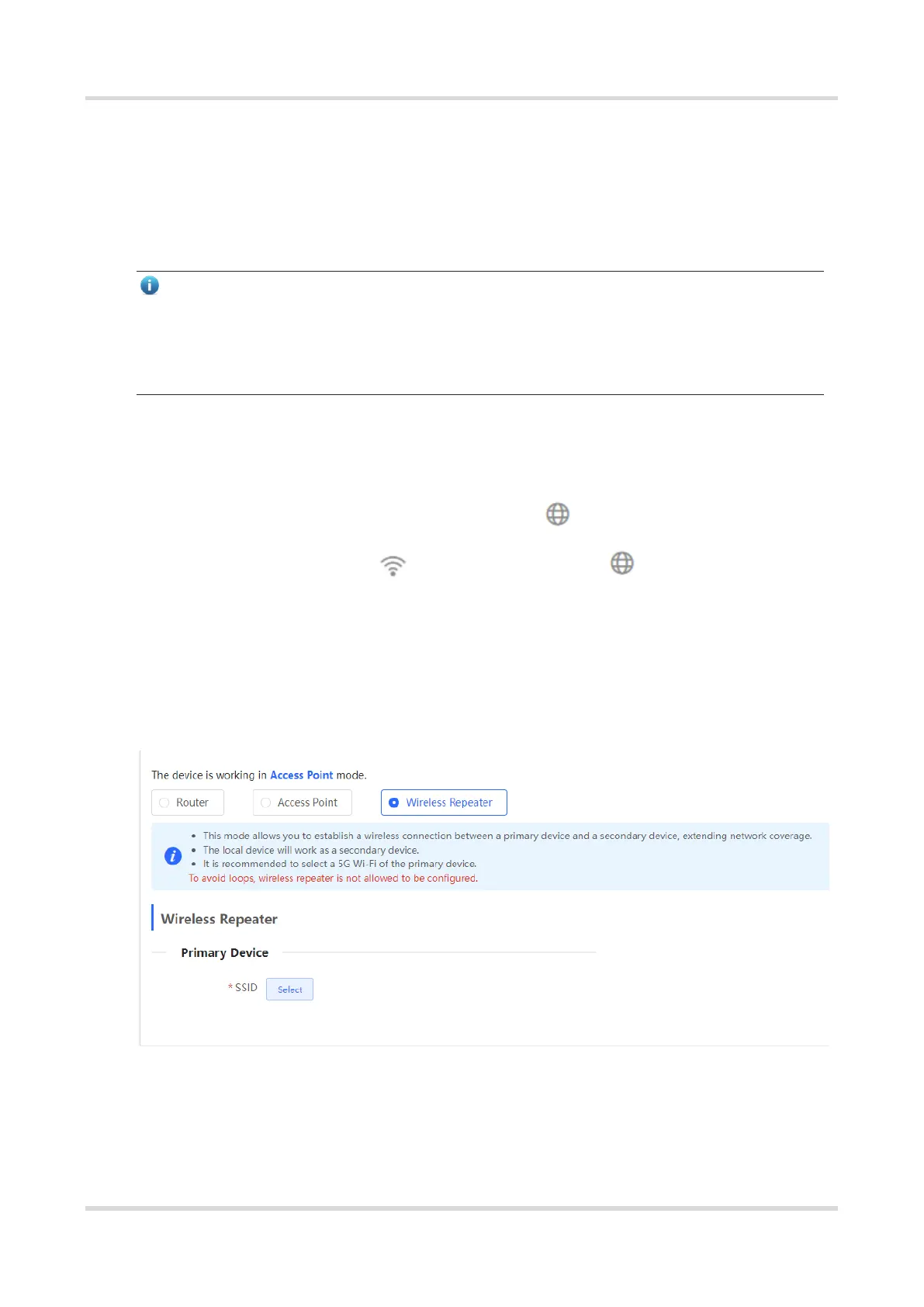
(1) Click Wireless Repeater and then click Select. A list of surrounding Wi-Fi signals pops
up. A list of nearby 5 GHz Wi-Fi networks is displayed by default. You can switch from 5
GHz to 2.4 GHz band by selecting 2.4G from the drop-down list box. You are advised to
select a strong 5 GHz Wi-Fi network signal.



 To Next Page
 Loading...