Web-based Configuration Guide Wi-Fi Network Settings
47
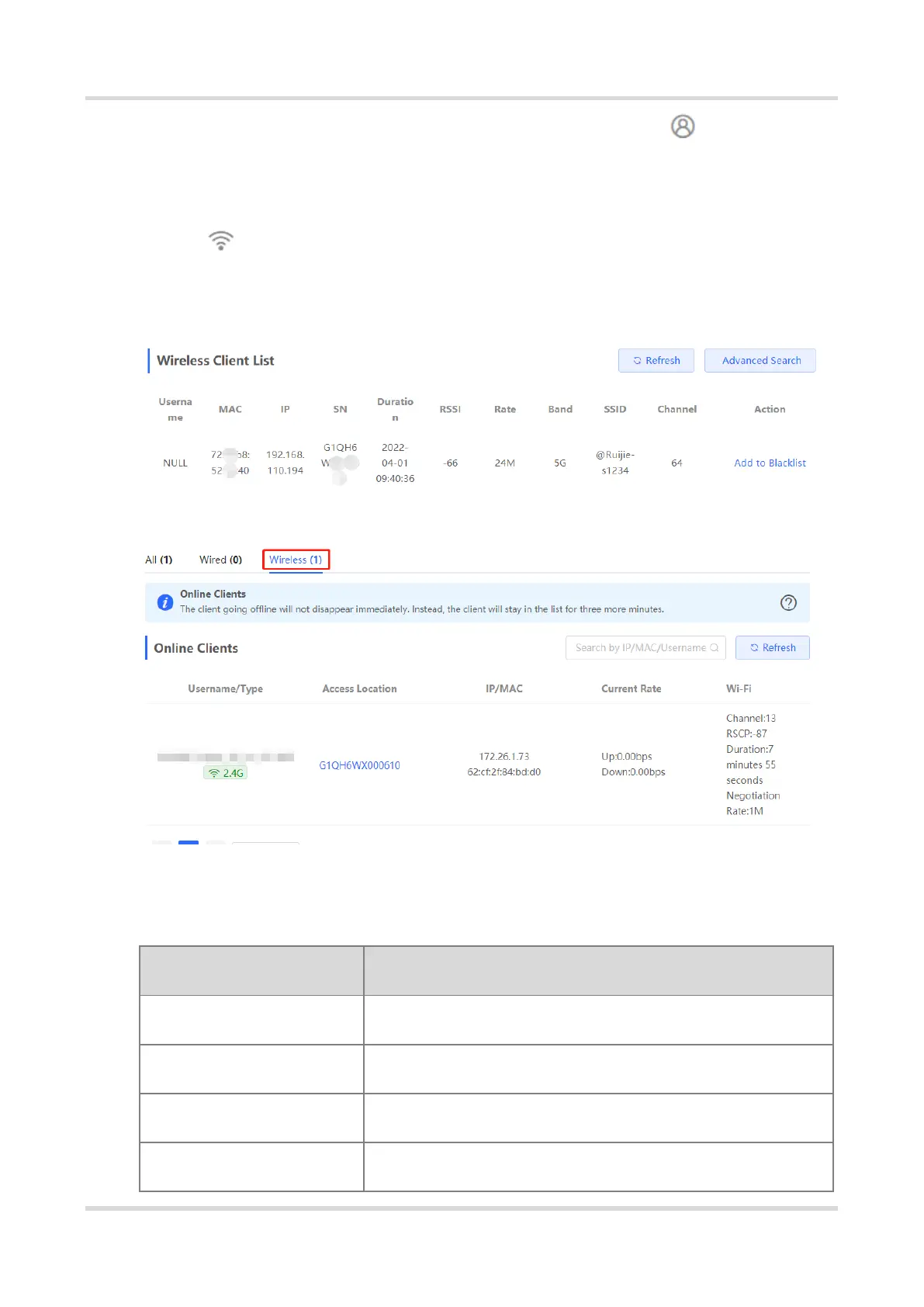
If the self-organizing network is enabled, in Network mode, choose Clients >
Online Clients > Wireless
For other RAP models:
Choose WLAN > Clients
Check information about all wireless clients connected to the Wi-Fi network. Click Add to
Blocklist to disconnect a client and ban the client from accessing the Wi-Fi network.
Table 3-2 Description of Wireless Client Information
MAC address of the client
IPv4 address of the client
SN of the device associated with the client



 To Next Page
 Loading...