28 Programming SATEL
3.1.1 Buttons
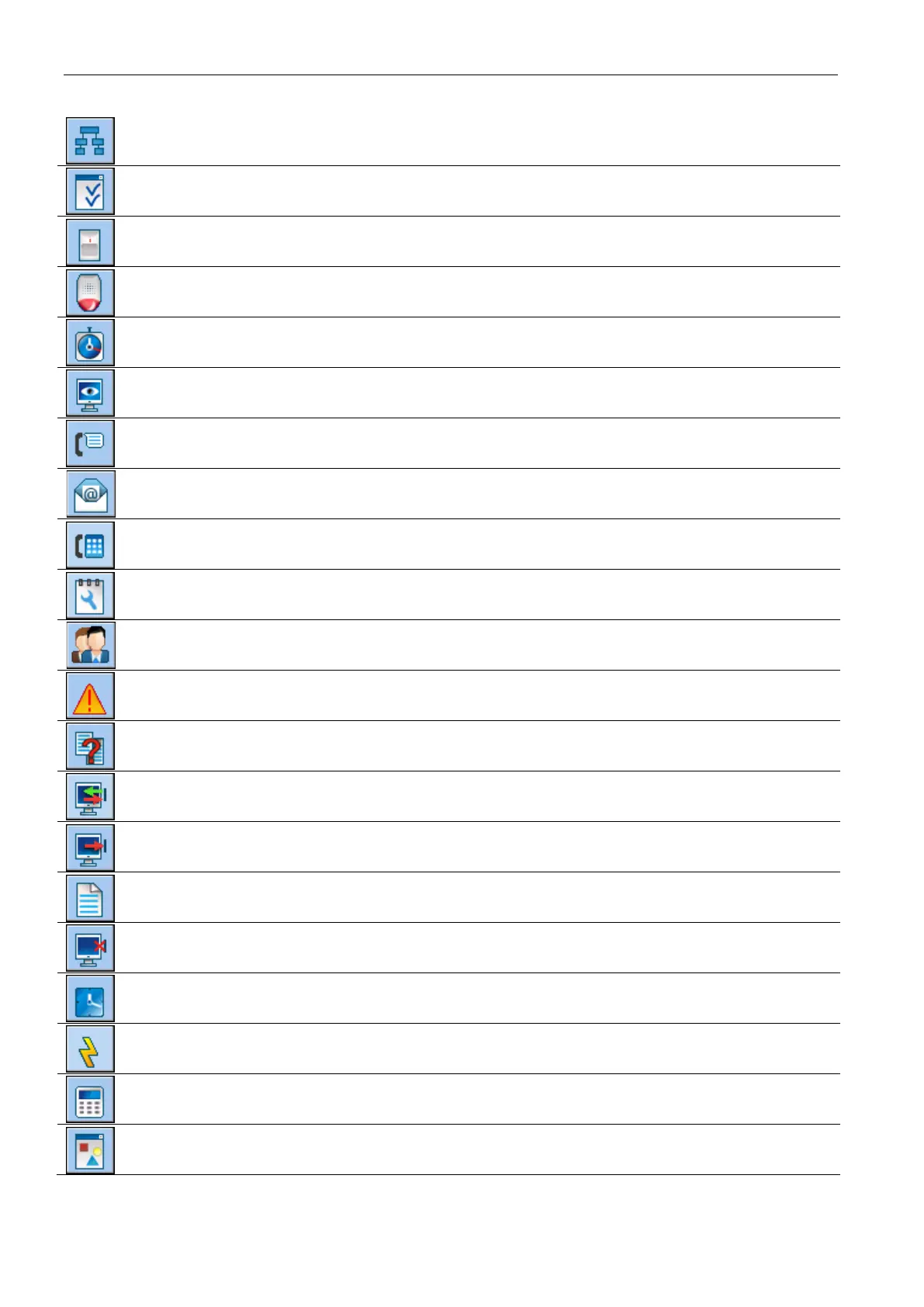
opens the “Structure” window.
opens the “Options” window.
opens the “Zones” window.
opens the “Outputs” window.
opens the “Timers” window.
opens the “Reporting” window.
opens the “Messaging” window.
opens the “E-mail messaging” window.
opens the “Answering and remote control” window.
opens the “Service note” window.
opens the “Users” window.
opens the window with information on errors made when configuring the alarm
system
opens the “Data comparison” window.
reading/updating of data from the control panel.
data writing to the control panel.
opens the “Event log” window.
terminates the data reading/writing.
saves the time in the control panel, based on the computer clock.
writes data into the control panel FLASH memory.
displays a virtual keypad.
opens the drop-down menu, which makes available some tools to supervise the
system state.












 To Next Page